
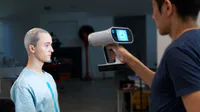
3D Scanning with Creality CR-Scan Ferret

Interactive Video
•
Computers
•
9th - 12th Grade
•
Practice Problem
•
Easy

Mr. Malone
Used 1+ times
FREE Resource
5 questions
Show all answers
1.
MULTIPLE CHOICE QUESTION
30 sec • 1 pt
What types of devices can the Creality Ferret 3D scanner be used with?
Only Windows PCs
Only Apple PCs
Windows PCs, Apple PCs, and Android phones
Only dedicated scanning workstations
2.
MULTIPLE CHOICE QUESTION
30 sec • 1 pt
Which of the following settings can be configured in the Creality Scan software before starting a scan?
Object size, feature type, and color mapping.
Scanner temperature, ambient light, and object material.
Network connection, printer settings, and file compression.
Operating system, CPU usage, and RAM allocation.
3.
MULTIPLE CHOICE QUESTION
30 sec • 1 pt
During the scanning process, what does it mean when parts of the 3D model turn from salmon to green in the quality map?
The scanner is too far from the object.
More points have been successfully scanned in those areas.
The object needs to be reoriented immediately.
The scanning process is complete.
4.
MULTIPLE CHOICE QUESTION
30 sec • Ungraded
Are you enjoying the video lesson?
Yes
No
5.
MULTIPLE CHOICE QUESTION
30 sec • 1 pt
What is recommended to improve scanning results for black or overly shiny objects?
Increase the scanner's speed.
Use baby powder or 3D scanning spray.
Scan the object in a completely dark room.
Decrease the object's size in the software settings.
Access all questions and much more by creating a free account
Create resources
Host any resource
Get auto-graded reports

Continue with Google

Continue with Email

Continue with Microsoft
or continue with

%20(1).png)
Apple

Others
Already have an account?


