
 Worksheets
Adobe Premiere
Total questions: 15
Worksheet time: 8mins
Name
Class
Date
1.
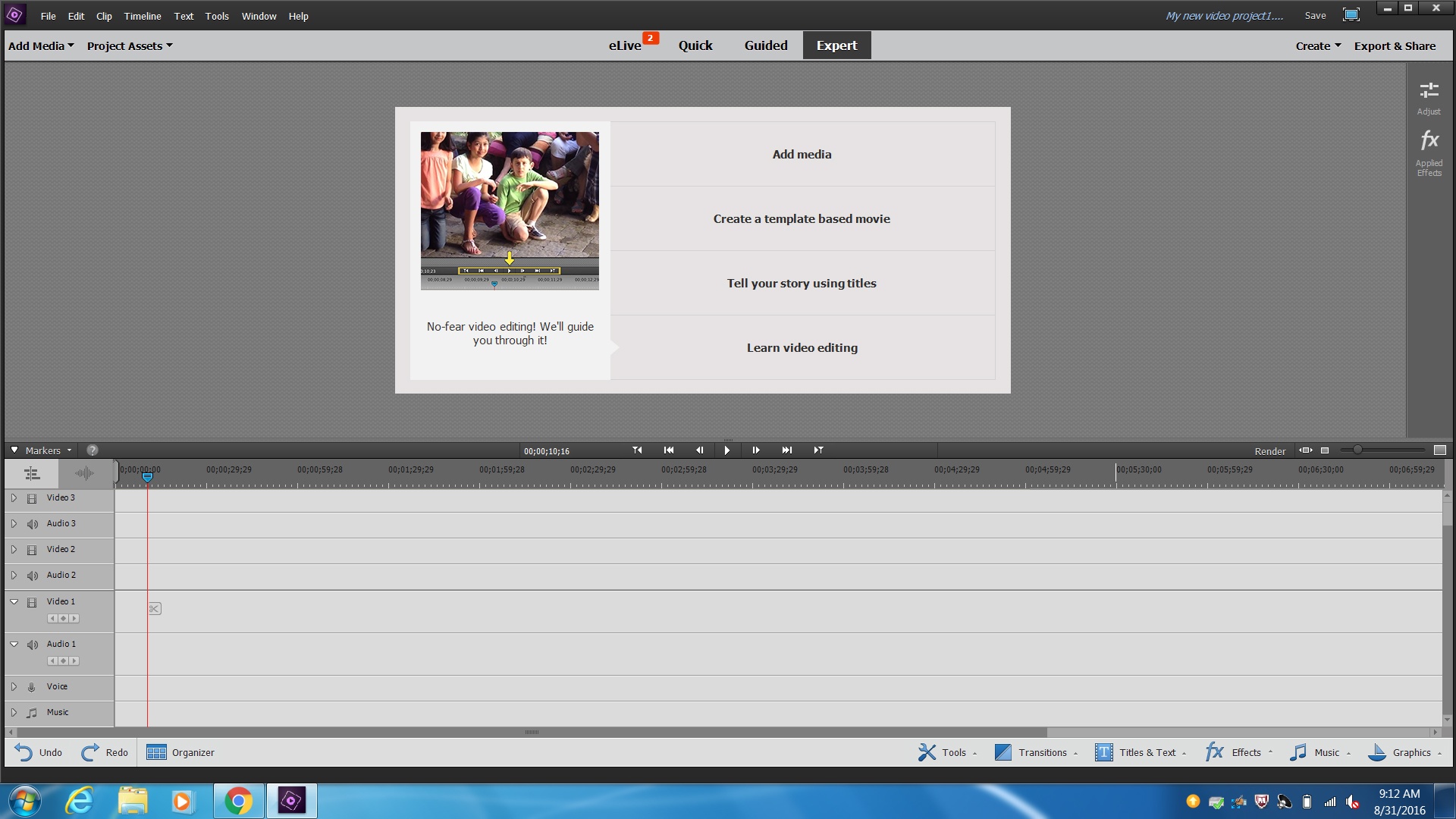
What do I click to add my videos, music, sound effects and images to my project?
a)
File, Open
b)
Add Media
c)
Edit, paste
d)
Tools, Movie menue
2.
What is the correct way to split a video?
a)
Edit, cut
b)
Ctrl-x
c)
Click on the scissors icon on the video
d)
Shift-c
3.

In the tools menu, which tool slows and/or speeds up your video?
a)
Motion tracker
b)
Pan and Zoom
c)
Smart Trim
d)
Time remapping
4.

Video Layer 1 is my background layer, video layer 2 will be on top
a)
True
b)
False
5.
True or false, once you save and close out for the day you cannot hit the undo button and undo what you did.
a)
False
b)
True
6.
How much of a video clip (pretend it's a full length movie), that is copyrighted, can you use for a school project?
a)
30 seconds
b)
The whole thing
c)
3 mins
d)
none of it
7.
To convert your movie to a file that can be watched on any computer you must:
a)
File, save as
b)
Save a copy
c)
Make movie
d)
Export and share
8.

What layer should your sound effect or music go on?
a)
Music
b)
Voice
c)
Video 1
d)
Audio 3
9.
Where do transitions go?
a)
Before the video clip
b)
After the video clip
c)
Between two video clips
d)
All of the above
10.

The video effect, Chroma Key, is used to do what in video editing?
a)
Add color to your video
b)
Remove a solid color background, usually green or blue
c)
Remove all color from your video
d)
None of the above
11.
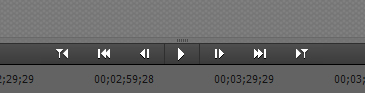
Which button is the play button?
a)
None of the below
b)
One triangle and a line facing left
c)
2 triangles and a line facing right
d)
Triangle
12.
Which file type is NOT a movie file type:
a)
.doc
b)
.mov
c)
.avi
d)
.mpeg
13.
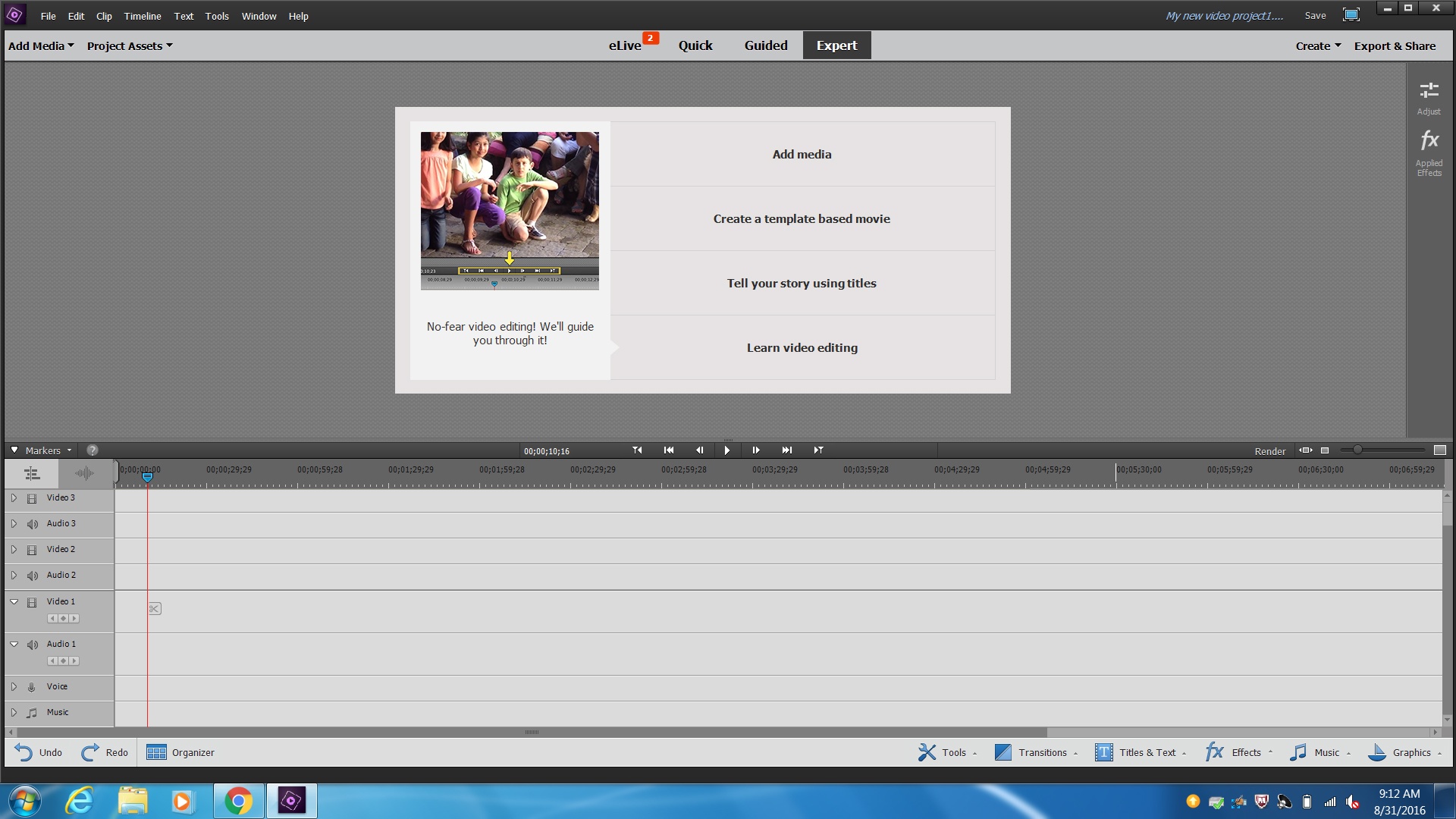
What is the area where you place and edit your videos called?
a)
Video Effects
b)
Preview Window
c)
Timeline
d)
Project Assets
14.
Rendering your video helps with:
a)
Playback
b)
Video quality
c)
Editing
d)
Nothing
15.

This slider does what to your editing space and videos?
a)
Deletes them
b)
Allows you to zoom in and out on the video clips on the timeline
c)
Reorders your video clips
d)
Allows you to zoom in and out on the video clips in the preview screen
100 %

