
 Worksheets
After Effects Awesomeness
Total questions: 37
Worksheet time: 37mins
Name
Class
Date
1.

What does After Effects do?
a)
Create simple and complex animations
b)
Process and create complex audio tracks
c)
Nothing much
d)
Penguin
2.
How can you rotate a picture in After Effects?
a)
A
b)
B
c)
S
d)
R
3.
What is the term given to changing the acceleration of a Key Frame?
a)
Ease in
b)
Lead in
4.
If you use After effects and like to 'Wiggle' what are you doing ...
a)
Using an 'expression' (After Effects code)
b)
Having a bit of a dance
c)
Applying motion shake to footage.
5.
does CTRL + C / CTRL + V let you copy and paste frames in After Effects
a)
No
b)
Yess
c)
Noo
d)
Yes
6.
Is After Effects actually classed as ....
a)
2D Software
b)
3D Software
c)
2.5D Software
d)
4D Software
7.
To change the length of a composition, you must change the ...
a)
Layer
b)
Timeline
8.
What is a composition?
a)
Where you organize your Bins
b)
Where you create all animation, layering and effects
c)
It is a 3D Camera
9.
If you wanted to adjust the anchor point of an object on the composition window, you would use which tool?
a)
Selection Tool
b)
Pen Tool
c)
Pan Behind Tool
10.
Layers are the components you use to build a composition?
a)
True
b)
False
c)
I have no idea
11.
The quickest way to create a mask is...
a)
to select something and tap 'M'
b)
to use the drawing tools at the top.
c)
To select a Luma Key
12.
What tool would I use to create a path for my text
a)
Text tool
b)
Pan behind tool
c)
Pen tool
d)
None of the above
13.
What happens to a layer when you turn on its 3d layer switch?
a)
The Camera Layer is created
b)
The layer can then be moved and rotated along its z axis in addition to its x and y axes.
c)
It allows you to import 3D images.
d)
None of the above
14.
What is a camera layer?
a)
It is the layer where you place audio tracks
b)
It allows you to view After Effects 3d layers from any number of angles and distances using layers called cameras.
c)
It is an Effects Plug in that allows you to create 3D images.
d)
None of these answers
15.
If I wanted to make size changes to the composition I'm already on I would ...
a)
Create a new Composition
b)
Go to composition settings and make the changes there.
c)
A + B (both amazinga options above)
d)
None of these answers
16.
To animate any effects or properties I need to use ...
a)
Still images
b)
Keyframes
c)
Clips
d)
None of these answers
17.
When rendering out my projects, what "view" will After Effects render out?
a)
Front
b)
Top
c)
Active Camera
d)
None of the Answers
18.
If I add audio to After Effects, does it play straight away or do I have to enable it?
a)
It works immediately in every version of After Effects
b)
It works, but has to be enabled in old versions of After Effects
c)
It doesn't work
d)
You cannot import audio at all.
19.
Switching on Motion blur enables
a)
Cool motion blur like effects
b)
The motion switch
c)
Not much
d)
All effects on a layer
20.
To Render something from After Effects you must add it to the
a)
Rendering dialogue
b)
Timeline
c)
Effects Panel
d)
Render Queue
21.
What does an Alpha channel do?
a)
Show the Red, Green and blue colours of an image.
b)
Makes certain colours stand out more.
c)
Show the Transparencey of an image.
22.
when a Green line appears in the timeline as it is being previewed, this means that the frames are being ___________ to the RAM.
a)
Previewed
b)
Rendered
c)
Exported
d)
Tested with
23.
OpenGL is a type of _________
a)
Graphics API
b)
Sound API
c)
Spreadsheet
d)
Bitmap Image
24.
Bitmap Images are
a)
Rubbish
b)
HUUUGGEEE
c)
Generally lack detail
d)
not able to save changes
25.
If you have Keyframed something in After Effects you have essentially ____________
a)
scaled it
b)
rotated it
c)
moved it
d)
animated it.
26.
When you have a layer selected and you draw something it creates _________
a)
A shape
b)
A Mask
27.
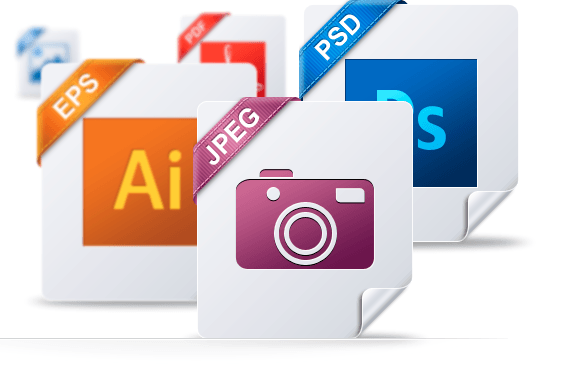
Which file format is an After Effets project saved as?
a)
AS
b)
AN
c)
AE
d)
AFE
28.

What is the most efficient file type to render to when exporting from After Effects (almost all of the time)
a)
MP1
b)
MP2
c)
MP3
d)
MP4
29.

A meme is something to do with you
a)
Yes
b)
No
c)
Can be
d)
Its always about the person sat next to me, the pretty one on the right ....
30.

Does After Effects work on a Mac machine
a)
Yes
b)
No
c)
Whats a Mac
d)
Penguins, everywhere?
31.

What is a standard recognized codec for compression that is developed by Quicktime .. If you see this hidden option, select it!!!!!
a)
.h876
b)
.h264
32.

How do you save an After Effects file quickly using the keyboard
a)
CTRL + L
b)
ALT + S
c)
CTRL + S
d)
CTRL + Q
33.
Video clips, Audio clips and images are referred to as ______________ in Adobe Premiere Pro.
a)
Files
b)
Folders
c)
Assets
d)
Effects
34.
The output format of the project can be altered during the exporting process.
a)
True
b)
False
35.
What panel allows you to move clips and trim audio in sample view?
a)
Project Panel
b)
Source Monitor Panel
c)
Timeline Panel
d)
Program Monitor Panel
36.
If you paste an image in Illustrator, you can trace the image by adding what?
a)
A layer
b)
An artboard
c)
A vector
37.
What is the tool called that can color a shape?
a)
Fill Tool
b)
Gradient Tool
c)
Shape Tool
100 %

