Wayground logo

Free Printable Worksheets

Font size

S
M
L
XL
Worksheets

Technology Term 3

Total questions: 196

Worksheet time: 2hrs 53mins

Name
Class
Date
1.
What am I?
a)
SDD
b)
Hard Drive
c)
RAM
d)
Disk Drive
2.
What am I?
a)
Disc
b)
CD-ROM
c)
CPU
d)
SD card
3.
What is this?
a)
Graphics Card
b)
Fan
c)
Central Processing Unit
d)
Motherboard
4.
Name the computer hardware shown.
a)
Printer
b)
Mouse
c)
Monitor
d)
Speakers
5.
Name the computer hardware shown.
a)
Keyboard
b)
Cables
c)
Printer
d)
USB Flash Drive
6.
Name the computer hardware shown.
a)
CPU and Internal Hard Drive
b)
Mouse
c)
Monitor
d)
Speakers
7.
What is the main part of the computer where instructions are processed?
a)
RAM
b)
ROM
c)
CPU
d)
Motherboard
8.
To scramble data so that it is unreadable is a form of….? (4-6)
a)
Compression
b)
Encryption
c)
Backing up
d)
Defragmentation
9.

Which of the following is computer hardware?

a)

(a) Monitor

b)

(d) All of the options

c)

(c) Keyboard

d)

(b) Scanner

10.

Which of the following is an input device?

a)

(a) A computer monitor

b)

(b) A mouse

c)

(c) A CD ROM

d)

(d) A printer

11.

Which of the following is an output device?

a)

(a) A keyboard

b)

(b) A hard disk

c)

(c) A CD ROM

d)

(d) A computer monitor

12.

Which of the following is a storage device?

a)

(c) RAM (Random Access Memory)

b)

(d) A scanner

c)

(a) A CD ROM

d)

(b) A laser printer

13.
What is a network?
a)
A way for computers to connect and share information.
b)
A way for all the hardware and software to communicate with each other.
c)
A social networking site e.g. Facebook
d)
An emailing system.
14.
Which of these is NOT an advantage of a network?
a)
Can share data easily. 
b)
Files can be stored on a central location. 
c)
Software can be shared on all computers. 
d)
Not always secure. 
15.
What is the function of a server?
a)
Security for the network.
b)
Manages the network.
c)
Extra cable so you can add more computers to the network.
d)
Manages who uses the printer. 
16.
Input, Output, or Both?
a)
Input
b)
Output
c)
Both
17.
Input, Output, or Both?
a)
Inpu
b)
Output
c)
Both
18.
What is the name of the chip inside the computer that processes information?
a)
Random Access Memory
b)
Central Processing Unit
c)
Read Only Memory
d)
Motherboard
19.
What are the chips inside a computer that temporarily hold all the programs and data currently being used?
a)
Random Access Memory (RAM)
b)
Read Only Memory (ROM)
c)
Hard Disk
d)
Hard Drive
20.
What does GB stand for?
a)
Gigabyte
b)
Giantbyte
c)
Giagabyte
d)
Giggabyte
21.

How Many Megabytes Are in 1 Gigabyte

a)

1

b)

132

c)

1000

d)

1024

22.
The main circuit board in a computer is called the ________.
a)
RAM
b)
dongle
c)
motherboard
d)
 power supply unit
23.
Computers are only able to recognize two states of 0's and 1's known as _____.
a)
bytes
b)
the binary system
c)
code system
d)
cache
24.
A(n) _____ is the smallest unit of data a computer can process.
a)
bit
b)
0
c)
character
d)
digit
25.
A ____, which is formed when 8 bits are grouped together, provides enough different combinations of 0s and 1s to represent 256 different characters.
a)
bit
b)
byte
c)
cache
d)
digit
26.
which one of theese holds most data
a)
Hardrive
b)
RAM
c)
ROM 
d)
DISC
27.
State an input device
a)
Mouse
b)
Flash D
Flash Drive
c)
Tape
d)
Printer
28.
State an output device
a)
Cache memory
b)
Flash Drive
c)
Keyboard
d)
3D Printer
29.
What does CPU stand for?
a)
Central Program Unit
b)
Central Processing Unit
c)
Computer Program Unit
d)
Computational Pink U
30.
What are the only two numbers you can use in binary?
a)
0 and 1
b)
1 and 2
c)
1, 2, 3, 4, 5, 6, 7, 8, 9, 10
d)
1, 2, 4, 8, 16
31.
Convert 11111111 to decimal
a)
255
b)
245
c)
235
d)
225
32.
Which of these is the correct sequence for the place values for binary numbers?
a)
1, 2, 4, 8, 16, 32, 64, 128
b)
1, 2, 4, 6, 8, 10, 12, 14, 16
c)
1, 2, 3, 4, 5, 6, 7, 8
d)
0, 1
33.
What is the point of binary?
a)
It represents how computers interpret electrical signals
b)
Because we like to make you do extra maths ;-D
c)
For the lulz
d)
Because it describes star systems
34.
What is 12 in binary?
HINT: It has an 8 and a 4 in it!
a)
12
b)
11
c)
1100
d)
1011
35.
Which of the following devices uses binary code?
a)
Calculator
b)
Train
c)
Typewriter
d)
Sewing Machine
36.
What type of test is most similar to binary?
a)
An essay test
b)
Multiple choice
c)
True or False
d)
Fill-in-the-blanks
37.
If 1 and 0 mean on and off. Is the number 1 on or off?
a)
ON
b)
OFF
38.
This storage device needs a computer with a specific  drive in order to read the disk. Cannot be read by a CD drive or DVD drive.  Used for high definition films.
a)
Blu-ray
b)
CD
c)
DVD
d)
Bluetooth
39.

What does HDD stand for?

a)

Hard Driving Disks

b)

Hard Drive Diagram

c)

Hard Disk Dimensions

d)

Hard Disk Drive

40.

What does SSD stand for?

a)

Silicon Saving Device

b)

Solid Storage Device

c)

Storing Saving Drive

d)

Solid State Drive

41.

Internal Hard Drives are...

a)

Inside an enclosure

b)

Portable

c)

Inside a computer

d)

Outside the computer case

42.

Which hard drive has no moving parts?

a)

SSD

b)

HDD

43.

What do optical drives use to read data on CDs or DVDs?

a)

Flash Memory

b)

Metallic Tape

c)

Magnetic Tape

d)

Laser

44.

Binary on an optical disc is read as what?

a)

Bumps and Flat Surfaces

b)

Magnetic 1s and 0s

c)

Tiny Holes that light shines through

d)

Tiny 1s and 0s printed on the disc

45.

Which of these are obsolete?

a)

Floppy Disk

b)

CD

c)

Flash Drive

d)

All of these

46.

Which of these is a Hard Disk Drive (HDD)?

a)
b)
c)
d)
47.
Which is an example of a handheld device
a)
Smartphone
b)
Desktop computer
c)
Games console
d)
Database server
48.
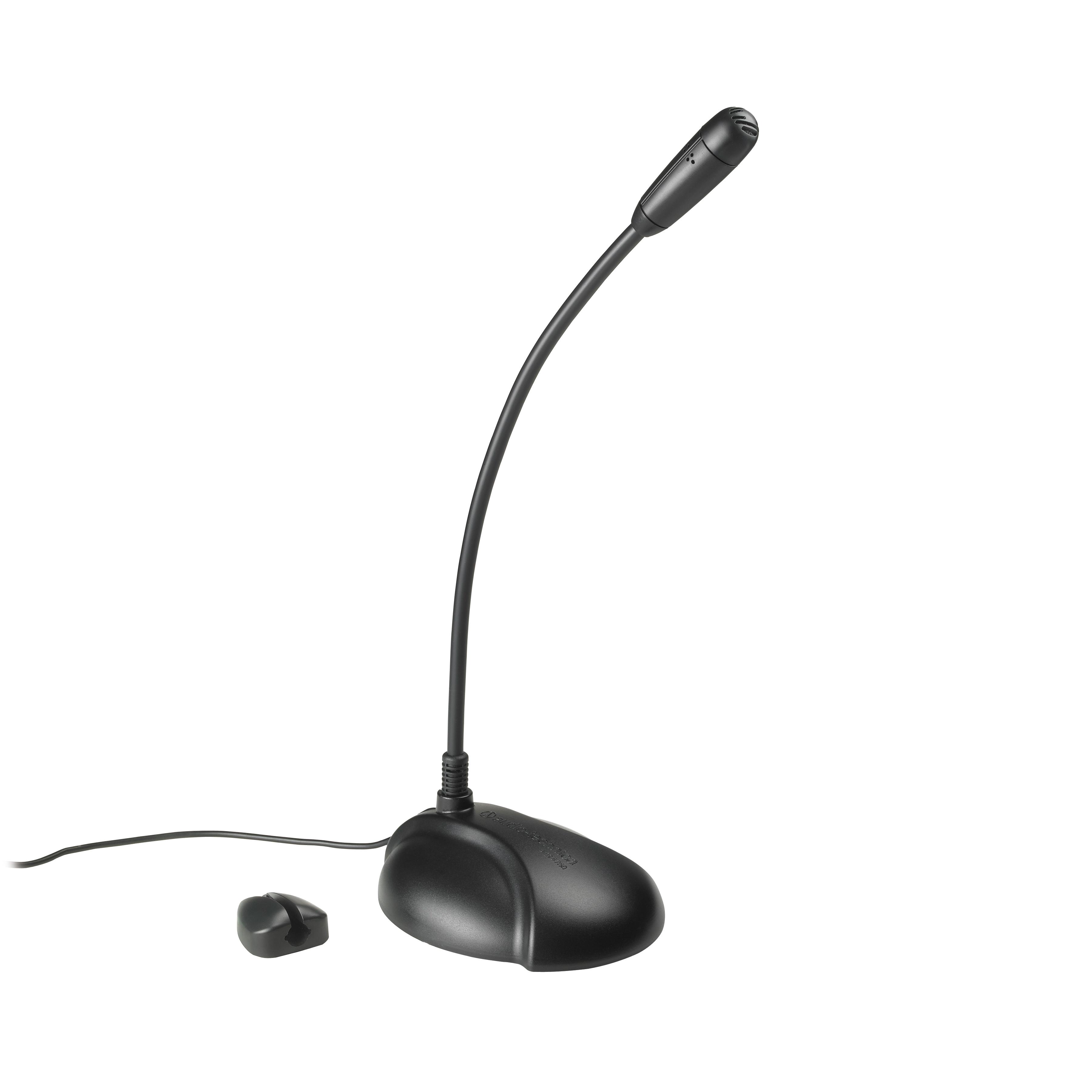
What type of device is this? Microphone
a)
Input
b)
Output
c)
Storage
49.
What type of device is this? Speakers
a)
Input
b)
Output
c)
Storage
50.
What type of device is this? CD / DVD / Blu-Ray
a)
Input
b)
Output
c)
Storage
51.
Which type of device is this?
a)
Optical Disk
b)
Hard Drive
c)
Flash Memory
d)
Magnetic Tape
52.
Where does all of the computer's processing go through?
a)
CPU
b)
RAM
c)
ROM
d)
MOTHERBOARD
53.
This is the image of a __________ .
a)
RAM
b)
ROM
c)
Keyboard
d)
Motherboard
54.
Programs that are digital and you cannot physically touch. They give instruction to the computer.
a)
keyboard
b)
mother board
c)
hardware
d)
software
55.
The CPU is called the _______________ of the computer.
a)
arm
b)
mother
c)
brains
d)
leg
56.
Which of these would be considered an input device?
a)
microphone
b)
printer
c)
speaker
d)
ram
57.
What are the four tasks(classifications)  that make up a computer?
a)
input, color, pixels, and application
b)
input, output, process, store
c)
printers, output, monitors, microphones
d)
keyboards, mouse, joysticks, and memory card
58.
The computer does not understand human language.
a)
True
b)
False
59.
How do we call this?
a)
memory stick
b)
folder
c)
mouse
d)
router
60.
Which of the following is computer hardware?
a)
monitor
b)
scanner
c)
keyboard
d)
all of them
61.
What does www stand for?
a)
World wide web
b)
World web wide
c)
Wide world web
62.
What does a mouse do?
a)
It controls the pointer on your screen
b)
It stores data
c)
It makes a copy of a sheet of paper on your computer
d)
It provides power to a device
63.
What are the programs that run on a computer system called? 
a)
Algorithms
b)
Code
c)
Software
d)
Languages
64.
What is an ISP?
a)
Internet service provider
b)
Internet Sender protocol
65.
What was the first network setup in the world?
a)
INTERNET
b)
ARPANET
66.
What does email stand for?
a)
Electronic mail
b)
Electro message
67.
What is the shortcut to undo an action?
a)
CTRL + Z
b)
CTRL + C
c)
CTRL + S
68.
What does the thesaurus option in Microsoft word do?
a)
Givrs a list of words with synonyms and antonyms
b)
Gives data made to enable quick access by a user
c)
Gives some punctuation corrections
69.
What does URL stand for?
a)
Universal Ready Language
b)
Uniform resource locator
70.
What storage loses its data every time the computer is turned off?
a)
RAM
b)
ROM
c)
CPU
d)
Motherboard
71.
What is the main storage device of your computer?
a)
RAM
b)
ROM
c)
CPU
d)
HARD DRIVE
72.
Where does all of the computer's processing go through?
a)
CPU
b)
RAM
c)
ROM
d)
MOTHERBOARD
73.
Which of these is NOT an input device?
a)
Screen
b)
Microphone
c)
Scanner
d)
Keyboard
74.
What is this piece of hardware?
a)
CPU
b)
Motherboard
c)
Computer/Tower
d)
Power Supply
75.
Where does all of the computer's processing happen?
a)
RAM
b)
ROM
c)
CPU
d)
Hard Drive
76.
The base 2 number system or language of the computer
a)
HTML
b)
Binary Code
c)
Sans script
d)
Hypertext
77.
What are the four tasks(classifications)  that make up a computer?
a)
input, color, pixels, and application
b)
input, output, process, store
c)
printers, output, monitors, microphones
d)
keyboards, mouse, joysticks, and memory card
78.
You are a genius computer gamer and want to write your own programs and design graphics in order to create a video game that will make you rich, which of the following will be most important in choosing a computer?
a)
speakers
b)
sound card
c)
video card
d)
network card
79.
Which component is the chip that performs the math and logical calculations(thinking)?
a)
sound card
b)
cpu
c)
monitor
d)
speaker
80.

What is this?

a)

CPU

b)

RAM

c)

ROM

d)

Speakers

81.

What is this?

a)

Audio Card

b)

Graphics Card

c)

CPU

d)

Motherboard

82.

What is this?

a)

CPU

b)

Motherboard

c)

Graphics Card

d)

Hard Disc Drive

83.

What is this?

a)

DVD

b)

Optical drive

c)

CD

d)

Hard drive

84.

What is this?

a)

ROM

b)

RAM

c)

Printer

d)

CPU

85.
Convert 65 to binary
a)
01100001
b)
00100001
c)
01000001
d)
00100101
86.
If a binary number ends with a 1, it must be...
a)
An odd number
b)
An even number
c)
A prime number
d)
The number 12
87.
Which of these is the correct sequence for the place values for binary numbers?
a)
1, 2, 4, 8, 16, 32, 64, 128
b)
1, 2, 4, 6, 8, 10, 12, 14, 16
c)
1, 2, 3, 4, 5, 6, 7, 8
d)
0, 1
88.
Convert 254 to binary
a)
11110000
b)
11111100
c)
11111111
d)
11111110
89.
Convert 11001100 to decimal
a)
224
b)
134
c)
104
d)
204
90.
What is the main function of binary code?
a)
Turning switches on and off
b)
Allowing computers to represent and store data
c)
Providing a gateway into higher mathematics
d)
Allowing computers to interact with humans
91.

What type of storage is this?

a)

Optical

b)

Magnetic

c)

Solid state

92.
What type of storage is this?
a)
Magnetic
b)
Optical
c)
Solid State
93.
What is the typical capacity of a CD?
a)
4.7GB
b)
1TB
c)
700MB
94.
What is an advantage of a CD?
a)
Easily scratched, leading to the loss of data
b)
Large storage capacity
c)
Expensive to buy
d)
Portable, easy to carry around
95.

1,024 GB id the same as?

a)

1 TB

b)

1 GB

c)

1MB

d)

1 KB

96.
This storage device needs a computer with a specific  drive in order to read the disk. Cannot be read by a CD drive or DVD drive.  Used for high definition films.
a)
Blu-ray
b)
CD
c)
DVD
d)
Bluetooth
97.
What type of memory is accessed the quickest?
a)
Solid State Memory
b)
Magnetic Storage
c)
Blu-Ray
d)
CD/DVD
98.
DVD stands for
a)
Digital Versatile Disc
b)
Digital Video Disc
c)
Digitised Video Disc 
d)
Digital Virtual Drive 
99.
What does LAN stand for?
a)
Local Area Network
b)
Legal Access Network
c)
Legendary Access Node
d)
Local Admin Network
100.
What does WAN stand for ?
a)
Weak Access Node
b)
Working Area Network
c)
Wide Area Network
d)
World Access Net
101.
What type of network is this?
a)
Star
b)
Bus
c)
LAN
d)
WAN
102.
What type of network is this?
a)
Star
b)
Bus
c)
LAN
d)
WAN
103.
What is a network?
a)
1 computer
b)
2 or more computers connected
c)
a film
d)
a server
104.
A computer network can share printers and software.
a)
True
b)
False
105.
If the main cable on a bus fails what happens?
a)
Nothing
b)
Some of the computers will still work
c)
The whole network fails
d)
One computer fails
106.
If a cable fails on a star what happens?
a)
Network fails
b)
One computer fails
c)
Nothing
d)
Not sure
107.
Type of devices that  have  stable and reliable internet connection but  are not very portable
a)
Smartphones
b)
Tablets
c)
Desktop computer
d)
Laptops
108.
The  type of computer networks  used to connected  computers within one building or not very far away from each other geographically 
a)
Personal Area Network
b)
Metropolitan Area Network
c)
Wireless  Local Area Network
d)
Wide Area Network
109.
Your mom just bought a new computer, the store clerk told her that it is not connected to share data. Your mom's computer would be considered to be a 
a)
Stand Alone computer
b)
Router
c)
Network
d)
Terminal
110.
The Jones family has several computers a home but  only one laser Printer. What type of network would they need to set up in order to share the printer?
a)
MAN
b)
WAN
c)
LAN
111.
The Internet is an example of ____________ type of network.
a)
LAN
b)
WAN
c)
MAN
112.
A __________________ is a group of computers that are connected together to share data, hardware and software.
a)
Laptop
b)
Tablet
c)
Computer Network
d)
Digital portfolio
113.
Name this network topology...
a)
Mesh
b)
Ring
c)
Bus
d)
Star
114.
Name this network hardware...
a)
Router
b)
Hub
c)
Bridge
d)
Gateway
115.
Name this piece of network hardware...
a)
Network Interface Card (NIC)
b)
Switch
c)
Hub
d)
Cat 5 cable
116.
Networks are usually wireless or wired. What is an advantage of cable network?
a)
More expensive
b)
Less secure
c)
Faster transfer speeds
d)
More inconvenient
117.
It is a group of computers and other devices that are connected to each other.
a)
Computer Hardware
b)
Computer Network
c)
Computer Software
118.
Internet is the
a)
network
b)
small network
c)
biggest network
d)
big network
119.
In almost all cases, this device is responsible for sending out WIFI signals in your home for you to connect to.
a)
Router
b)
Hub
c)
TCP IP
d)
MAC
120.
Connects multiple computers together in a network. Only sends data to the specific computer address
a)
Switch
b)
Hub
c)
Repeater
d)
Modem
121.
What kind of cable would you use to connect a modem to a router?
a)
Eithernet cable
b)
Phone cable
c)
VGA cable
d)
TCP IP Cable
122.
What is this?
a)
Computer
b)
Montior
c)
Tablet
d)
Laptop
123.
What is an algorithm?
a)
A fancy way to do math
b)
Output
c)
A list of steps that will complete a task
d)
Input
124.
What is my job?
a)
Input
b)
Output
c)
Input, output, storage, processing
d)
Processing and storage
125.
What is my job?
a)
Input
b)
Output
c)
Processing
d)
Storage
126.
What is this?
a)
Mouse
b)
CPU tower or case
c)
Computer
d)
Monitor
127.
What is my job?
a)
Input
b)
Output
c)
Processing
d)
Storage
128.
What is this?
a)
A box
b)
A video game console
c)
A computer
d)
CPU tower or computer case
129.
A cpu tower or computer case houses the brain and the guts of a computer. 
a)
True
b)
False
130.
What am I?
a)
disc
b)
CD-ROM
c)
CPU chip
d)
SD card
131.
Output devices allows data to be seen or heard.
a)
True
b)
False
132.
Input devices allow a user to put data in a computer as images, text, or sound. 
a)
True
b)
False
133.
Storage devices hold information so a user can find and work with them at another time. 
a)
False
b)
True
134.
Processing devices tell all of the other devices what to do and when to do it. 
a)
True
b)
False
135.
What is my job?
a)
Input
b)
Output
c)
Storage
d)
Processing
136.
Software is what we do on a computer. Software are things like Pixie, Word, and Google.
a)
False
b)
True
137.
Hardware are all the different pieces of a computer. We can touch hardware.
a)
False
b)
True
138.
What am I?
a)
Smartphone
b)
Laptop
c)
Computer
d)
Tablet
139.
What is my job?
a)
Input
b)
Output
c)
Storage and Processing
d)
Input, output, storage, and processing
140.
What am I?
a)
Tablet
b)
Computer
c)
Smartphone
d)
Monitor
141.
What is my job?
a)
Input
b)
Output
c)
Storage and Processing
d)
Input, output, storage, and processing
142.
How am I different than a tablet?
a)
I can make Internet calls. 
b)
I can make telephone calls on a cellular network.
c)
I can play games like Candy Crush and Subway Surfer. 
d)
I am an input and output device only. 
143.
What is my job?
a)
Input
b)
Output
c)
Input and output
d)
Input, output, and storage
144.
What am I?
a)
iPad
b)
Cellphone
c)
Digital camera
d)
35mm camera
145.
A(n) ______________________ is the most important software that runs on a computer.
a)
Operating System
b)
Windows
c)
Anti Virus
d)
iOS
146.
What language do operating systems use?
a)
The operators language
b)
Binary Code
c)
Code
d)
XOXO
147.
Which of the following is not one of the most common operating systems for personal computers?
a)
Microsoft Windows
b)
IBM
c)
Linux
d)
Mac OS X
148.
Which of the following is the most recent version of Windows?
a)
Windows 8
b)
Windows 7
c)
Windows 10
149.
Which of the following is the most recent version of Windows?
a)
Windows 8
b)
Windows 7
c)
Windows 10
150.
The screen that you see when your computer has finished starting up is called the ____________.
a)
Task Bar
b)
Start up screen
c)
Home
d)
Home Screen/Desktop
151.
The start button located on the bottom left of your screen can be found on what operating system?
a)
Mac OS X
b)
Windows
152.
A computer uses ________ to organize all of the different files and applications that it contains.
a)
Folder
b)
Icons
c)
Trash Can
d)
Applications
153.
What is one reason there is a greater percentage of Windows users than Mac OS X?
a)
Not as good
b)
Do not meet the individual needs 
c)
More expensive
d)
Bad reviews
154.
What operating system is this a symbol of?
a)
Mac OS X
b)
Linux
c)
Windows
155.
What operating system is this a symbol of?
a)
Mac OS X
b)
Windows
c)
Linux
d)
IBM
156.
What is the purpose of an operating system?
a)
Manage software on computer
b)
Manage hardware on computer
c)
Manage all hardware & software on computer
157.
Recycle Bin to Windows is what Trash Can is to ________.
a)
Mac
b)
Linux
c)
IBM
158.
You are going to purchase a new iPhone. Which operating system will be instead on it?
a)
iOS 
b)
OS X 
c)
iPhone OS 
d)
ion know 
159.
Which operating system is more prone to hacking?
a)
Windows
b)
MAC OS
160.
Which company was created by Bill Gates?
a)
Windows
b)
Macintosh
c)
Android
d)
Blackberry?
161.
A computer can function without an operating system
a)
True
b)
False
162.

OS stands for

a)

Olympic Sprinkles

b)

Ordinary System

c)

Operating System

d)

Order Soft

163.
What operating system is this a symbol of?
a)
Mac OS X
b)
Linux
c)
Windows
164.
What is the purpose of an operating system?
a)
Manage software on computer
b)
Manage hardware on computer
c)
Manage all hardware & software on computer
165.
Which is not a type of OPERATING SYSTEM SOFTWARE?
a)
Windows 7
b)
LINUX
c)
UNIX
d)
RAM
166.
Which is NOT an example of a peripheral device?
a)
Printer
b)
Monitor
c)
Projector
d)
Computer
167.
Which is NOT an example of a peripheral device?
a)
Printer
b)
Monitor
c)
Projector
d)
Computer
168.
Which of these is an operating system?
a)
Chrome browser
b)
Android
c)
Excel
d)
Siri
169.
An operating system is required because....
a)
it boots up the computer
b)
it acts as a bridge between the user and the computer's hardware
c)
it is the hard drive
170.

To log onto a network, what do you usually need?

a)

A user ID and password

b)

A fast connection

c)

Specialist software

171.

Software used to prevent ,detect and remove computer viruses,worms and trojan.

a)

Virus Deleter

b)

Virus Detector

c)

Anti-virus

d)

Anti-Trojan

172.

Part of a computer system or network that is designed to block unauthorized access while permitting authorized communications.

a)

Firewall

b)

Control Panel

c)

Command Prompt

d)

Security

173.
Portable digital storage that allows the user to view and alter documents.
a)
Cloud storage
b)
Hard Drive
c)
USB Flash Drive
d)
Network Drive
174.
This component allows users to enter text, numbers, and other information
a)
Mouse
b)
Keyboard
c)
Monitor
d)
CPU
175.
Input device which communicates commands to the CPU; allows users to select, highlight, and control options on the monitor
a)
Mouse
b)
Keyboard
c)
Monitor
d)
Software
176.
If my computer is frozen, and I cannot safely shut it down, the best thing to do is...
a)
Unplug it
b)
Hold in the power button
c)
Tell the teacher
d)
Go Crazy!!!!
177.
Identify this computer part.
a)
printer
b)
speakers
c)
microphone
d)
web cam
178.
What peripheral is this?
a)
Screen/Moniter
b)
Mouse
c)
Keyboard
d)
Speakers
179.

This key on the keyboard

a)

erases mistakes

b)

makes everything you type a capital letter

c)

moves down a line

d)

saves your work

180.

What does this key do?

a)

saves your work

b)

erases your work

c)

makes a capital letter

d)

moves down a line or enters a program

181.

This Microsoft Program is used to organize data and make charts.

a)

Word

b)

PowerPoint

c)

Excel

d)

Outlook

182.

What does the Num Lock do?

a)

makes capital letters

b)

erases your answers

c)

locks the number pad so that the numbers work

d)

enters the numbers

183.

What do you do with this Microsoft Program?

a)

write book reports

b)

make presentations

c)

organize data

d)

practice keyboarding

184.

When do you use Save As?

a)

when you change to name or location of your file

b)

whenever you save your work

c)

it is the fastest way to save

d)

all of the above

185.

What does this key do?

a)

erases your work

b)

makes capital letters & symbols

c)

prints

d)

makes spaces

186.

This key on the keyboard is?

a)

enter

b)

space bar

c)

tab

d)

shift

187.

What do you use the Microsoft Program for?

a)

keyboarding

b)

organizing data

c)

presentations

d)

typing stories and reports

188.

This is the icon for.....

a)

print

b)

save

c)

file

d)

new

189.
a)
USB
b)
Hard Drive
c)
Memory
d)
Floppy Disc
190.
RAM stand for 
a)
Random Access Memory
b)
Read Access Memory
c)
Ram Access Memory
d)
Read Only Memory
191.
An external device attached to the computer
a)
Peripheral Device
b)
Input Device
c)
Output Device
d)
Rom
192.
What app does this icon belong to?
a)
Pages
b)
Keynote
c)
Classkick
d)
iMovie
193.
How do I paste?
a)
Command V
b)
Command C
c)
Command P
d)
Command Q
194.
Command P does what?
a)
Paste
b)
Print
c)
File
d)
Quit
195.
How many USB ports are on the MacBook?
a)
0
b)
12
c)
2
d)
4
196.
Shortcut key for taking a screenshot of the entire screen. 
a)
Command-Shift-4
b)
Command-Shift-3
c)
Command-Shift-Return
d)
Command-Shift-Delete