wayground logo

Free Printable Worksheets

Font size

S
M
L
XL
Worksheets

Technology End of Unit Assessment

Total questions: 105

Worksheet time: 1hrs 5mins

Name
Class
Date
1.
What am I?
a)
SDD
b)
Hard Drive
c)
RAM
d)
Disk Drive
2.
What am I?
a)
Disc
b)
CD-ROM
c)
CPU
d)
SD card
3.
What is this?
a)
Graphics Card
b)
Fan
c)
Central Processing Unit
d)
Motherboard
4.
Name the computer hardware shown.
a)
Printer
b)
Mouse
c)
Monitor
d)
Speakers
5.
Name the computer hardware shown.
a)
Keyboard
b)
Cables
c)
Printer
d)
USB Flash Drive
6.
Name the computer hardware shown.
a)
CPU and Internal Hard Drive
b)
Mouse
c)
Monitor
d)
Speakers
7.
What is the main part of the computer where instructions are processed?
a)
RAM
b)
ROM
c)
CPU
d)
Motherboard
8.

Which of the following is computer hardware?

a)

(a) Monitor

b)

(d) All of the options

c)

(c) Keyboard

d)

(b) Scanner

9.

Which of the following is an input device?

a)

(a) A computer monitor

b)

(b) A mouse

c)

(c) A CD ROM

d)

(d) A printer

10.

Which of the following is an output device?

a)

(a) A keyboard

b)

(b) A hard disk

c)

(c) A CD ROM

d)

(d) A computer monitor

11.

Which of the following is a storage device?

a)

(c) RAM (Random Access Memory)

b)

(d) A scanner

c)

(a) A CD ROM

d)

(b) A laser printer

12.
What is a network?
a)
A way for computers to connect and share information.
b)
A way for all the hardware and software to communicate with each other.
c)
A social networking site e.g. Facebook
d)
An emailing system.
13.
Which of these is NOT an advantage of a network?
a)
Can share data easily. 
b)
Files can be stored on a central location. 
c)
Software can be shared on all computers. 
d)
Not always secure. 
14.
What is the function of a server?
a)
Security for the network.
b)
Manages the network.
c)
Extra cable so you can add more computers to the network.
d)
Manages who uses the printer. 
15.
Input, Output, or Both?
a)
Input
b)
Output
c)
Both
16.
Input, Output, or Both?
a)
Inpu
b)
Output
c)
Both
17.
What does GB stand for?
a)
Gigabyte
b)
Giantbyte
c)
Giagabyte
d)
Giggabyte
18.

How Many Megabytes Are in 1 Gigabyte

a)

1

b)

132

c)

1000

d)

1024

19.
Computers are only able to recognize two states of 0's and 1's known as _____.
a)
bytes
b)
the binary system
c)
code system
d)
cache
20.
which one of theese holds most data
a)
Hardrive
b)
RAM
c)
ROM 
d)
DISC
21.
State an input device
a)
Mouse
b)
Flash D
Flash Drive
c)
Tape
d)
Printer
22.
State an output device
a)
Cache memory
b)
Flash Drive
c)
Keyboard
d)
3D Printer
23.
What does CPU stand for?
a)
Central Program Unit
b)
Central Processing Unit
c)
Computer Program Unit
d)
Computational Pink U
24.
What are the only two numbers you can use in binary?
a)
0 and 1
b)
1 and 2
c)
1, 2, 3, 4, 5, 6, 7, 8, 9, 10
d)
1, 2, 4, 8, 16
25.
Convert 11111111 to decimal
a)
255
b)
245
c)
235
d)
225
26.
Which of these is the correct sequence for the place values for binary numbers?
a)
1, 2, 4, 8, 16, 32, 64, 128
b)
1, 2, 4, 6, 8, 10, 12, 14, 16
c)
1, 2, 3, 4, 5, 6, 7, 8
d)
0, 1
27.
What is the point of binary?
a)
It represents how computers interpret electrical signals
b)
Because we like to make you do extra maths ;-D
c)
For the lulz
d)
Because it describes star systems
28.
What is 12 in binary?
HINT: It has an 8 and a 4 in it!
a)
12
b)
11
c)
1100
d)
1011
29.
Which of the following devices uses binary code?
a)
Calculator
b)
Train
c)
Typewriter
d)
Sewing Machine
30.
If 1 and 0 mean on and off. Is the number 1 on or off?
a)
ON
b)
OFF
31.
Which is an example of a handheld device
a)
Smartphone
b)
Desktop computer
c)
Games console
d)
Database server
32.
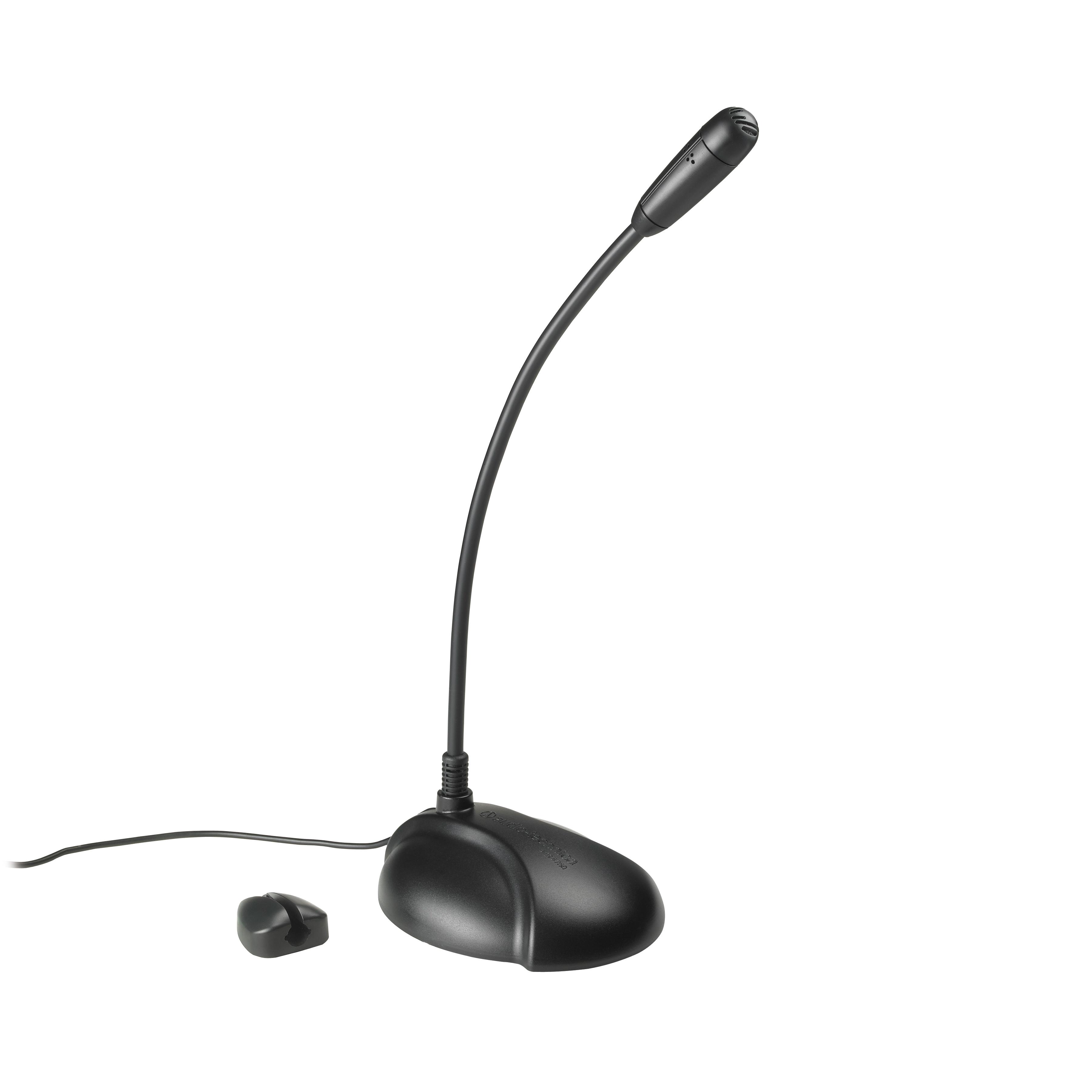
What type of device is this? Microphone
a)
Input
b)
Output
c)
Storage
33.
What type of device is this? Speakers
a)
Input
b)
Output
c)
Storage
34.
Programs that are digital and you cannot physically touch. They give instruction to the computer.
a)
keyboard
b)
mother board
c)
hardware
d)
software
35.
What are the four tasks(classifications)  that make up a computer?
a)
input, color, pixels, and application
b)
input, output, process, store
c)
printers, output, monitors, microphones
d)
keyboards, mouse, joysticks, and memory card
36.

What does www stand for?

a)

World wide web

b)

World web wide

c)

Web Wireless World

d)

World Wrestling Federation

37.

What does email stand for?

a)

Electronic mail

b)

Electro message

c)

Electronic Messages

d)

Easy Mail

38.
What is the shortcut to undo an action?
a)
CTRL + Z
b)
CTRL + C
c)
CTRL + S
39.
What does the thesaurus option in Microsoft word do?
a)
Givrs a list of words with synonyms and antonyms
b)
Gives data made to enable quick access by a user
c)
Gives some punctuation corrections
40.
The base 2 number system or language of the computer
a)
HTML
b)
Binary Code
c)
Sans script
d)
Hypertext
41.
Convert 65 to binary
a)
01100001
b)
00100001
c)
01000001
d)
00100101
42.
If a binary number ends with a 1, it must be...
a)
An odd number
b)
An even number
c)
A prime number
d)
The number 12
43.
Which of these is the correct sequence for the place values for binary numbers?
a)
1, 2, 4, 8, 16, 32, 64, 128
b)
1, 2, 4, 6, 8, 10, 12, 14, 16
c)
1, 2, 3, 4, 5, 6, 7, 8
d)
0, 1
44.
Convert 254 to binary
a)
11110000
b)
11111100
c)
11111111
d)
11111110
45.
Convert 11001100 to decimal
a)
224
b)
134
c)
104
d)
204
46.
Convert 11001100 to decimal
a)
224
b)
134
c)
104
d)
204
47.
What is the main function of binary code?
a)
Turning switches on and off
b)
Allowing computers to represent and store data
c)
Providing a gateway into higher mathematics
d)
Allowing computers to interact with humans
48.

1,024 GB id the same as?

a)

1 TB

b)

1 GB

c)

1MB

d)

1 KB

49.
What does LAN stand for?
a)
Local Area Network
b)
Legal Access Network
c)
Legendary Access Node
d)
Local Admin Network
50.
What does WAN stand for ?
a)
Weak Access Node
b)
Working Area Network
c)
Wide Area Network
d)
World Access Net
51.
What is a network?
a)
1 computer
b)
2 or more computers connected
c)
a film
d)
a server
52.
What is an algorithm?
a)
A fancy way to do math
b)
Output
c)
A list of steps that will complete a task
d)
Input
53.
What language do operating systems use?
a)
The operators language
b)
Binary Code
c)
Code
d)
XOXO
54.
Which of the following is not one of the most common operating systems for personal computers?
a)
Microsoft Windows
b)
IBM
c)
Linux
d)
Mac OS X
55.

Which of the following is the most recent version of Windows?

a)

Windows 8

b)

Windows 7

c)

Windows 10

d)

Windows 98

56.
The start button located on the bottom left of your screen can be found on what operating system?
a)
Mac OS X
b)
Windows
57.

What are some advantages of purchasing a PC running on Windows as opposed to a MacBook using IOS?

a)

less chance of viruses

b)

more expensive / less software

c)

less expensive / more software

d)

free Netflix

58.
What operating system is this a symbol of?
a)
Mac OS X
b)
Linux
c)
Windows
59.
What operating system is this a symbol of?
a)
Mac OS X
b)
Windows
c)
Linux
d)
IBM
60.
What is the purpose of an operating system?
a)
Manage software on computer
b)
Manage hardware on computer
c)
Manage all hardware & software on computer
61.
You are going to purchase a new iPhone. Which operating system will be instead on it?
a)
iOS 
b)
OS X 
c)
iPhone OS 
d)
ion know 
62.
Which operating system is more prone to hacking?
a)
Windows
b)
MAC OS
63.
Which company was created by Bill Gates?
a)
Windows
b)
Macintosh
c)
Android
d)
Blackberry?
64.
A computer can function without an operating system
a)
True
b)
False
65.

OS stands for

a)

Olympic Sprinkles

b)

Ordinary System

c)

Operating System

d)

Order Soft

66.
What is the purpose of an operating system?
a)
Manage software on computer
b)
Manage hardware on computer
c)
Manage all hardware & software on computer
67.
Which is not a type of OPERATING SYSTEM SOFTWARE?
a)
Windows 7
b)
LINUX
c)
UNIX
d)
RAM
68.

Which is NOT an example of a peripheral device?

a)

Printer

b)

Monitor

c)

Projector

d)

Computer

69.
Which of these is an operating system?
a)
Chrome browser
b)
Android
c)
Excel
d)
Siri
70.

Part of a computer system or network that is designed to block unauthorized access while permitting authorized communications.

a)

Firewall

b)

Control Panel

c)

Command Prompt

d)

Security

71.
Portable digital storage that allows the user to view and alter documents.
a)
Cloud storage
b)
Hard Drive
c)
USB Flash Drive
d)
Network Drive
72.
This component allows users to enter text, numbers, and other information
a)
Mouse
b)
Keyboard
c)
Monitor
d)
CPU
73.
Identify this computer part.
a)
printer
b)
speakers
c)
microphone
d)
web cam
74.

This key on the keyboard

a)

erases mistakes

b)

makes everything you type a capital letter

c)

moves down a line

d)

saves your work

75.

What does this key do?

a)

saves your work

b)

erases your work

c)

makes a capital letter

d)

moves down a line or enters a program

76.

This Microsoft Program is used to organize data and make charts.

a)

Word

b)

PowerPoint

c)

Excel

d)

Outlook

77.

What does the Num Lock do?

a)

makes capital letters

b)

erases your answers

c)

locks the number pad so that the numbers work

d)

enters the numbers

78.

What do you do with this Microsoft Program?

a)

write book reports

b)

make presentations

c)

organize data

d)

practice keyboarding

79.

When do you use Save As?

a)

when you change to name or location of your file

b)

whenever you save your work

c)

it is the fastest way to save

d)

all of the above

80.

What does this key do?

a)

erases your work

b)

makes capital letters & symbols

c)

prints

d)

makes spaces

81.

This key on the keyboard is?

a)

enter

b)

space bar

c)

tab

d)

shift

82.

What do you use the Microsoft Program for?

a)

keyboarding

b)

organizing data

c)

presentations

d)

typing stories and reports

83.

This is the icon for.....

a)

print

b)

save

c)

file

d)

new

84.
RAM stand for 
a)
Random Access Memory
b)
Read Access Memory
c)
Ram Access Memory
d)
Read Only Memory
85.
An external device attached to the computer
a)
Peripheral Device
b)
Input Device
c)
Output Device
d)
Rom
86.
What app does this icon belong to?
a)
Pages
b)
Keynote
c)
Classkick
d)
iMovie
87.
How do I paste?
a)
Command V
b)
Command C
c)
Command P
d)
Command Q
88.
Command P does what?
a)
Paste
b)
Print
c)
File
d)
Quit
89.
How many USB ports are on the MacBook?
a)
0
b)
12
c)
2
d)
4
90.
Shortcut key for taking a screenshot of the entire screen. 
a)
Command-Shift-4
b)
Command-Shift-3
c)
Command-Shift-Return
d)
Command-Shift-Delete
91.
Convert 37 to binary
a)
00100101
b)
00100011
c)
00100111
d)
01000101
92.
Convert 00010001 to decimal
a)
17
b)
27
c)
37
d)
47
93.
Convert 00100100 to decimal
a)
26
b)
36
c)
46
d)
56
94.
How is our number system different from the binary system?
a)
Our number system is base-5; the binary system is base-3
b)
Our number system is base-10; the binary system is base-2
c)
Our number system is base-10; the binary system is base-1
d)
Our number system is base 100; the binary system is base-2
95.
How would you write the number two in binary?
a)
1001
b)
0001
c)
0000
d)
0010
96.
How high can you count in binary?
a)
As high as you want
b)
Up to 100
c)
Up to 2
d)
Up to one million
97.
What type of test is most similar to binary?
a)
An essay test
b)
Multiple choice
c)
True or False
d)
Fill-in-the-blanks
98.
Which of the following numbers is a power of 2?
a)
6
b)
16
c)
10
d)
20
99.
Your computer's code for the letter A is 01000001. Can you infer what the letter B would be?
a)
10010
b)
01000010
c)
01010110
d)
00000001
100.
How would you write the number 4 in binary code?
a)
0100
b)
0000
c)
0001
d)
0010
101.
A single sentence that tells the computer to do something is:
a)
Code
b)
Computer Program
c)
Function
d)
Object
102.
The individual dots of color that make up the screen are called:
a)
Objects
b)
Code
c)
Pixels
d)
Functions
103.
What are Pixels used to store in computers?
a)
Images
b)
Numbers
c)
Letters
d)
Animals
104.
A pixel is the _______ part of an image.
a)
Smallest
b)
Largest
105.

Apple was founded by

a)

Bill Gates

b)

Steve Jobs

c)

Donald Trump

d)

Dr Isaac Appleby