
 Worksheets
Tech+ 1.0 Concepts and Terms
Total questions: 37
Worksheet time: 24mins
Name
Class
Date
1.
Gb
a)
Gigabit
b)
Gigabyte
c)
Gibbium
d)
Giggle Break
2.
Gigabit
a)
GB
b)
Gb
c)
G
d)
B
3.
GHz
a)
Giga Hypertext Zone
b)
Giggling Hyena Zone
c)
GigaHertz
d)
GigaHertz Zone
4.
Kb
a)
Kilobyte
b)
kilobit
c)
Knowledge Base
d)
knob
5.
Kilobyte
a)
K
b)
Kb
c)
KG
d)
KB
6.
Mb
a)
Molybdenum
b)
Megabit
c)
Megabyte
d)
Metropolis Begins
7.
MB
a)
MegaBaffling
b)
Melodious Barking
c)
Megabit
d)
Megabyte
8.
Megahertz
a)
MH
b)
MHz
9.
TB
a)
Trillobyte
b)
Terabyte
10.
Convert 128 to binary
a)
10000000
b)
01111110
c)
10000001
d)
11001100
11.
Convert 11111111 to decimal
a)
255
b)
245
c)
235
d)
225
12.
If a binary number ends with a 1, it must be...
a)
An odd number
b)
An even number
c)
A prime number
d)
The number 12
13.
What are the only two numbers you can use in binary?
a)
0 and 1
b)
1 and 2
c)
1, 2, 3, 4, 5, 6, 7, 8, 9, 10
d)
1, 2, 4, 8, 16
14.
What is the point of binary?
a)
It represents how computers interpret electrical signals
b)
Because we like to make you do extra maths ;-D
c)
For the lulz
d)
Because it describes star systems
15.
Which of these would hold 1 hexadecimal value?
a)
Bit
b)
Nibble
c)
Byte
d)
Petabyte
16.
What is the base of hexadecimal?
a)
2
b)
10
c)
16
d)
32
17.
What letters does hexadecimal use?
a)
A-F
b)
A-D
c)
P-W
d)
A-Z
18.
An input device that is used to input pictures, documents, pages of magazines, and other images into the computer.
a)
mouse
b)
PDA
c)
scanner
19.
Input devices allow us to send information to the CPU (Central Processing Unit) to tell the computer what to do.
a)
True
b)
False
20.
Output devices receive information from the CPU (Central Processing Unit), then translate it into sounds or images that we can understand.
a)
True
b)
False
21.
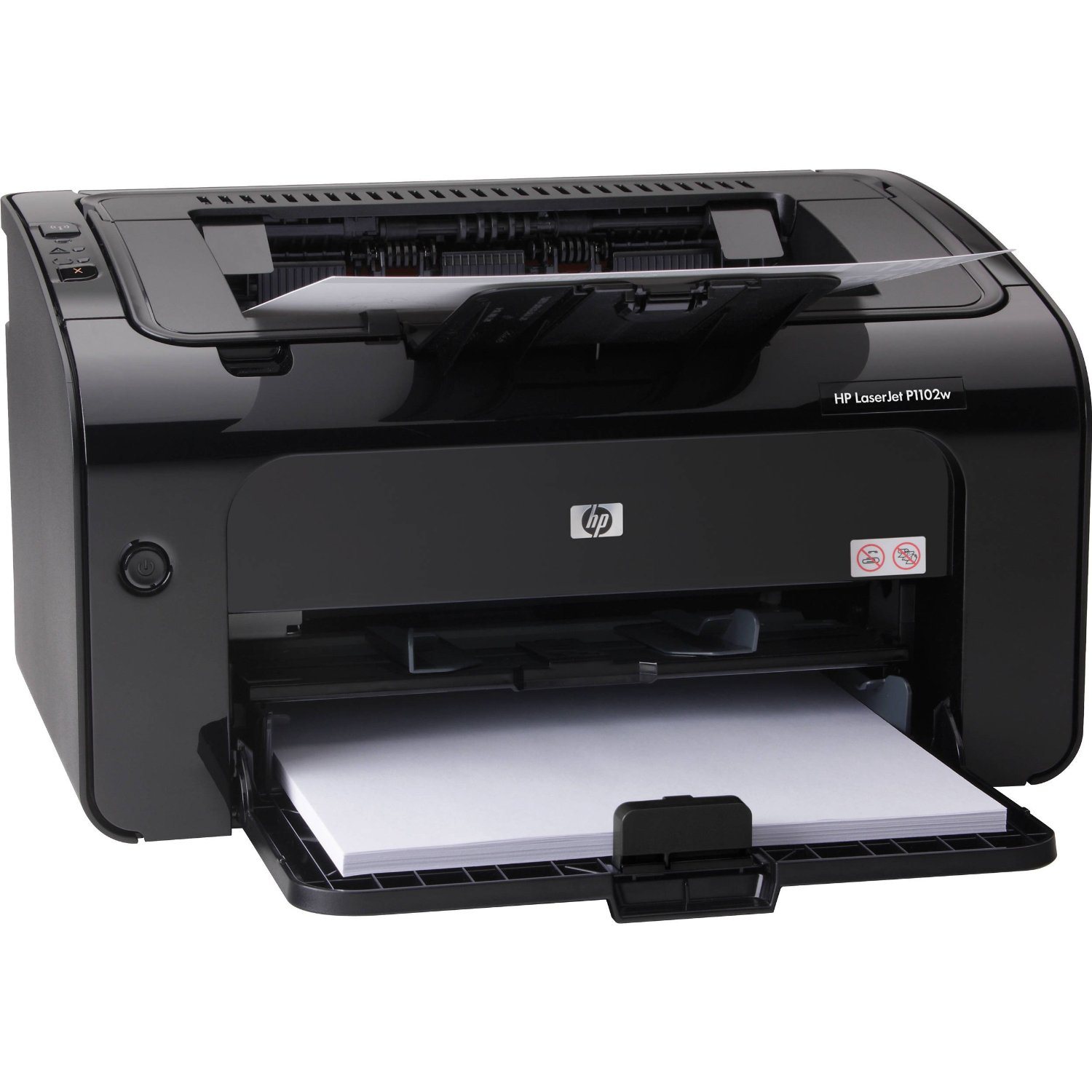
Printer
a)
This is an input device.
b)
This is an output device.
22.

Mouse
a)
This is an input device.
b)
This is an output device.
23.
A ______ is the main storage device in your computer.
a)
CPU
b)
Hard drive
c)
Motherboard
d)
CD-Rom
24.
Same as 1,024 GB
a)
1 TB
b)
1 GB
c)
1MB
d)
1 KB
25.
Step 1 of troubleshooting is?
a)
Establish a theory of why a problem is happening
b)
Identify the problem
c)
Establish a plan to fix the problem
d)
Test your theory about the problem to determine if correct
26.
Step 2 of troubleshooting is?
a)
Establish a theory about what is causing the problem
b)
Test your theory about what is causing the problem
c)
Determine if your solution has completely fixed the problem
d)
Establish a plan to fix the problem
27.
Step 3 of troubleshooting is?
a)
Determine if your solution completely fixed the problem
b)
Test your theory to determine if you are correct about what the problem is
c)
Establish a theory of what is causing the problem
d)
Establish a plan to fix the problem
28.
Step 4 of troubleshooting is?
a)
Determine if your solution completely fixed the problem
b)
Establish a plan to fix the problem
c)
Establish a theory of what is causing the problem
d)
Identify the problem
29.
Step 5 of troubleshooting is?
a)
Determine if your solution has completely fixed the problem
b)
Establish a theory of what is causing the problem
c)
Make a record of the steps taken to solve the problem
d)
Establish a plan to fix the problem
30.
Step 6 of troubleshooting is?
a)
Determine if your solution has completely fixed the problem
b)
Establish a plan to fix the problem
c)
Record what steps were taken to solve the problem
d)
Test your theory about the cause of the problem to make sure it's correct
31.
How many steps are in the Troubleshooting process?
a)
6
b)
5
c)
4
d)
7
32.
Choose one solution for the following problem: Power button will not start computer.
a)
Check the central processing unit (CPU) to see if it is working properly
b)
Check the power cord to confirm that it is plugged securely into the back of the computer case and the power outlet
c)
Check your internet access to see if you are connected to the internet
d)
Check to see if you have an Ethernet cable connection
33.
Which of the following are used to measure throughput (choose more than one)?
a)
bits per second
b)
bps
c)
Kbps
d)
bits
e)
pbs
34.
Which of the following is used to measure storage (choose more than one)?
a)
Ghz
b)
Mbps
c)
TB
d)
PB
e)
byte
35.
Which of the following is used to measure processing speed (choose more than one)?
a)
Ghz
b)
Mbps
c)
MHz
d)
PB
e)
bits
36.
8 bits
a)
kilobyte
b)
bit
c)
byte
d)
nibble
e)
clock cycle
37.
Choose one solution for the following problem: Power button will not start computer.
a)
Check the central processing unit (CPU) to see if it is working properly
b)
Check the power cord to confirm that it is plugged securely into the back of the computer case and the power outlet
c)
Check your internet access to see if you are connected to the internet
d)
Check to see if you have an Ethernet cable connection
100 %

