
 Worksheets
Storage and Connectivity Devices
Total questions: 36
Worksheet time: 19mins
Name
Class
Date
1.
A ______ is the main storage device in your computer.
a)
CPU
b)
Hard drive
c)
Motherboard
d)
CD-Rom
2.
Optical device, fairly fragile, easy to snap or scratch.
a)
Flash memory
b)
Magnetic Tape
c)
CD
d)
Hard disk
3.
This storage device needs a computer with a specific drive in order to read the disk. Cannot be read by a CD drive or DVD drive. Used for high definition films.
a)
Blu-ray
b)
CD
c)
DVD
d)
Bluetooth
4.
Not intended to be a portable storage device.
a)
CD
b)
Flash memory
c)
DVD
d)
Internal hard disk
5.
Large organisations use this type of storage device to back up their systems daily.
a)
CD
b)
DVD
c)
Blu-ray
d)
Magnetic tape
6.
Very portable as it is designed to be fitted into small electronic devices.
a)
Flash memory devices
b)
Internal hard disk
c)
Magnetic tape
d)
Server
7.
The most durable storage device as it has not moving parts
a)
Solid State Storage
b)
Magnetic Storage
c)
Optical Storage
8.
A single layer ___ can store about 4.7Gb of data.A double layer ___ can hold over 9Gb of data.
a)
DVD
b)
Flash memory
c)
Internal hard disk
d)
External hard disk
9.
Typically stores 650mb of data on it - usually music.
a)
DVD
b)
Blu-ray
c)
CD
d)
Floppy disk
10.
Typically has the largest storage capacity and is the cheapest per gb.
a)
Magnetic storage
b)
Solid state storage
c)
Optical storage
11.
Which of these is RAM?
a)
b)
c)
d)
12.
Which of these is a Hard Disk Drive (HDD)?
a)
b)
c)
d)
13.
Which one of these devices is solid state?
a)
USB flash memory
b)
CD
c)
DVD
d)
Magnetic stripe
14.
Which one of these devices is optical?
a)
CD
b)
SSD
c)
USB flash drive
d)
Magnetic stripe
15.
Which is an example of a portable device?
a)
smart TV
b)
Laptop
c)
wearable device
d)
cloud storage
16.
Which is an example of a handheld device
a)
Smartphone
b)
Desktop computer
c)
Games console
d)
Database server
17.
Which is an example of a fixed device?
a)
Smart phone
b)
Data centre
c)
Games Console
d)
Laptop
18.
Which type of device can be accessed by more than one user at a time?
a)
Shared devices
b)
Portable devices
c)
Handheld devices
d)
Fixed Devices
19.
Which is a disadvantage of fixed devices?
a)
Cannot be moved from 1 place
b)
Low processing power
c)
Low storage capacity
d)
Easily transported
20.
What does HDD stand for?
a)
Hard Driving Disks
b)
Hard Drive Diagram
c)
Hard Disk Dimensions
d)
Hard Disk Drive
21.
What does SSD stand for?
a)
Silicon Saving Device
b)
Solid Storage Device
c)
Storing Saving Drive
d)
Solid State Drive
22.
What type of Hard Drive is outside the computer in a portable enclosure?
a)
External Hard Drive
b)
Hard Disk Drive
c)
Solid State Drive
d)
Internal Hard Drive
23.

What type of device is this? A mouse
a)
Input
b)
Output
c)
Storage
24.

What type of device is this? Keyboard
a)
Input
b)
Output
c)
Storage
25.
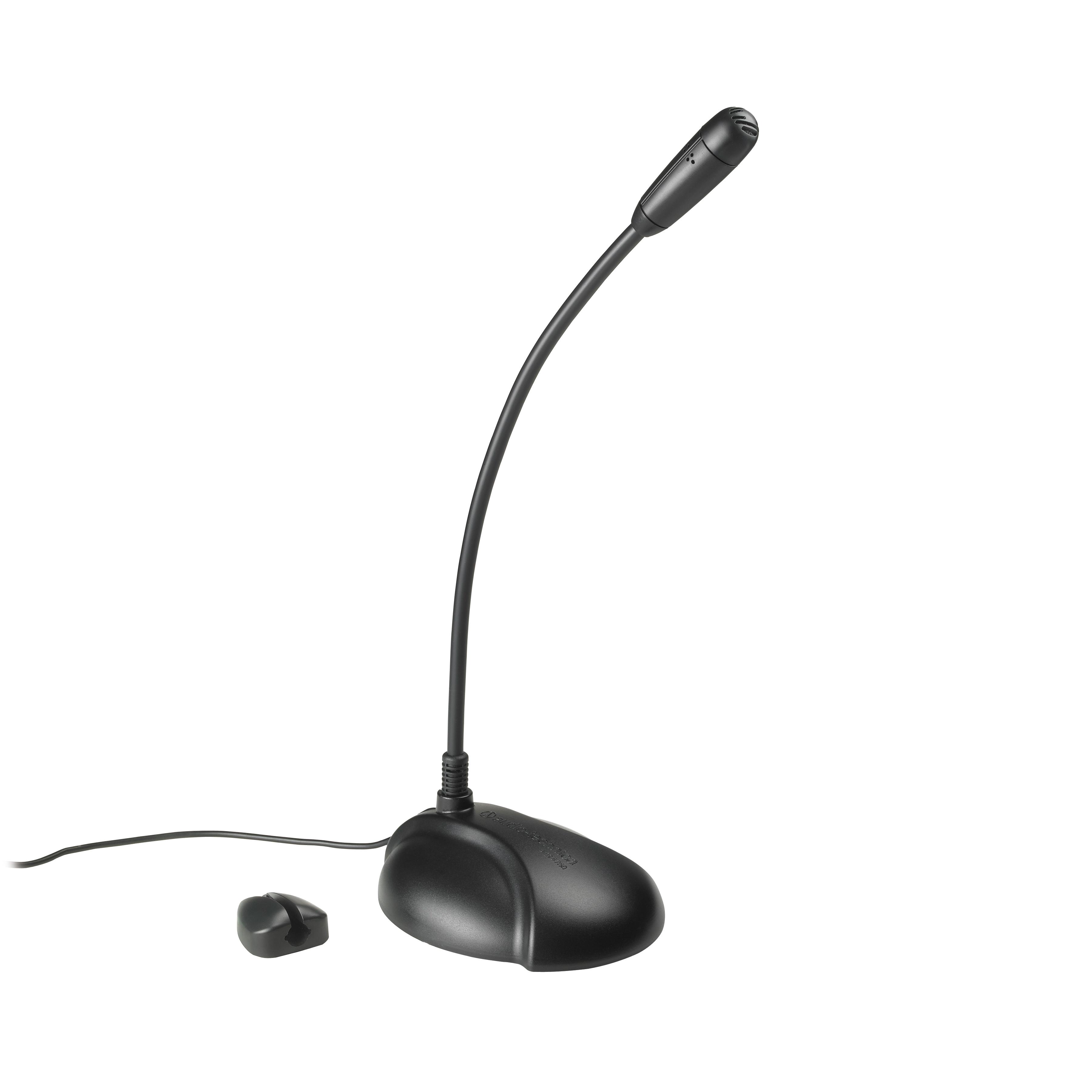
What type of device is this? Microphone
a)
Input
b)
Output
c)
Storage
26.

What type of device is this? Laser printer
a)
Input
b)
Output
c)
Storage
27.

A USB memory stick is an input device because you plug it IN to a computer system
a)
True
b)
False
28.
A CD, DVD or Blu-Ray is an input device because you put it IN to a computer system
a)
True
b)
False
29.
Which of these items are NOT stored in RAM
a)
Instructions to load up the computer
b)
Data
c)
Programs
d)
Applications
30.
So what will happen if you have more RAM?
a)
My computer will have more memory
b)
My computer will load up quicker
c)
My computer will not crash
d)
My computer will run more programs at a time
31.
A computer has 1024 megabytes of RAM. That is the same as ...
a)
1 Gb
b)
1000 Gb
c)
1 Kb
d)
1 Tb
32.
True or False:
RAM is Fast temporary memory
RAM is Fast temporary memory
a)
TRUE
b)
FALSE
33.
1KB + 500bytes=
a)
1.6KB
b)
1.5KB
c)
1.5Gytes
d)
1.5MB
34.
100KB+10KB =
a)
110Bytes
b)
110GB
c)
110MB
d)
110KB
35.
1GB+100MB=
a)
11MB
b)
1.1GB
c)
1.1TB
d)
1.1KB
36.
1,000,000 Bytes =
a)
1MB
b)
1KB
c)
1GB
d)
1TB
100 %

