
 Worksheets
Blockly Grok Microbit Level 1
Total questions: 14
Worksheet time: 7mins

What does this bar on the side provide access to.
Lessons and Puzzles
Shapes to use
Dot points
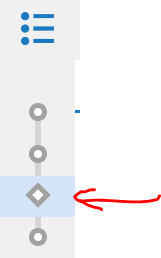
What type of activity do the diamonds represent?
YOU do challenge
WE do unpacking
I do teaching
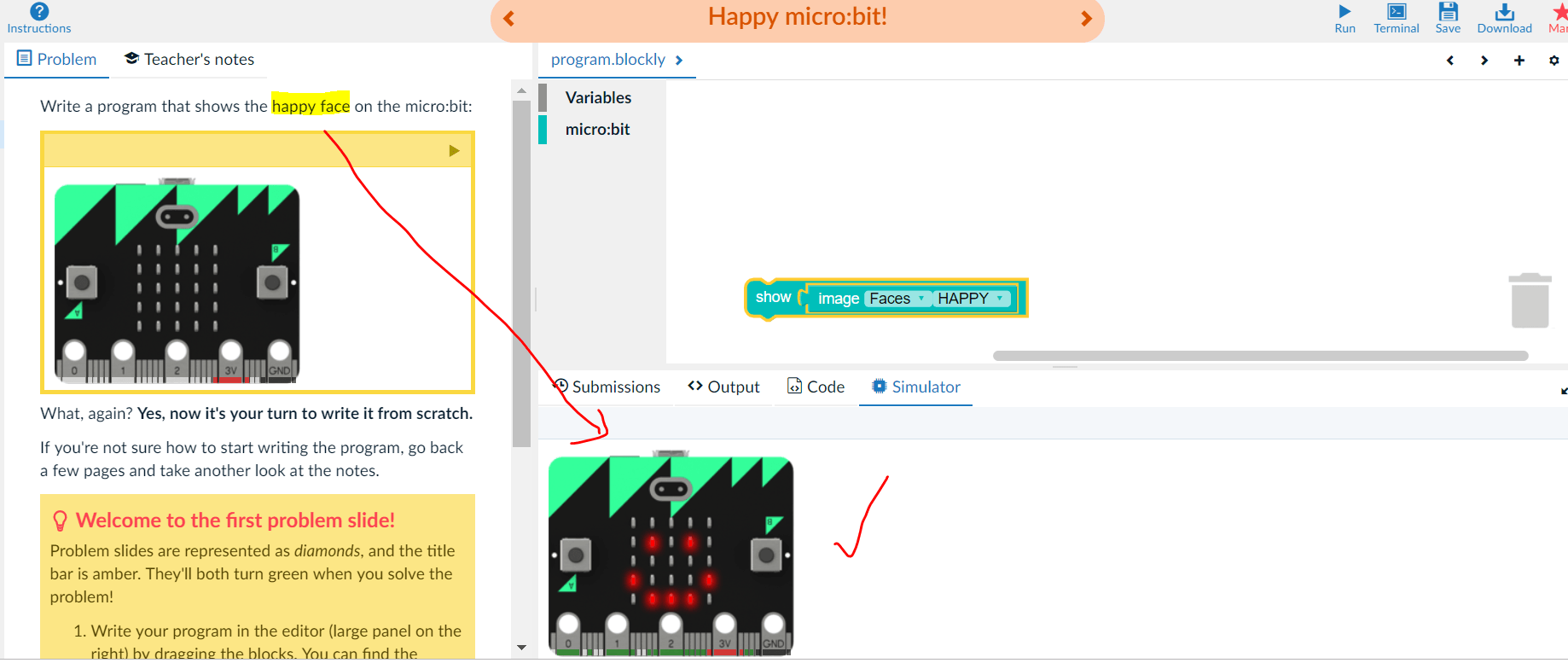
I have correctly completed the puzzle according to the description and have ran it to test. How can I upload it now?
Click run, click save, click mark.
Click run, click next.
Click run, click save, click next.
It will upload automatically.
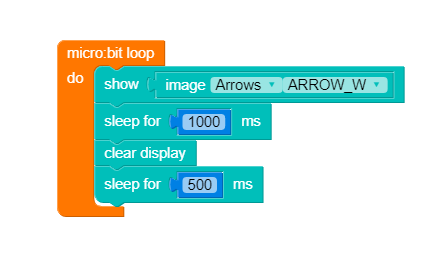
What does the orange loop code do?
Makes the micro:bit start code.
Makes the micro:bit redo this code repeatedly.
Makes an arrow appear
Makes the code execute when the GND power loop is closed.
The 5x5 LED array on the microbit can be used to give information to the user. What sort of data can be represented with lights that are on or off?
Binary
Image
Text
Luminescence
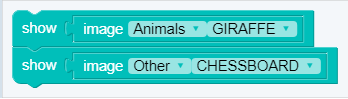
In the following image lines of code are run. Which one is run first!
display.show(Image.GIRAFFE)
display.show(Image.CHESSBOARD)
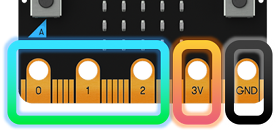
Match the word to the picture.
Pins
Radio
Bluetooth
LEDs
What is a computer bit?
The smallest unit of data in a computer, for example a 0 or 1.
The smallest part of a computer, for example a mouse.
The largest amount of data in a computer, for example a yottabyte.
The largest part of a computer, for example a main frame.
What is an algorithm?
A set of instructions to solve a problem.
A list of information.
An ordered structure of data.
A binary number.
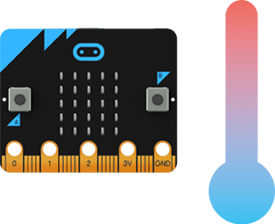
Match the word to the picture.
Pins
USB Interface
Temperature Sensor
Compass
WHAT FILE TYPE DOES THE MICROBIT USE
.DOC
.EXL
.HEX
.PPT
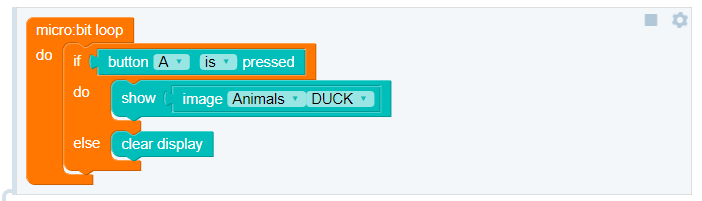
What happens when the user is NOT pressing the A button?
The duck is displayed
Scrolling text is displayed
The screen is clear

