wayground logo

Free Printable Worksheets

Font size

S
M
L
XL
Worksheets

YEAR 7 IT Quiz

Total questions: 52

Worksheet time: 27mins

Name
Class
Date
1.
Define Computer hardware
a)
the collection of physical parts of a computer system. 
b)
the color of the computer 
c)
how the computer looks 
2.
A computer memory that acts as the main storage available to user for programs and data
a)
RAM
b)
URL
c)
ROM
d)
flash drive
3.
A device that can be slotted into a computer to allow the use of audio components for multimedia applications.
a)
Speakers
b)
Video Card
c)
Sound Card
d)
Mouse
4.
Is a data storage device that uses magnetic storage to store and retrieve digital information using one or more rigid rapidly rotating disks (platters) coated with magnetic material.
a)
RAM
b)
Hard Disk
c)
DVD
d)
ROM
5.
Is the electronic circuitry within a computer that carries out the instructions of a computer program by performing the basic arithmetic, logical, control and input/output (I/O) operations specified by the instructions.
a)
USB
b)
ROM
c)
CPU
d)
UPS
6.
What are the programs that run on a computer system called? 
a)
Algorithms
b)
Code
c)
Software
d)
Languages
7.
Which type of backing storage might be used for a full system backup 
a)
USB Flash drive
b)
DVD
c)
Floppy Disk
d)
Removable Hard Drive
8.

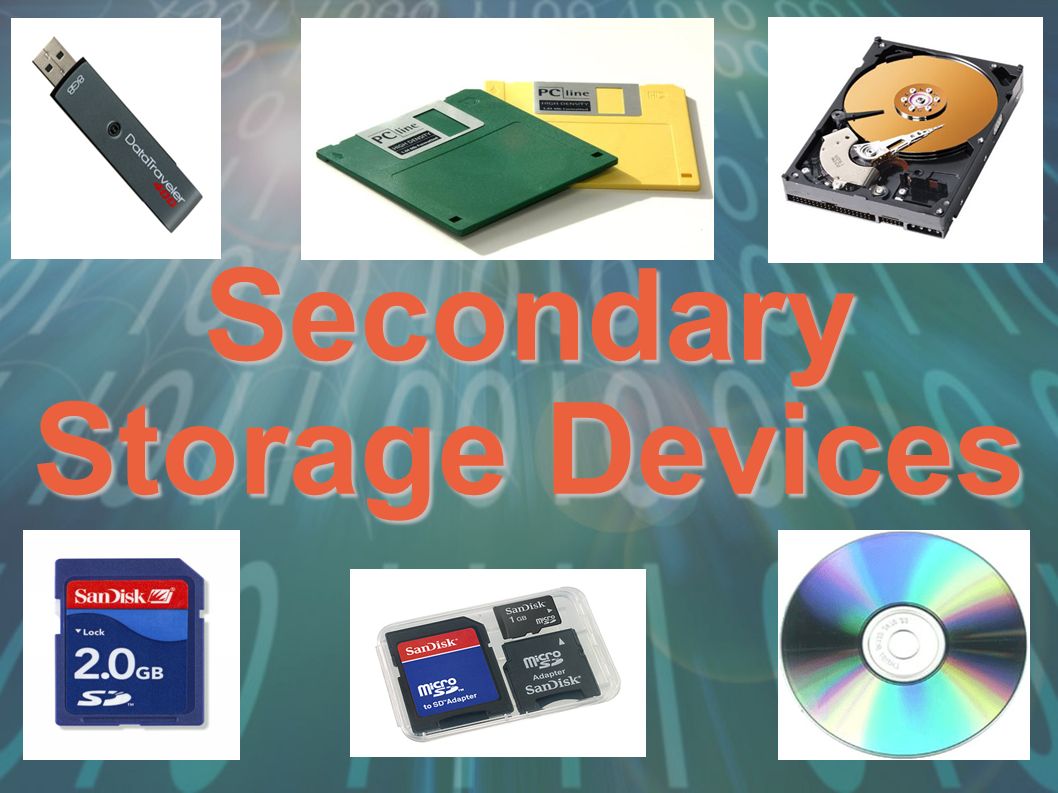
Secondary storage devices can be grouped into three categories - what are they?

a)

Magnetic, Flash and Optical

b)

Magnetic, Optical and Solid State

c)

Solid State, Flash and Hard Drives

d)

Hard Drives, CDs and USBs

9.
Solid state hard drives are more suitable than magnetic hard drives for portable devices.
a)
True
b)
False
10.
It is a disadvantage of using a hard disk as storage.
a)
Huge capacity, offers up to several terabytes per device.
b)
Not as portable as other technologies.
11.
Normally used in digital cameras. ___ can hold thousands of jpg photographs.
a)
SD memory cards
b)
USB memory stick
c)
Magnetic tape
d)
CD
12.
It is an advantage of using cloud storage:
a)
If you have no internet connection, you have no access to your data.
b)
Can be expensive to set up.
c)
Security concerns.
d)
You can access your documents anywhere
13.
What does WAN stand for ?
a)
Weak Access Node
b)
Working Area Network
c)
Wide Area Network
d)
World Access Net
14.
What type of network is this?
a)
Star
b)
Mesh
c)
LAN
d)
WAN
15.
What is a network?
a)
1 computer
b)
2 or more computers connected
c)
a film
d)
a server
16.
Which of these is NOT an advantage of networks?
a)
Sharing peripheral devices such as printers and scanners
b)
Possible to communicate globally
c)
Can protect against viruses
d)
PCs can be backed up and updated by one central PC
17.
Advantages of the network ?
a)
Expensive Hardware 
b)
Specialist staff required  
c)
Communication 
d)
Hacking 
18.
Disadvantages of networks ? 
a)
Share files 
b)
Viruses 
c)
Share Internet 
d)
Roaming 
19.
Why use a network?
a)
Share viruses
b)
To lose data
c)
To easily share documents
d)
To install cables
20.

Computer networks share...

a)

Files

b)

Resources

c)

Software

d)

All of the above

21.
A(n) ______________________ is the most important software that runs on a computer.
a)
Operating System
b)
Windows
c)
Anti Virus
d)
iOS
22.
_________________are programs that designed to help users to be more productive with their personal tasks.
a)
Software
b)
System Software
c)
Application software
d)
Utility program
23.

The term OS is short for?

a)

Apple

b)

Operating Software

c)

Operating System

d)

Overload System

24.

Which is NOT a function of Operating Systems?

a)

Booting the Computer

b)

Networking

c)

Streaming content

d)

Device Management

25.
What operating system is this a symbol of?
a)
Mac OS X
b)
Linux
c)
Windows
26.
What is the purpose of an operating system?
a)
Manage software on computer
b)
Manage hardware on computer
c)
Manage all hardware & software on computer
27.
Microsoft excel is an example of _________________ Software.
a)
Spreadsheet
b)
Word Processing
c)
Presentation
d)
Reference
28.

Which of these tasks would you complete using Word Processing software? There is more than 1 answer.

a)

Writing a CV.

b)

Creating a poster to advertise a charity event.

c)

Create graphs and charts to show financial data.

d)

Create a presentation about your sister.

e)

Keep a record of how much money a shop has made in a month.

29.

Which type of application software is Gmail?

a)

Internet Browser

b)

Presentation

c)

Email

d)

Word Processor

30.

Which statement best describes Spreadsheet software?

a)

Used to create and edit text-based documents such as letters and posters.

b)

Used to create interactive presentations about specific subjects.

c)

Used to store and perform calculations on numerical data.

d)

Used to send and receive electronic messages.

31.

Which of these tasks would you complete using an internet browser? There is more than 1 answer.

a)

Write a letter to a friend.

b)

Search for a new laptop.

c)

Find a local florist's telephone number.

d)

Watch Youtube videos.

e)

Create a flyer for a new cafe.

32.

What software would be used to create a logo

a)

Image editing software

b)

Word processor

c)

Presentation software

d)

Web authoring software

33.

What software would be used to create a website

a)

Image editing software

b)

Word processor

c)

Presentation software

d)

Web authoring software

34.

What is an email attachment

a)

Is software downloaded to your computer

b)

Is a computer file sent along with an email message

c)

is a type of malicious software program

d)

A piece of code

35.
Why should you update your anti-virus software regulars?
a)
To keep it from being infected by viruses
b)
To help out the software companies
c)
To protect your computer against new viruses
d)
To gain access to new websites
36.
Why would an email virus email itself to everyone in your address book? 
a)
So it can infect as many computers as possible
b)
So it can alert your friends that you've got a virus 
c)
so it can never be detected by anti-virus software
d)
so it can mutate into new viruses
37.

How can you get rid of a virus?

a)

Take it to a computer specialist

b)

Throw it out

c)

Scan for the virus in the computer's settings

d)

Smash the hard drive

38.

How are viruses made?

a)

Computer programming that breaks into a computer's way of working

b)

In factories

c)

They are made by Apple and Microsoft

d)

Computer germs

39.

How can you get a virus?

a)

Downloading a game from an untrustworthy site

b)

Running anti-virus programs

c)

Clicking on a pop-up ad

d)

Leaving your computer outside

40.

What does an anti-virus program do?

a)

Scans computer files looking for problems

b)

Installs adandonware

c)

Restarts your computer

d)

Reports the problem to the computer's maker

41.
What are the only two numbers you can use in binary?
a)
0 and 1
b)
1 and 2
c)
1, 2, 3, 4, 5, 6, 7, 8, 9, 10
d)
1, 2, 4, 8, 16
42.

Which of these are the correct place values for binary?

a)

128,64,32,16,8,4,2,1

b)

128, 68,34,12,6,4,2,1

c)

1,0

d)

0,1

43.
If a binary number ends with a 1, it must be...
a)
An odd number
b)
An even number
c)
A prime number
d)
The number 12
44.
How would you write the number two in binary?
a)
1001
b)
0001
c)
0000
d)
0010
45.
How would you write the number 4 in binary code?
a)
0100
b)
0000
c)
0001
d)
0010
46.

When we enlarge a bitmap, its image quality

a)

becomes pixelated or blurry.

b)

improves.

c)

reduces.

d)

stays the same.

47.

The resolution of an image refers to the quality of the image.

a)

TRUE

b)

FALSE

48.

A bitmap image is made up of

a)

Pixels

b)

Colours

c)

Sounds

d)

Samples

49.
Reducing the amount of colours in the image will
a)
Reduce the quality of the image.
b)
Reduce the amount of binary needed for each pixel.
c)
Make the file size larger
d)
Remove pixels from the image.
50.
What is a pixel?
a)
Picture element - the small dots that make up an image.
b)
How an image is stored on the computer.
c)
A type of image
d)
A special type of photograph
51.
What will happen to the computer file size as the colour depth is increased?
a)
The file size will get smaller
b)
There will be no change in file size
c)
The file size will get bigger
d)
None of these
52.
What megapixel camera was used for an image with the dimensions of 4000 x 3000 pixels?
a)
7 megapixels
b)
7 million megapixels
c)
12 megapixels
d)
12 million megapixels