
 Worksheets
Parts of the Fusion 360 UI
Total questions: 15
Worksheet time: 5mins
If I want to use specific tools such as Rectangle and Circle, where will I go to look for these?
Toolbar
Canvass
Timeline
Browser
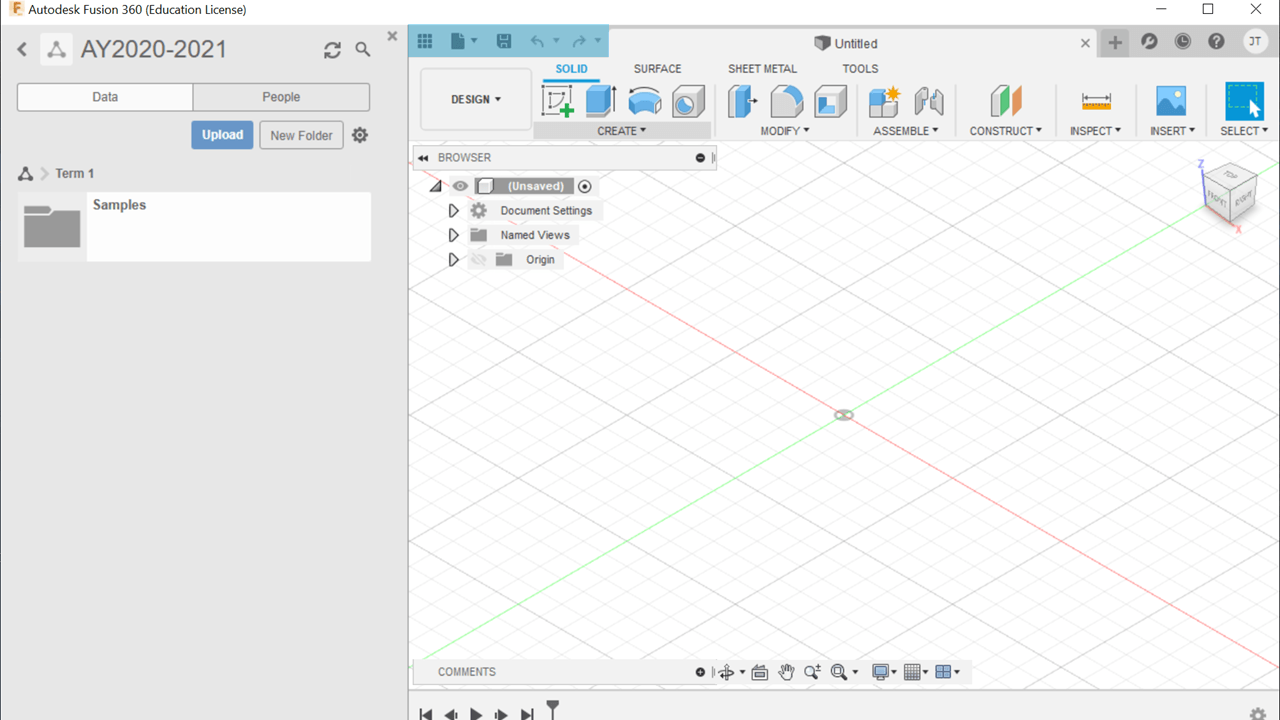
What part of the Fusion 360 UI is being highlighted in the image?
Data Panel
Application Bar
Data Panel
Toolbar
Navigation Bar
Which of the following parts of the Fusion 360 UI allows you to work on your designs?
Application Bar
Canvass
View Cube
Data Panel
Which of these tasks can I do with the Browser?
Open or Save my design
Change the default unit of measurement
Change the view of my design
Search for my recent work
Which part of the Fusion 360 UI allows you to see the changes you've made to your design?
Application Bar
Navigation Bar
Canvass
Timeline
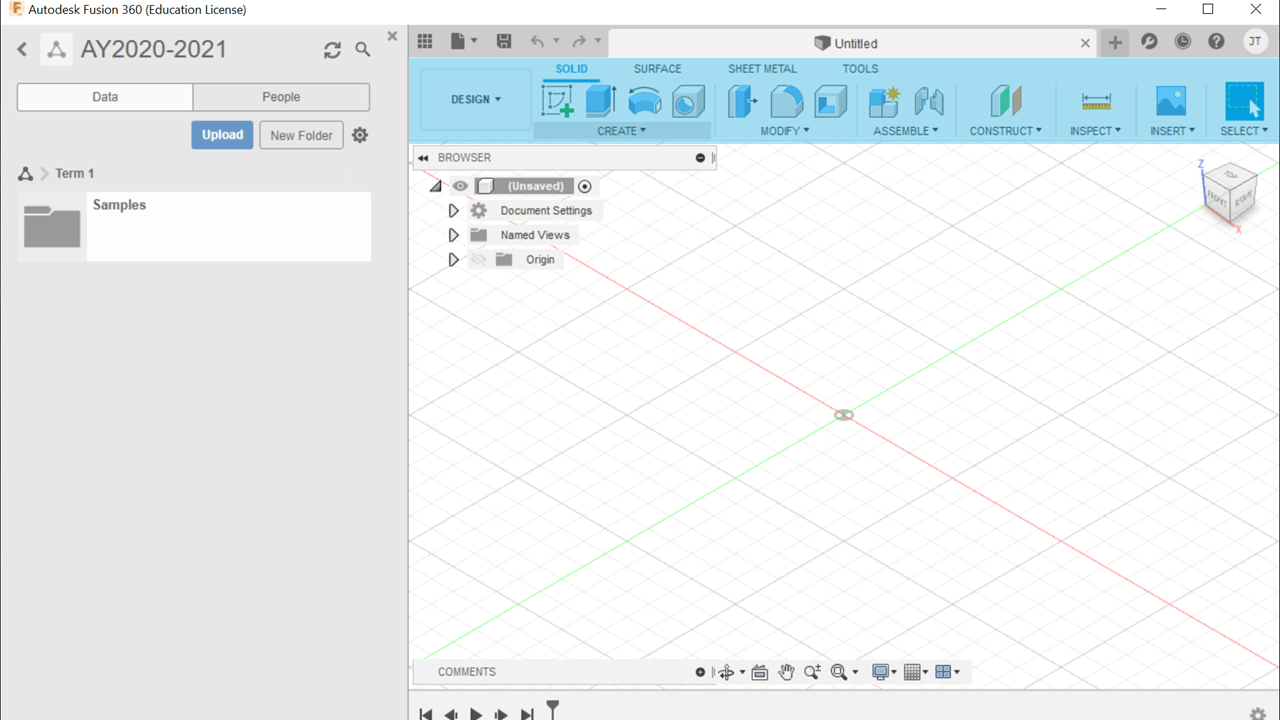
What part of the Fusion 360 UI is being highlighted in the image?
View Cube
Application Bar
Data Panel
Navigation Bar
Toolbar
Where will you go if you want to OPEN or CLOSE the DATA PANEL?
Data Panel
Browser
Profile/Help
Application Bar
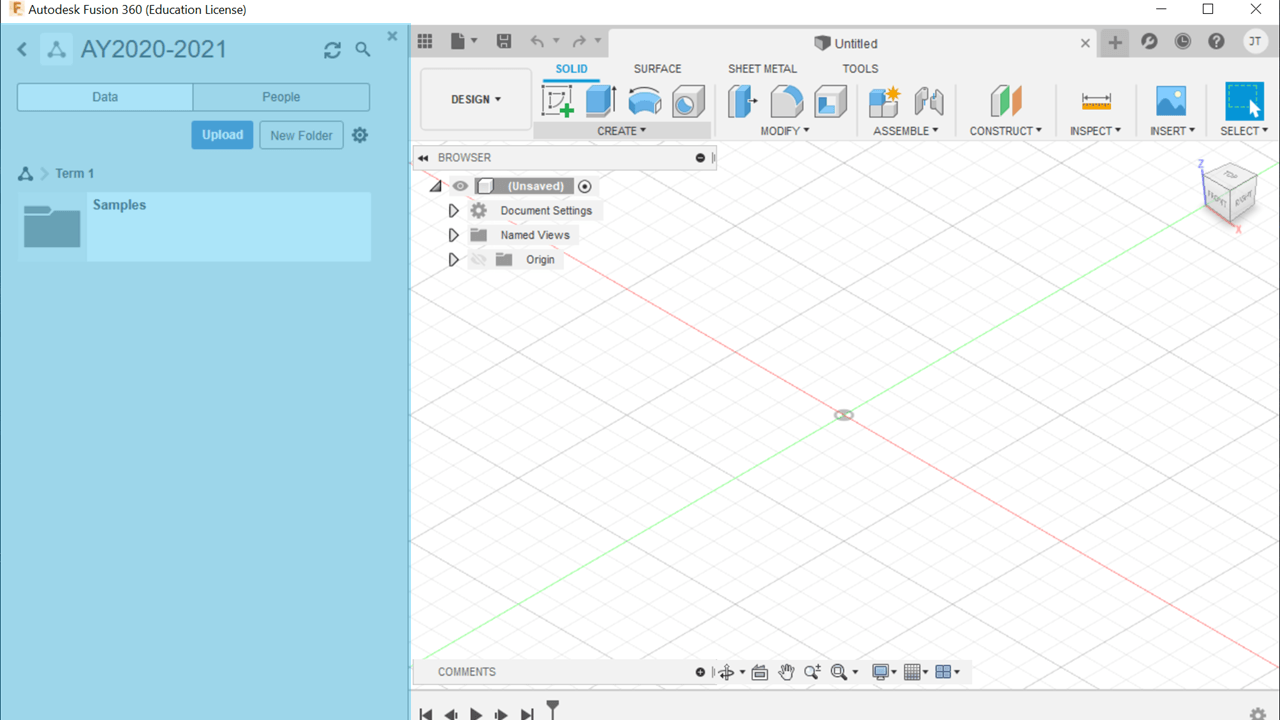
What part of the Fusion 360 UI is being highlighted in the image?
Data Panel
Application Bar
Canvass
Navigation Bar
Timeline
Where will you go if you want to see if there are available software updates
Data Panel
Browser
Profile/Help
Application Bar
What view will be shown if you click Home in the View Cube?
Top - Front - Right Side View
Top - Left Side - Front View
Front - Bottom - Right Side View
Top - Back - Left Side View
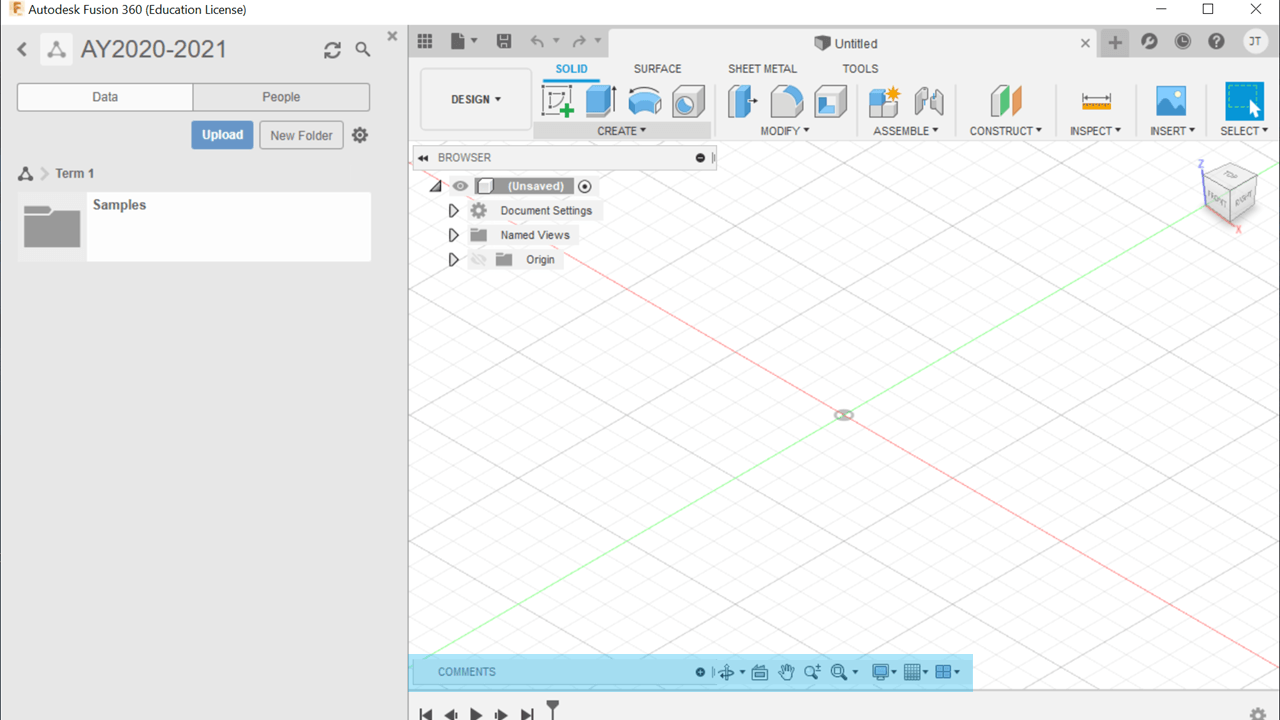
What part of the Fusion 360 UI is being highlighted in the image?
Application Bar
Data Panel
Timeline
Profile/Help
Navigation Bar
Contents of the Toolbar can be changed. True or False?
True
False
Which part of the Fusion 360 UI can you see all your saved Designs?
Canvass
View Cube
Data Panel
Application Bar
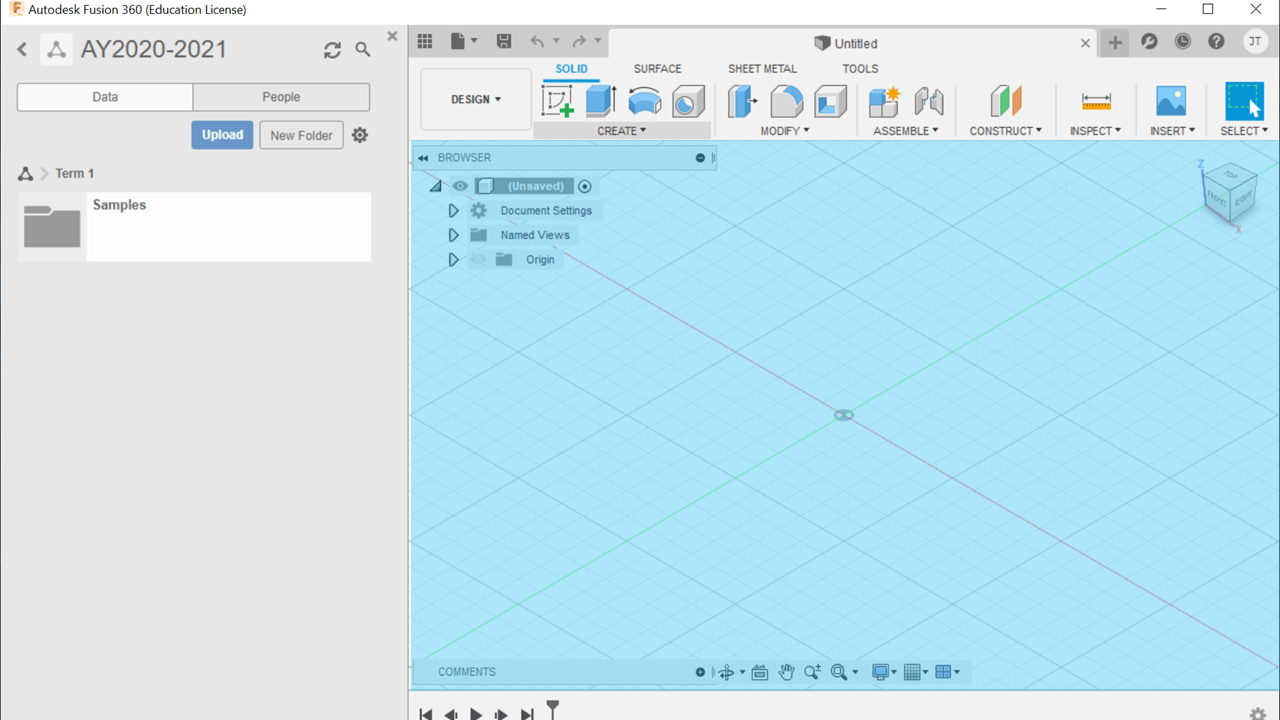
What part of the Fusion 360 UI is being highlighted in the image?
Canvass
Application Bar
Timeline
Profile/Help
Data Panel
Which of the following tasks can you accomplish with the Navigation Bar? (check all that applies)
Zoom in and out your Design
Pan your Design
Show or Hide Gridlines
Change the View of your Design

