
 Worksheets
Computers for kids
Total questions: 24
Worksheet time: 30mins
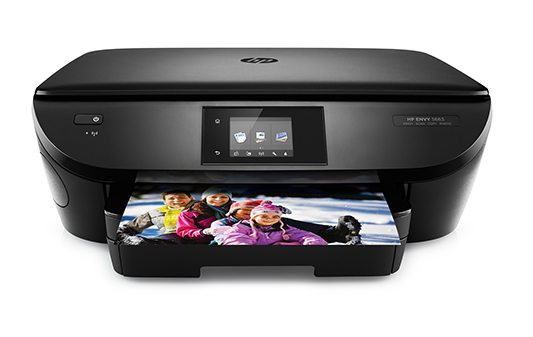

How do we call this?
keyboard
mouse
games console
a speaker


What was that first computer called?
Mark 1
Commodore 1
The Acorn
MacBook

When did the first personal computers become available?
1970s
1980s
1990s
2000s

Instructions or information given to a computer
Input
Output
Storage
Process

The results given by a computer
input
output
processing
storage

Keyboards and a mouse are both examples of
input devices
output devices
storage devices
processing devices

A printer and speakers are both examples of
input devices
output devices
storage devices
processing devices

Using this type of technology allows you to connect your device without wires
USB
MP3
Bluetooth
Browser

This symbol on a device represents
Internet
Bluetooth
WiFi
Ethernet

Someone who writes software
engineer
author
hacker
programmer

Smart phones are like mini computers?
True
False
Which one of these is a robot?


Which one of these is a flying drone?


What buttons can you press to go on the internet?


If your computer loses power, what do you need?


What can you use to play computer games?


Identify the given image.
Printer
LED Monitor
Speakers

