
 Worksheets
Working with Computers - Review
Total questions: 35
Worksheet time: 18mins


An example of the computer's hardware would be ...
MS Word
MS Publisher
speakers
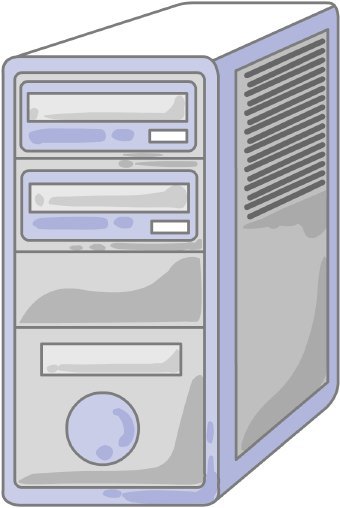
What is this piece of hardware?
Tower/Computer Case
Storage Unit
Monitor
CPU
What is Hardware?
Computer Instructions or Data
Physicals parts of a computer that you can touch

What is Software?
Programs and applications, it tells the hardware what to do and how to do it
Physicals parts of a Computer
The physical objects that make up the computer system:
Software
Storage
Input
Hardware
You can touch software
True
False
Hardware and Software do not have to work together.
True
False
Examples of hardware are:
Keyboard
Microsoft word
Mouse
hard drive
Grand theft Auto
Software is a set of instructions that tell a computer what to do
true
false

Is the image shown a hardware or software?
hardware
software

Is the image shown hardware or software?
software
hardware

Is the image shown hardware or software?
hardware
software

Is the image shown hardware or software?
hardware
software

Is the image shown hardware or software?
software
hardware

Is the image shown hardware or software?
software
hardware

Is the image shown hardware or software?
hardware
software

Is the image shown hardware or software?
hardware
software

Is a Nintendo Switch hardware or software?
Hardware
Software
Hardware is the technology that you can physically touch.
True
False

Is a computer is hardware or software?
Hardware
Software

Is Minecraft hardware or software?
Hardware
Software

Is a game controller hardware or software?
Hardware
Software

Is a phone hardware or software?
Hardware
Software

