
Font size
 Worksheets
Computer Topics Revision quiz
Total questions: 45
Worksheet time: 23mins
Define Ergonomics
The science of designing computers
This was not covered in lecture
The science of designing equipment and workplace for a comfortable and safe environment
The science of designing chairs


Which posture is the best?


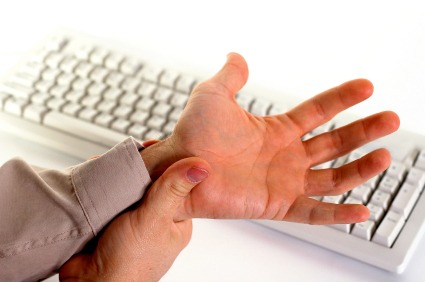


When sitting in a chair your back should be straight at a 90 degree angle to your hips.
False
True
What is a computer?
An electronic device that receives input, processes it and provides an output in the desired format.
An electronic device to do homework, play video games or surf on the internet.
An electronic device that receives input, stores or processes the input and provides an output in the desired format.
Is this a valid example of the Input-Process-Output Model?
Input: Scanning picture.
Process: Editing the picture.
Output: Printed poster with picture.
Yes.
No.
I don't know.
Check all the characteristics of computers.
Speed.
Accuracy.
Reliability.
Versatility.
Store capacity.
Check all the advantages of using a computer.
Computers can do the same task repetitively with the same accuracy.
Computers allow you to play video games.
Computers do not get tires or bored.
Computers have access to the internet.
Computers can take up routine tasks while releasing human resource for more intelligent functions.
Check all the disadvantages of using a computer
Computers only help you do homework.
Computers can work many hours at a time.
Computers have no intelligence. They follow instructions blindly without considering the outcome.
Regular electric supply is necessary to make computers work.
It is a system software that carries out configuration and maintenance tasks
Application Suite
Utility Software
A system (hardware or software ) that protects a computer network from being used to looked at by people who do not have permission to do so.
Firewall
Antivirus
Programs that are designed to maintain or operate the computer system is known as the -.
Application Software
System Software
Behavior in the classroom should...
Include running and horseplay
Not include running and horseplay
Be according to students' preference
It is not OK to ______near the computer
sing
eat
take a picture
use a light
Spray your computer with household cleanser to keep it clean.
True
False
Spilling liquid on your computer won't hurt it.
True
False
Keeping your computer dust-free can help it last longer.
True
False
Your mouse should never need cleaning.
True
False
Which of the following are all basic parts of a desktop computer?
Computer case, monitor, printer
Keyboard, headphones, monitor
Mouse, speakers, computer case
Keyboard, mouse, computer case
___________________ are devices that plug into the extra ports on your computer.
Peripherals
Servers
Software
Laptops
_______________________ is any part of your computer that has a physical structure.
malware
software
hardware
spyware
__________________ is any set of instructions that tells the computer what to do and how to do it.
malware
software
hardware
spyware
The _______________________ contains the "brain", or main components of the computer.
computer case
internet router
monitor
optical drive
How do you power on a computer?
By pushing the power button on the monitor
By pushing the power button on the monitor and clicking the mouse
By pushing the power button on the computer case
By pushing the power button on the computer case and clicking the mouse
A ______________________ is a machine that does four basic things: input, output, processing and storage.
CPU
Hard drive
Computer
Sorter
_________________ is the way we bring information from outside the computer to inside the computer.
Input
Output
Process
Storage
__________________ is the way that the computer gives us information in a way that we can see it, hear it, or touch it.
Input
Output
Processing
Storage
__________________ is what happens between the computer getting input and giving output.
Input
Output
Processing
Storage
__________________ is the way that the computer saves information so that it can be used again.
Input
Output
Processing
Storage

What am I?
Desktop PC
Smart phone
Laptop
Mainframe computer/server
We are mobile devices.
Laptop
Desktop PC
Smart phone
Xbox 360

what am I?
Desktop PC
Mainframe/server
Laptop
Smart Phone

