
 Worksheets
File Management
Total questions: 15
Worksheet time: 8mins
Any content created using a computer, such as a picture or a text is
File
Folder
Sub folder
Directory structure
A folder located within another folder is called a
Folder
File
Sub folder
Parent folder
Command used to change the name of a file / folder
Change
Rename
Cut
Copy
Command to create a duplicate of the file / folder
Cut
Duplicate
Copy
Paste
Command to move a file / folder from one place to another
Cut
Copy
Shift
Move
The main folder is called the
Parent folder
Main folder
Sub folder
Folder
The arrangement of folders into parent and subfolders is called the
Folder
Sub folder
Parent folder
Directory structure
With the arrangement of files into folders
Looks organised and easy to find
Difficult to find
Looks untidy
Waste of time
If I cut and paste a file from the downloads to the desktop, the file will stay in both places.
True
False
If I delete a file from the desktop, is it permanently deleted?
Yes, it is gone forever
No, it goes to the recycle bin which empties it
No, it goes to the recycle bin and you have to empty the recycle bin
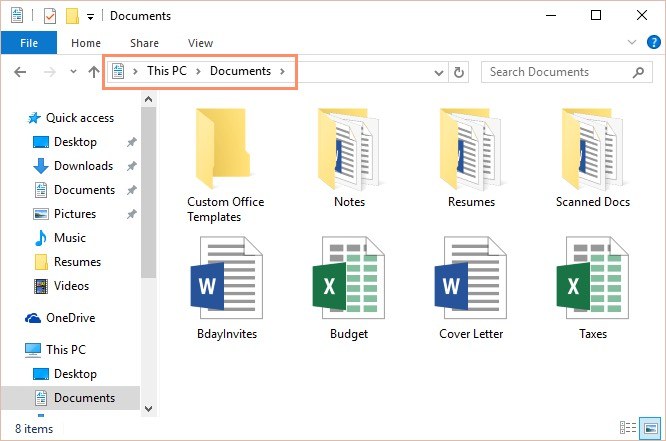
What is the difference between a file and a folder?
A folder is a document and a file where the documents are stored
A folder is where the documents are stored and a file is a document
A new folder can be created directly on the desktop by using _______ on blank area on the desktop.
Left Click
Double Click
Right Click
What does the term file management mean?
How your manager is able to find your file.
The way in which we organize our files and documents on the computer.
How you organize the rough edges of your nails
To open a file you have to double click the file.
True
False
Why is it important that you name a document correctly?
To allow anyone to access the file.
So that it doesn't feel lonely
To find it easily

