wayground logo

Free Printable Worksheets

Font size

S
M
L
XL
Worksheets

Computer Basics

Total questions: 115

Worksheet time: 53mins

Name
Class
Date
1.
What does a computer allow you to do?
a)
Type documents and send email
b)
Browse the Internet
c)
Store and retrieve data
d)
All of the above
2.

What type of device is this? (Printer)

a)

Input

b)

Output

3.

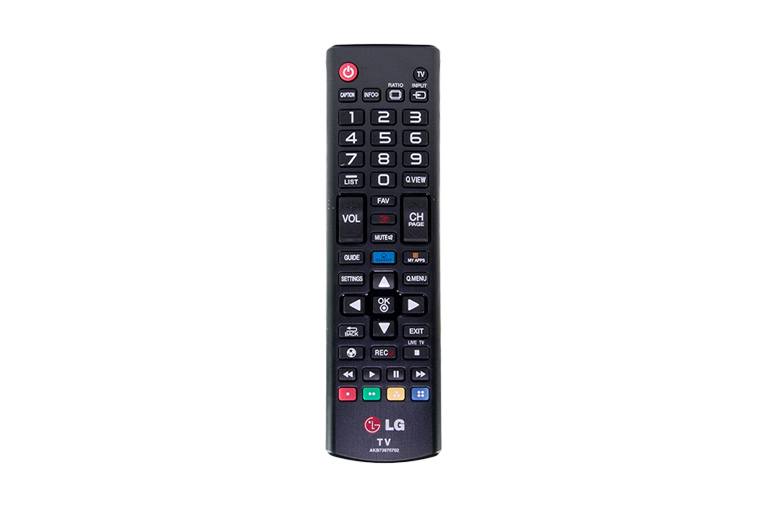
What type of device is this? (Remote Control)

a)

Input

b)

Output

4.

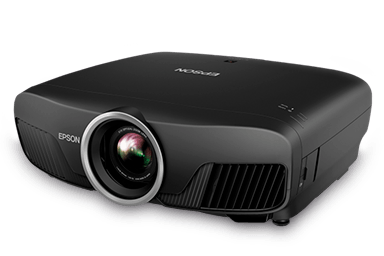
What type of device is this? (Projector)

a)

Input

b)

Output

5.

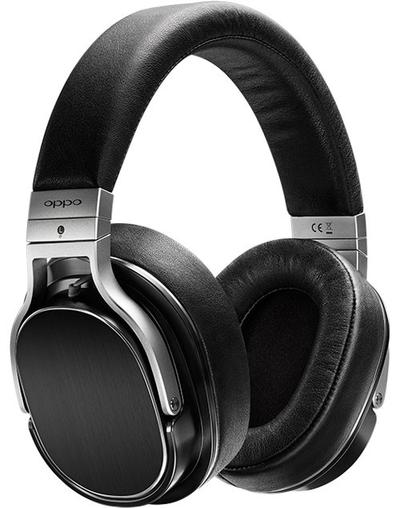
What type of device is this? (Headphones)

a)

Input

b)

Output

6.

What type of device is this? (Speakers)

a)

Input

b)

Output

7.

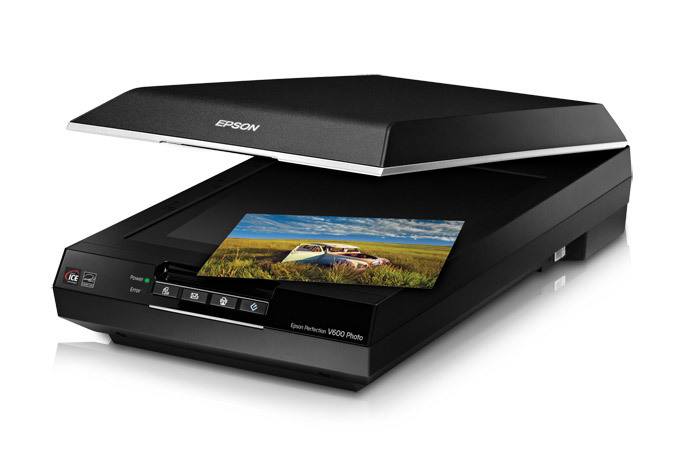
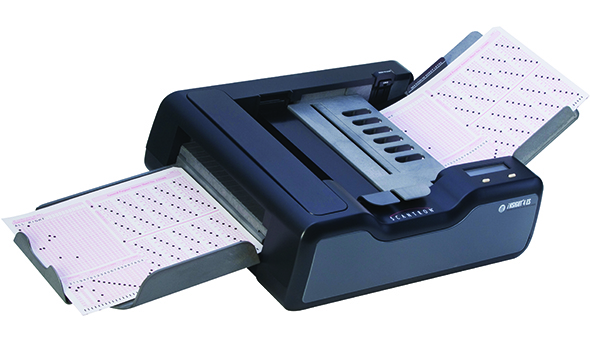
What type of device is this? (Scanner)

a)

Input

b)

Output

8.

What type of device is this? (Microphone)

a)

Input

b)

Output

9.

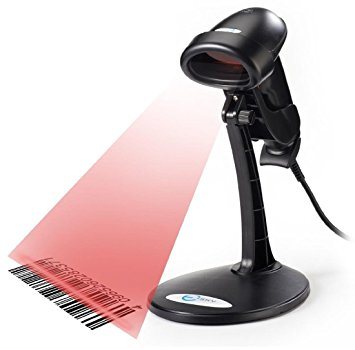
What type of device is this? (Barcode Reader)

a)

Input

b)

Output

10.
Input devices allow us to send information to the CPU (Central Processing Unit) to tell the computer what to do.
a)
True
b)
False
11.
Output devices receive information from the CPU (Central Processing Unit), then translate it into sounds or images that we can understand.
a)
True
b)
False
12.

What type of device is this? (Webcam)

a)

Input

b)

Output

13.

What type of device is this? (Smartphone screen)

a)

Input

b)

Output

c)

Input and Output

14.

What type of device is this? (Interactive whiteboard)

a)

Input

b)

Output

c)

Input and Output

15.
Which of these is not an input device?
a)
Scanner
b)
Screen
c)
Microphone
d)
Keyboard
16.
What type of device is this? CD / DVD / Blu-Ray
a)
Input
b)
Output
c)
Storage
17.
What is the most suitable input device for inputting a short report?
a)
Mouse
b)
Scanner
c)
Keyboard
d)
None of the above
18.

Select all the input devices:

a)

keyboard

b)

screen

c)

USB memory stick

d)

mouse

e)

touchscreen

19.

Select all the output devices:

a)

keyboard

b)

screen

c)

USB memory stick

d)

mouse

e)

touchscreen

20.

A scanner is...

a)

INPUT

b)

OUTPUT

c)

STORAGE

21.

A scanner is...

a)

INPUT

b)

OUTPUT

c)

STORAGE

22.

A mouse is...

a)

INPUT

b)

OUTPUT

c)

STORAGE

23.

A braille keyboard is...

a)

INPUT

b)

OUTPUT

c)

STORAGE

24.

A plotter is...

a)

INPUT

b)

OUTPUT

c)

STORAGE

25.

A speaker is...

a)

INPUT

b)

OUTPUT

c)

STORAGE

26.

A microphone is...

a)

INPUT

b)

OUTPUT

c)

STORAGE

27.

A USB stick is...

a)

INPUT

b)

OUTPUT

c)

STORAGE

28.

A printer is...

a)

INPUT

b)

OUTPUT

c)

STORAGE

29.

A projector is...

a)

INPUT

b)

OUTPUT

c)

STORAGE

30.

A monitor is...

a)

INPUT

b)

OUTPUT

c)

STORAGE

31.
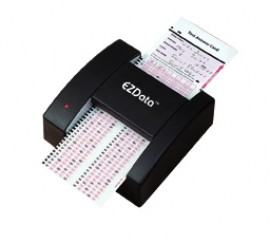
What does OMR stand for?
a)
Optical Mark Recognition
b)
Optical Meter Reader
c)
Operator Mark Recognition
d)
Online Meter Reader
32.
Which of these is OMR sometimes used for?
a)
Marking Exam Papers
b)
Controlling Characters in Computer Games
c)
Projecting a Presentation onto a big screen.
d)
Playing  an Audio File
33.
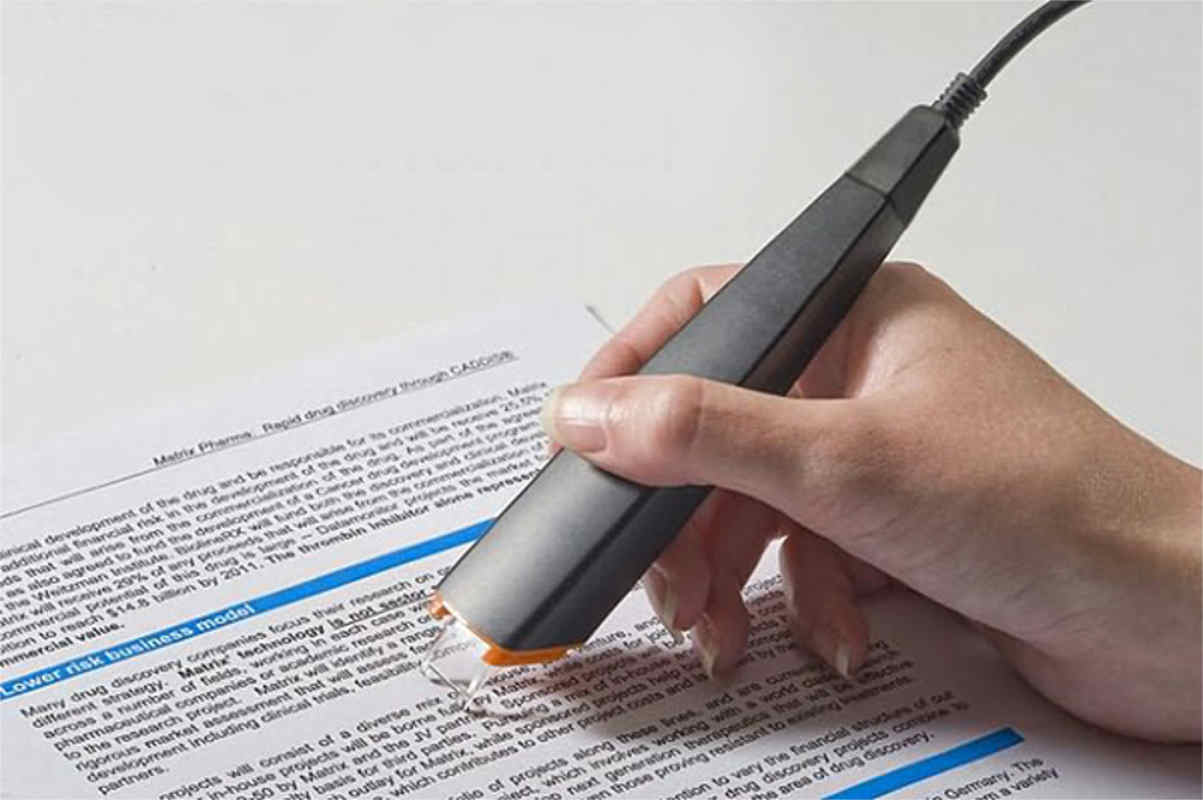
What does OCR stand for?
a)
Optical Character Reader
b)
Online Cloud Read
c)
Operating Command Recognition
d)
Online Cloud Recognition
34.
A large printer used to print CAD line drawings...
a)
Plotter
b)
Dot Matrix
c)
Laser
d)
Inkjet
35.
A printer that uses toner to burn text / images onto a page...
a)
Laser
b)
Plotter
c)
Inkjet
d)
Dot Matrix
36.
A printer usually found in homes that uses cartridges and can produced high quality photos...
a)
Inkjet
b)
Plotter
c)
Dot Matrix
d)
Laser
37.
To video call over the internet, what do you use?
a)
Touch Screen
b)
Web Cam
c)
Graphic Tablet
d)
Speaker
38.
You can use this to input printed documents to a computer ?
a)
A. Trackerball
b)
B. Scanner
c)
C. Keyboard
d)
D. Mouse
39.

These sensors are used in the greenhouse except ..

a)

Temperature

b)

Humidity

c)

Sound

d)

Light

40.
Headphone
a)
Input
b)
Output
c)
Storage
41.

Define the term 'sensor'. Choose the most appropriate definition.

a)

Used to capture and can measure physical quantities

b)

A hardware device that collects data and stores it.

42.
Is this an Input or Output device?
a)
Input
b)
Output
43.
Headphone
a)
Input
b)
Output
c)
Storage
44.
Is this an Input or Output device?
a)
Input
b)
Output
45.
Is this an Input or Output device?
a)
Input
b)
Output
46.

Which device would you use if you had difficulty seeing?

a)

Braille Keyboard

b)

Eye Tracker

c)

Sip/Puff Switch

d)

Subtitles

47.
Which device would you use if you had difficulty hearing?
a)
Braille Keyboard
b)
Screen Reader
c)
Larger Keys
48.

Which device would you use if you were paralysed?

a)

Braille Keyboard

b)

Sip/Puff Switch

c)

Magnifier

d)

Subtitles

49.

Input device that reads printed text, scans it, and converts it to text that can be edited in a word processor.

a)

Magnetic stripe readers

b)

Optical Character Recognition

c)

Optical Mark Recognition

d)

Magnetic Ink Character Recognition

50.
Which input device gives a better gaming experience for racing or flying games?
a)
A joystick
b)
A keyboard
c)
A scanner
d)
A webcam
51.
Which input device is more suitable for obtaining a copy of a printed document?
a)
A scanner
b)
A webcam
c)
A keyboard
d)
A mouse
52.
Which device is both and input and an output device
a)
A touchscreen
b)
A scanner
c)
A keyboard
d)
A light
53.
Which output device gives you a hardcopy of a document?
a)
A printer
b)
Speakers
c)
A monitor
d)
A projector
54.
Which one of these devices is more suitable to use as an output in a loud environment
a)
A monitor
b)
Speakers
55.
Braille keyboards and printers use a system where
a)
characters are represented by patterns of raised dots that are felt with the persons fingertips
b)
information is enlarged on a screen
c)
information is read out via a speaker
d)
a pointer is moved about on a screen
56.

What type of printer is this

a)

needle printer

b)

laser printer

c)

ink printer

d)

3D printer

57.

This printer prints by placing toner particles on paper.

a)

Ink printer

b)

margas

c)

Neddle printer

d)

laser printer

58.

what type of printer is this

a)

needle printer

b)

neddle printer

c)

nedlle printer

d)

laser printer

59.
Which of the following is not a type of printer?
a)
Networked
b)
Thermal
c)
Impact
d)
Laser
60.
Bubble jet and Piezoelectric are found in ___________________ printers.
a)
Inkjet
b)
Laser
c)
Thermal
d)
Impact
61.
Which of the following types of printers use the highest voltage?
a)
Laser
b)
Thermal
c)
Impact
d)
Inkjet
62.
Which of the following uses liquid ink?
a)
inkjet
b)
laser
c)
thermal
d)
impact
63.
Example of impact printer?
a)
Dot matrix printer
b)
laser printer
c)
firewire printer
d)
laser printer
64.
This type of printers create image by striking paper and ribbon
a)
Impact
b)
Non-impact
c)
laser
d)
I don't know
65.
Identify the printer
a)
Daisy wheel
b)
laser printer
c)
Dot matrix
66.
Which of the following type of printers are noisy?
a)
Plotter
b)
Network 
c)
Dot-matrix
67.
This a Thermal Printer?
a)
True
b)
False
68.
What is the role of a print server?
a)
Managing network printers and the queue of print jobs
b)
Printing documents for a locally connected computer
c)
Authenticating users before allowing documents to be printed
d)
Physically connecting the printer to the users who will need it
69.

Uses static electricity

a)

Inkjet Printer

b)

Laser Printer

c)

3D Printer

70.

Uses powdered ink (toner)

a)

Inkjet Printer

b)

Laser Printer

c)

3D Printer

71.

Which one of the following monitor types is not a Flat Panel?

a)

CRT

b)

LCD

c)

LED

d)

OLED

72.

This type of monitor uses LED backlighting.

a)

CRT

b)

LCD

c)

LED

d)

OLED

73.
What does LCD stand for? 
a)
Liquid Cable Display 
b)
Long Crystal Display 
c)
Line Cable Display
d)
Liquid Crystal Display 
74.

Old style of monitor that projects a flickering image that can damage eyes...

a)

LCD

b)

TFT

c)

CRT

d)

OLED

75.

This monitor is better in terms of the display which has more vivid colour.

a)

LCD

b)

LED

c)

CRT

d)

TFT

76.

Choose the output devices.

a)

monitor, printer, mouse

b)

monitor, printer, keyboard

c)

monitor, printer, speakers

d)

mouse, keyboard, smartboard

77.

This monitor is better in terms of the display which has more vivid colour.

a)

LCD

b)

LED

c)

CRT

d)

TFT

78.

Uses a powerful lamp as the light source

a)

DLP

b)

LCD

79.

Millions of tiny mirrors create the image

a)

DLP

b)

LCD

80.

A special prism assembles the RGB light back into one image

a)

DLP

b)

LCD

81.

This is an older technology

a)

LCD

b)

DLP

82.

the arrangement of the _______________ on the DLP chip determines the resolution of the digital image

a)

xenon bulb

b)

micro mirrors

c)

prism

d)

pixels

83.

The micro mirrors can switch on and off several thousand times a second creating various ..........

a)

red, green, blue shades

b)

colours

c)

grey shades

d)

mixed primary colours

84.

When the white light hit these mirrors, the reflected light has wavelengths corresponding to red, green and blue light components

a)

DLP

b)

LCD

85.

The images are combined using a special ______________ to produce a full colour image- this image consists of millions of colours

a)

lens

b)

prism

c)

xenon bulb

d)

micro mirrors

86.

When the coloured light passes through the LCD screens,_____________________ version of the grey image emerges

a)

red, green and blue

b)

1024 grey shades

87.
Computers are made up of ________ and ________?
a)
Hardware and Software
b)
Bits and Pieces
c)
Inputs and Outputs
d)
Plastic and Metal 
88.
Hardware is the tangible, physical equipment that _______________.  
a)
Used and applied
b)
Heard and seen
c)
Can be seen and touched.
d)
Imputted and outputted 
89.
ROM stands for?
a)
random only memory
b)
read only memory
c)
recover only memory
d)
retro only memory  
90.
The computer's _________ memory (ex. microchips: RAM, ROM) 

a)
temporary 
b)
important
c)
internal 
d)
external
91.
ROM is _____ and RAM is __________?
a)
temporary; permanent
b)
larger; smaller
c)
smaller; larger 
d)
permanent; temporary 
92.
A hardware device which enables the computer to accept data is called an ______ device.  
a)
RAM
b)
input
c)
ROM
d)
output
93.
A hardware device which reports computer information in a form we can understand is called an _________ device.  
a)
output
b)
RAM
c)
input
d)
ROM
94.
All computers do processing by following a series of instructions in a software program.  The computer chip that receives and carries out these instructions is called: the ____________. 
a)
harddrive
b)
monitor
c)
processor 
d)
motherboard
95.
The CPU is often referred to as the __________ of the computer system.
a)
lungs
b)
heart
c)
backbone
d)
brains
96.
Identify the computer part.
a)
Monitor
b)
Computer Case
c)
Camera
d)
Mouse
97.
Identify the computer part. 
a)
Microphone
b)
telephone
c)
cell phone
d)
Head phones
98.
I hold all of the other circuit boards. 
a)
fatherboard
b)
motherboard
99.
Is this computer part an input or an output?
a)
Input
b)
Output
100.
Ram has a long memory or a short memory?
a)
Short
b)
Long
101.
Rom can read but cant write?
a)
True
b)
False
102.
Microsoft Word, Google Chrome, iTunes, and Adobe Photoshop are examples of
a)
Applications
b)
Mobile devices
c)
Operating systems
d)
Internet service providers
103.
Which of the following are NOT types of computer hardware?
a)
Mouse
b)
Keyboard
c)
Microsoft Windows
d)
Motherboard
104.
Windows, OS X, and Linux are examples of
a)
Operating systems
b)
Internet service providers
c)
Applications
d)
Mobile devices
105.
A computer is an electronic device that manipulates information.
a)
True
b)
False
106.
Which of the following is the most popular operating system?
a)
Windows
b)
Mac OS
c)
Linus
107.

What is purpose of this component?

a)

Main communication board for a computer

b)

Keeps the computer cool.

c)

Main internal structural component of a computer.

108.

What expansion slot bus is this?

a)

PCIe x16

b)

PCIe x1

c)

ISSA

d)

PCI

109.

What is this component?

a)

CPU

b)

Power Supply

c)

Memory

110.

What is this component?

a)

Memory

b)

Power Supply

c)

CPU

111.

Are the devices in the picture input or output?

a)

input

b)

output

112.

What type of OS provides a click and point interface?

a)

GUI

b)

CLI

113.

What is the center of the OS?

a)

Device Driver

b)

Application

c)

Kernel

114.
What is a hard drive?
a)
A computer component that stores information 
b)
A computer with a different screen
c)
Computer part that is difficult to break
d)
New type of keyboard 
115.
How does a computer store information?
a)
By displacing zeros and ones to gather information
b)
By storing the information in the screen
c)
By replacing the information with diffrent things
d)
by forgetting information