
 Worksheets
Computer Technology Terms # 6 and Techniques
Total questions: 45
Worksheet time: 45mins
The mouse controls the _________.
cursor
space bar
person
shift key

What is this?
mouse
space bar
touchpad
keyboard

What is this?
toy
chromebook
cell phone
book
When you are logging into your chromebook, never tell anyone your __________.
dog's name
favorite color
password
age





displays a menu of commands such as Save, Save as, Open, Close, and Print
Bold
Font
File Tab
Saving
Click file tab, Save as-Select Drive-Name Document-Save
Shutting Down
Italics
Saving
Office Ribbon
Type User name---password--click ok(enter)
Shutting down
Saving
Save As
Logging In
The type of lettering used when keying a document. ex: Time New Roman
Font Size
Letter Size
Font
Capital letters
Contains buttons that minimize the window restore the window to full size and close the window.
Window Control
Control Panel
Shutting down
logging off
Put a line under your font as you key for emphasis or to stress the importance of the word.
underwrite
underline
undermind
none of these
Makes your font ver thick as you key so that it stand out.
Thick
Bold
Black
Italics
Click file tab-Save as-Select Drive-Name Document-Save
loggin in
window control
underline
saving
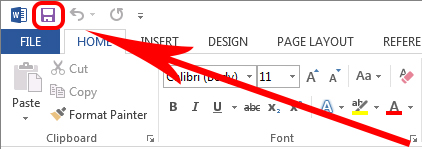
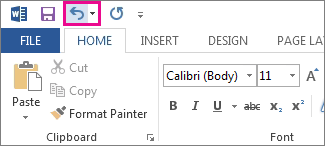
What is Quick Access Toolbar
quick access ions such as underline, shift, delete
quick access ions such as remember, undo, retype, caps lock
quick access ion such as save, undo, redo, and print commands
quick access ion that control space bar, commands, left shift
Size 12, 16, 36 character is an example of
font
enlargement
font size
document size
Displays groups of related commands in tabs. Each tab offers shortcuts buttons or icons to common task.
window controls
quick access toolbar
shutting down
office ribbons
Which Home Row Key goes to 0(zero)?
A
;
L
k
Which HR Key goes to ,(comma)
K
J
;
F
Which HR Key goes to P?
j
K
L
;
Which HR Key goes to Y?
D
F
J
K
Which HR Key goes to V?
A
S
F
D
Displays a menu of commands such as Save, Save as, Open, Close, and Print.
File Tab
Quick Access Toolbar
Office Ribbon
Window Control
Quick Assess Toolbar
makes font very thick as you key so that it stand out
puts a line under you font as you key for emphasis
Displays quick access icons such as save, undo, redo, and print commands.
display groups of related commands in tabs.

