
 Worksheets
computer science
Total questions: 25
Worksheet time: 14mins

Printer

Keyboard
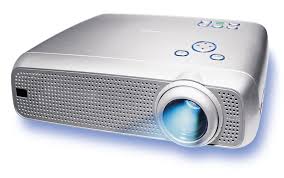
Projector


Choose the output devices.
monitor, printer, mouse
monitor, printer, keyboard
monitor, printer, speakers
mouse, keyboard, smartboard
Choose the input devices.
mouse, keyboard, headphones
mouse, printer, headphones
mouse, keyboard, speakers
mouse, keyboard, smartboard
Your eyes are input device of your body.
True
false
_______ controls all the connected input and output devices.
CPU
Mouse
Keyboard
Monitor

Cpu is also called _______ of a computer.
Brain
Friend
Remote

Input device
Output device

Input device
Output device
Input devices allow us to __________________to the computer.
Send information
Receive information

CPU is an output device.
True
False
___________ gives us voice output.


Output device allow us to ___________ from the computer.
Send information
receive information
A computer use ___________ device to show us something.
Input
Output
Which part of the window is the Navigation Pane?


The ribbon feature have ___________ tabs
2
4
6
1
All the information in a computer is stored in ______________
Folder
Ribbon
Navigation Pane
Files
What is the file extension for a Microsoft Word document
.html
.docx
.txt
Once you've signed in, the first thing you'll see is the _______.
Desktop
Web Browser
MS Edge
You can think of the _______ as the main _______ for your computer.
desktop, screen
window, main

what is a storage device


You'll use the _______ _______ to manage your files and folders. To open ______ ________, click the _______ _______icon on the taskbar or double-click any folder on your desktop.
windows explorer
file explorer

