wayground logo

Free Printable Worksheets

Font size

S
M
L
XL
Worksheets

S1 Principles of Arts Finals Review

Total questions: 26

Worksheet time: 16mins

Name
Class
Date
1.
What are the four main sections of the design cycle?
a)
Brainstorm, Develop Ideas, Build, Evaluating
b)
Inquiring and analyzing, Developing ideas, Creating the solution, Evaluating
c)
Brainstorming, Designing, Analyzing, Sharing
d)
Inquiring, Designing, Building, Evaluating
2.
Which section of the Design Cycle will you find - Develop a design specification
a)
Inquiring and Analyzing
b)
Developing Ideas
c)
Creating the Solution
d)
Evaluating
3.
Which section of the Design Cycle will you find - Explain how the solution improved
a)
Inquiring and Analyzing
b)
Developing Ideas
c)
Creating the Solution
d)
Evaluating
4.
Which section of the Design Cycle will you find -  Follow the plan to create the solution
a)
Inquiring and Analyzing
b)
Developing Ideas
c)
Creating the Solution
d)
Evaluating
5.
Which section of the Design Cycle will you find -  Identify and prioritize the research
a)
Inquiring and Analyzing
b)
Developing Ideas
c)
Creating the Solution
d)
Evaluating
6.
Which section of the Design Cycle will you find -  Develop planning drawings/diagrams
a)
Inquiring and Analyzing
b)
Developing Ideas
c)
Creating the Solution
d)
Evaluating
7.

Which of these is an example of a computer?

a)

Personal desktop computer

b)

Ipad

c)

Smartwatch

d)

All of these are examples of computers

8.

In general, learning the basics of computers is important to do well in school and also in any type of job. True or False?

a)

True

b)

False

9.

A computer uses a combination of :

a)

hardware and software

b)

line paper and white paper

c)

monitor and digital pixels

d)

keyboard and mouse

10.

Which of these is an example of Computer Hardware?

a)

Google Chrome

b)

Microsoft Windows

c)

MacOS

d)

Keyboard

11.

Which of these is an example of Computer Software?

a)
b)
c)
d)
12.

An Operating System or OS is the most important software that runs on a computer; this software communicates with the hardware and allows other programs to run. Which of these are examples of Operating Systems?

a)

iOS

b)

Microsoft Windows

c)

Android

d)

All of these are Operating Systems

13.

There are different types of storage to save your files. Which of these is NOT a type of storage?

a)

USB pen drive

b)

file cabinet

c)

memory card

d)

DVD

14.

Make sure you have _______ all programs before shutting the computer down.

a)

finish

b)

turn

c)

closed

d)

switch

15.

This desktop icon is

a)

Microsoft Word

b)

Google Chrome

c)

the Start button

d)

Recycle bin

16.

To log in, you must type your username and ________________

a)

email address

b)

telephone

c)

username

d)

password

17.

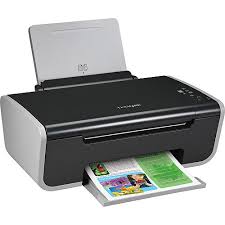
Is this device Input or Output?

Printer

a)

Input

b)

Output

18.
Is this device Input or Output?
Keyboard
a)
Input
b)
Output
19.
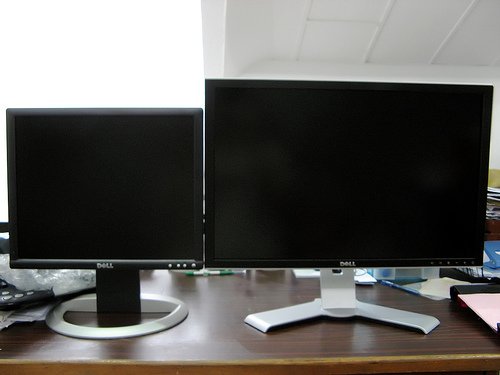
Is this device Input or Output?
Monitor
a)
Input
b)
Output
20.
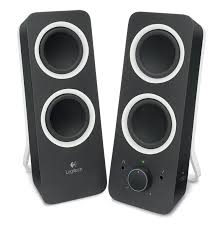
Is this device Input or Output?
Speaker
a)
Input
b)
Output
21.
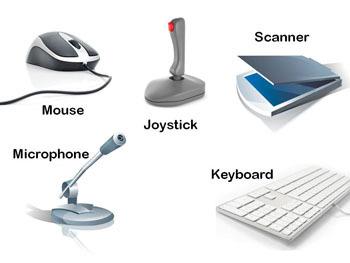
Which of these is not an input device?
a)
Scanner
b)
Screen
c)
Microphone
d)
Keyboard
22.
Is this device Input or Output?
Mouse
a)
Input
b)
Output
23.
A screen for a computer.
a)
Monitor
b)
Tower
c)
PC
d)
Hardware
24.
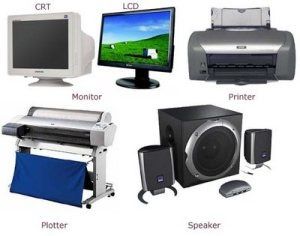
Device that gives out information from the computer (ex: monitor, printer, speakers)
a)
Output
b)
Tower
c)
Port
d)
Hard Drive
25.
Device used to insert data into a computer (ex: keyboard, mouse, microphone, camera)
a)
Input
b)
Output
c)
Tower
d)
Monitor
26.
What does CPU stand for?
a)
Control Processing Unit
b)
Central Processing Unit
c)
Central Power Unit
d)
Center Power Unit