
 Worksheets
Class 3 Revision File Management New
Total questions: 21
Worksheet time: 11mins
Which software has the following icon?
Microsoft Word
Microsoft PowerPoint
Google Docs
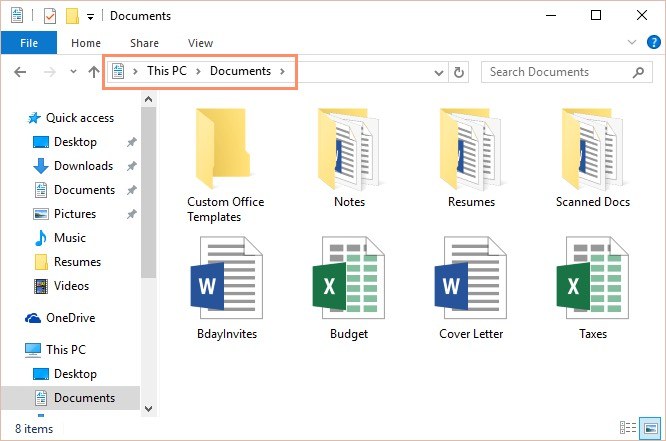
What is the difference between a file and a folder?
A folder is a document and a file where the documents are stored
A folder is where the documents are stored and a file is a document
A folder located within another folder is called a
Folder
File
Sub folder
Parent folder
Any content created using a computer, such as a picture or a text is
File
Folder
Sub folder
Directory structure
You can put different types of files in one folder.
True
False
An object in computer that helps you organize files on a computer.
File
Folder
Sub Folder
We can rearrange the icons on the desktop by using the ____________________ method.
Left Click
Double Click
Drag and Drop
What does the term file management mean?
How your manager is able to find your file.
The way in which we organize our files and documents on the computer.
How you organize the rough edges of your nails
To rename a file you have to...
Right-click the mouse and press rename
Quickly double click the file with the mouse
To open a file you have to double click the file.
True
False
Which of these is a program that helps in managing files and folders
Windows Explorer/ File explorer
MS word
MS Power-Point
Paint
The shortcut key to open window explorer.
Win + T
Win + E
Win + Y
Win + G

Identify the icon
File
Folder
Window explorer

Identify the icon
File/ Windows explorer
Ubuntu
Folder
Windows
The default name of any newly created folder is _______
New Folder
My Folder
Folder
When the computer starts , it shows a screen . It is called ___________
Desktop
Icons
Filename is separated by the file extension by a dot (.). Is it True or False?
True , yes separated by a dot (.)
False
We arrange the files in the computer so that it is easier to __________ and use them
locate
loose
Rohit is recording the birthday party of his friend. What type of file is he creating?
Image file
Document file
Video file
Identify the icons of audio or video files from the given list of icons. You can select more than one option.



