
 Worksheets
Grade 5 (24-25)
Total questions: 44
Worksheet time: 26mins
________________ is one of the easiest computer languages.
Scratch
Java
English

What is the picture called in scratch?
Stage
Sprite
Script
The operators block menu has ________________ color coded blocks.
blue
light green
yellow
The sensing block palette has ________________ color coded blocks.
light blue
light green
yellow
Scratch is a ________________ language.
arabic
english
programming
The control block menu has ________________ color coded blocks.
dark blue
light green
orange
What is the purpose of the "when green flag clicked" block?
stop the script
light green
run the script
How can you make a sprite repeat an action multiple time?
If block
Move forward block
forever block
How are blocks categorized in Scratch?
categorized by number
categorized by letters
categorized by color
What is the purpose of the "motion" blocks?
To change a sprite's appearance
To make a sprite move
To play a sound
_______________ is a graphic character which moves on the stage.
Blocks
Sprite
Program
What are ‘sprites’ in Scratch?
The characters or objects that perform actions.
The background images of a project.
To stop the program.

Where can you find the block given in the picture?
Sensing
Motion
Control
The motion block menu has ________________ color coded blocks.
blue
light green
yellow
What is the ‘stage’ in Scratch used for?
draw
play
move
What is a variable in Scratch?
A value that can change during a program
sprite's costume
movement block

Where can you find the block given in the picture?
Operators
Motion
Control

Where can you find the block given in the picture?
Sensing
Motion
Control
The blocks to compare numbers are located under the ________________ block menu.
sensing
pen
operators

Where can you find the block given in the picture?
Operators
Motion
Control
You cannot create variables in a Scratch project.
True
False
The video sensing blocks can detect motion.
True
False
Variables are used to store values that can change.
True
False
All the blocks in Operators block category are light blue in color.
True
False
Fish is the default sprite present on the stage.
True
False
The sensing blocks palette also includes blocks to compare numbers.
True
False
To add Pen blocks, click on the “Add Extension” button.
True
False
Stage is the main working area where the sprite moves and performs actions.
True
False
Scratch can be used online and offline.
True
False
The "wait" block pauses the program for a certain amount of time.
True
False
The "forever" block repeats a set of blocks indefinitely.
True
False
The variable is defined by a name.
True
False
We turn the sprite only in clockwise (right) direction.
True
False
You can only use one sprite in a Scratch project.
True
False
There is only one way to run the script in Scratch, that is by using the ‘green flag clicked’ block.
True
False
Microsoft Paint is used to create programs for the sprite.
True
False

Identify the picture.
(a)

Identify the picture.
(a)
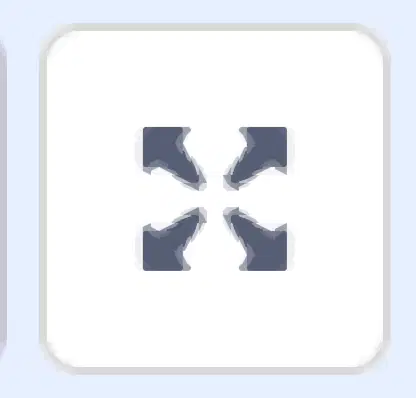
Identify the picture.
(a)

Identify the picture.
(a)

Identify the picture.
(a)
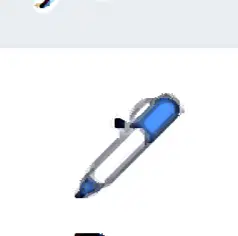
Identify the picture.
(a)

Identify the picture.
(a)

Identify the picture.
(a)

