
 Worksheets
902.4 Digital Graphics (CLASSWORK)
Total questions: 60
Worksheet time: 45mins
If you want to scale and image, click this box
Auto Select
Transform Controls
Distances
If you want to save a project that you will edit later, choose this option:
Export as PNG
Export as JPG
Save As PSD

Check all that apply. This tool does the following:
Moves an image or shape
Rotates an image or shape
Scales an image or shape
Selects and image or shape to make changes

Name this tool
Object Selection Tool
Brush Tool
Quick Selection Tool

Name this tool
Rectangle Shape Tool
Rectangle Selection Tool
Quick Mask Tool

Name this tool
Rectangle Shape Tool
Rectangle Selection Tool
Quick Mask Tool

Identify the correct option for A (Hint: hover mouse over image for larger view)
Font Style
Font Size
Font Name
Identify the correct option for B (Hint: hover mouse over image for larger view)
Font Style
Font Size
Font Name

Identify the technique used to create this effect (image inside of shape/text)
Raster Mask
Clipping Mask
Vector Mask

Identify the area of the Photopea interface shown in the image.
main toolbar
menu bar
options bar
palettes
workspace

Identify the area of the Photopea interface shown in the image.
main toolbar
menu bar
options bar
palettes
workspace
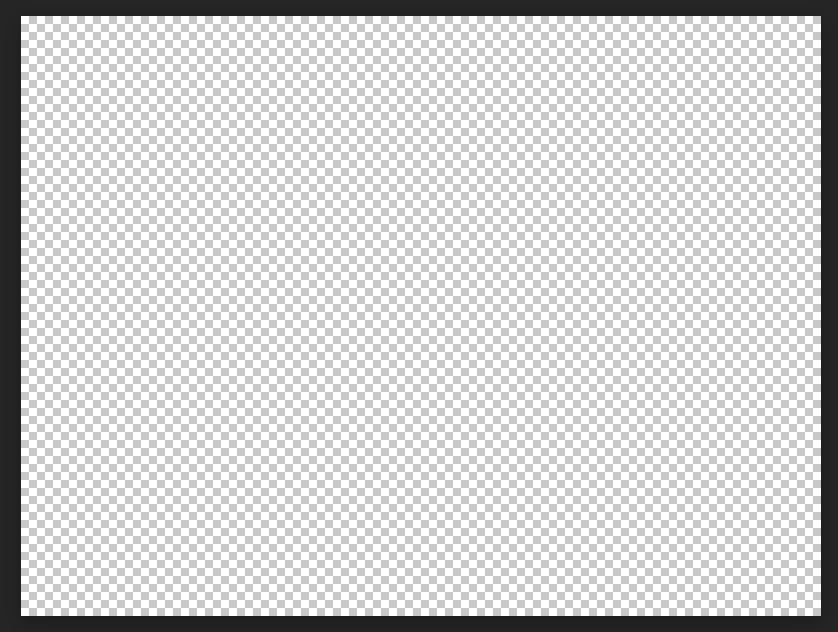
Identify the area of the Photopea interface shown in the image.
main toolbar
menu bar
options bar
palettes
workspace
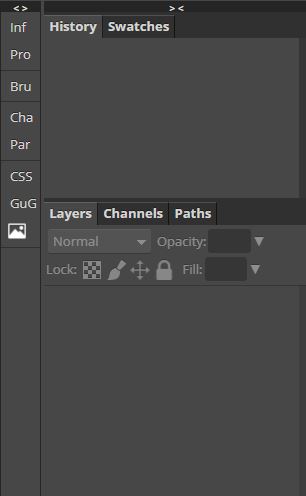
Identify the area of the Photopea interface shown in the image.
main toolbar
menu bar
options bar
palettes
workspace
If you wanted to open an existing project in Photopea, which part of the interface would you access?
main toolbar
menu bar
options bar
palettes
workspace
Which format(s) would you use to save your project that is ready to be turned in? (choose any that may apply)
PNG
PSD
JPG
GIF
TIFF
Gives you a soft edge to draw with
Brush tool
Filter
Gradient tool
Lasso select tool
Hand tool
Allows you to move the canvas around
Lets you draw an area to select
Lets you quickly "paint" a selection using an adjustable round brush tip
Allows you to add alphanumeric characters in a variety of fonts
Has the opposite function of a brush in that it eliminates pixels on a layer
Eraser tool
Brush tool
Zoom tool
Quick selection tool

Gradient tool
Magic wand tool
Polygonal lasso tool
Shape tool
Allows you to choose colors throughout the image
Eyedropper tool
Lasso select tool
Paint bucket tool
Quick selection tool

Zoom tool
Polygonal lasso tool
Magic wand tool
Gradient tool
File
Menu you use to open or save
Menu you use to add effects
Allows you to click through the changes you've made to the image. Kind of like "undo" but better.
Lets you see all of the different layers of your design and move them around.
Menu you use to add effects
File
Filter
Layers window
History window

Lasso select tool
Move tool
Quick selection tool
Zoom tool
Lets you see all of the different layers of your design and move them around.
Layers window
File
Filter
History window
Magic wand tool
Automatically selects areas of similar color
Lets you quickly "paint" a selection using an adjustable round brush tip.
Allows you to create a variety of pre-set objects
Allows you to select rectangular areas
Move tool
Allows you to move elements in the image
Lets you create a straight-edged area to select
Allows you to move the canvas around
Has the opposite function of a brush in that it eliminates pixels on a layer
Fills an area with a color or pattern
Paint bucket tool
Gradient tool
Brush tool
Allows you to create a variety of pre-set objects

Polygonal lasso tool
Hand tool
Brush tool
Rectangle Select tool
Lets you quickly "paint" a selection using an adjustable round brush tip.
Quick selection tool
Rectangle Select tool
Polygonal lasso tool
Magic wand tool
Allows you to add alphanumeric characters in a variety of fonts
Type tool
Move tool
Lasso select tool
Eyedropper tool
Clone tool
Allows you to copy the content from one part of the layer into another part.
moves selections, layers, and guides
Save in this format only when you are finish upload homework.
Allows you to draw selections by hand.
Patch Tool
lets you quickly "paint" a selection using an adjustable round brush tip.
Lets you create a straight-edged area to select
Allows you to select rectangular areas
Replaces an area with another selection.
Spot Healing Brush
Lets you remove objects and unwanted elements from pictures.
Changes the view size of the image
allows you to zoom in and zoom out at different places of the image
allows you to delete layers
Visibility
the visibility eye allows you to hide a layer or make it visible
Allows you to draw a polygonal selection.
Allows you to select rectangular areas
Allows you to add text in a layer.
Open (shortcut key)
Ctrl + C
Ctrl + O
Ctrl + T
Ctrl + S
Save as PSD (shortcut key)
Alt + S
Alt + Ctrl + S
Shift + Ctrl + S
Ctrl + S
Step Forward (shortcut key)
Ctrl + Alt + Z
Shift + Z
Ctrl + Z
Shift + Ctrl + Z
Step Backward (shortcut key)
Ctrl + Alt + Z
Shift + Z
Ctrl + Z
Shift + Ctrl + Z
Select All (shortcut key)
Ctrl + Alt + A
Shift + A
Ctrl + A
Shift + Ctrl + A
Deselect (shortcut key)
Ctrl + D
Shift + D
Ctrl + Alt + D
Shift + Ctrl + D

What tool is this and what is it's function?
Spot Healing Tool: Removes marks and blemishes
Bandaid Tool: Heals mistakes
Eyedropper: Selects colors from images
Brush tool: Paints custom brush strokes

What tools is this and what is it's function?
Erase Tool: Changes pixels to the background color makes them transparent
Clone Stamp Tool: Paints with pixels from another part of the image
Hand Tool: Pass over different parts of an image
Dodge Tool: Lightens areas in an image

In digital imaging,
pixel is short for __________________
picture element
pix element
picture

Generally, what is the shape of a pixel?
Circle
Star
Triangle
Square
The number of pixels used to make an image is
resolution
solution
roller

Why is it important to padlock a layer when you have finished editing it?
To prevent moving the entire layer
To prevent editing the layer by mistake
To prevent changing the order of the layers
To prevent changing the name of the layer

When searching for images that are royalty free, what do we select from the usage rights menu?
All
Creative Commons Licenses
Commercial and Other Licenses
Don't bother they'll never know
JPEG, GIF & PNG are typical file formats for what type of graphic?
Bitmap
Vector
A bitmap image is made up of
Pixels
Colours
Sounds
Samples
(a) is the exclusive right that the owner of an intellectual property has. It protects the creator's work from unauthorized duplication or use.
You use a photograph taken by someone else on your website without asking permission
Copyright
Plagiarism
Both
Neither
The work must be destroyed

