
NEW
Font size
 Worksheets
Word Processor
Total questions: 15
Worksheet time: 8mins
What software would be most appropriate to use to write a letter?
Presentation software
Word processing software
Email software
Image manipulation software
What is the purpose of a word processor?
To process images
To process text documents
To process audio files
To process video files
What software would be most appropriate to use to provide visual prompts while you present to your classmates?
Presentation software
Word processing software
Email software
Image manipulation software
What software would be most appropriate to use to send an attached document to lots of people at the same time?
Presentation software
Word processing software
Email software
Image manipulation software
What software would be most appropriate to use to create a banner with a slogan and an image for your website?
Presentation software
Word processing software
Email software
Image manipulation software

What is the purpose of the following icon?
Align the text to the right
Move an image behind the text
Make the text bold
Move the text to the bottom of the page

What is the purpose of the following icon?
Highlight the text
Turn the text into all capital letters
Underline the text
Change the colour of the text
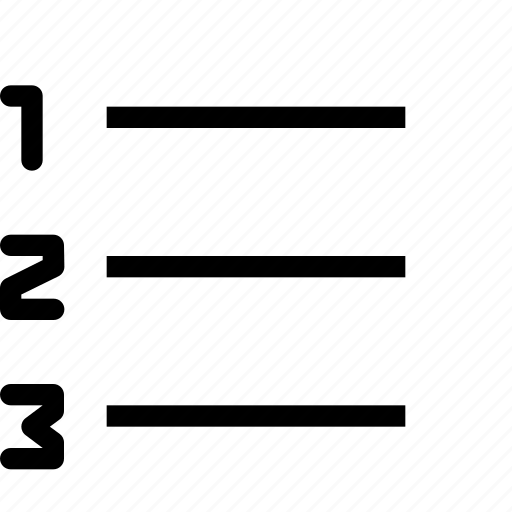
What is the purpose of the following icon?
Put a number as a title to each paragraph
Create a bulleted list
Create a numbered list
Count the number of paragraphsb
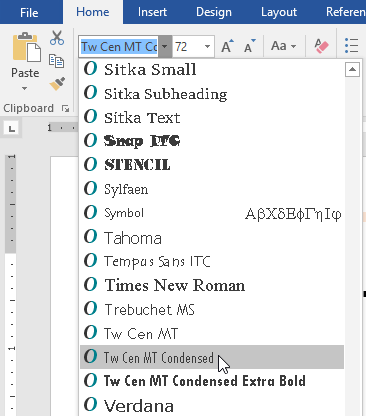
What is the purpose of the following image?
Name the document
Save the document under a certain name
Allow the user to make a title
Change the style/appearance of the font
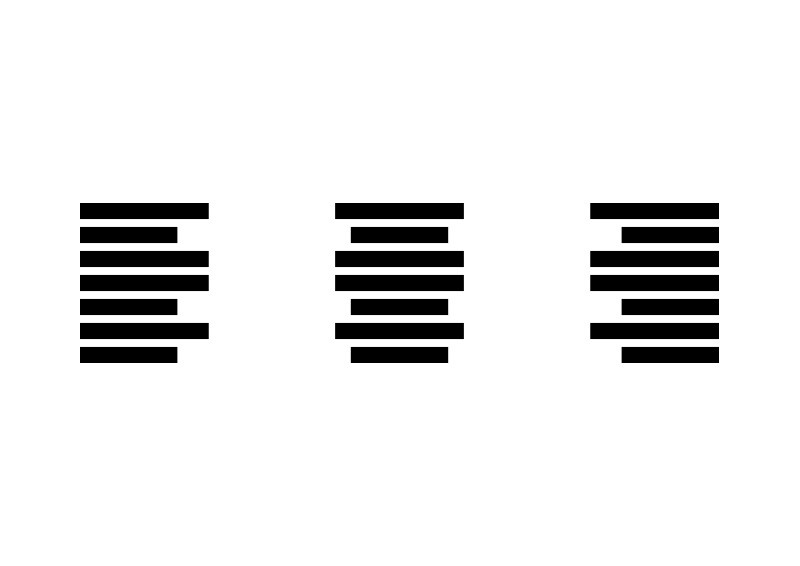
What is the purpose of the following icon?
Align the text to the left-hand side of the page
Align the text to the right-hand side of the page
Align the text to the centre of the page
Create a straight margin on both the left- and right-hand side of the page
What is the typical file format for a document created using a word processor?
.jpg
.mp3
.docx
Which of the following is NOT a commonly used word processor?
Microsoft Word
Google Docs
Apple Pages
Adobe Photoshop
What is the shortcut key to bold text in Microsoft Word?
Ctrl + B
Ctrl + I
Ctrl + U
Ctrl + S
What is the shortcut key to save a document in Microsoft Word?
Ctrl + S
Alt + S
Shift + S
Command + S
What is the shortcut key to undo the last action in Microsoft Word?
Ctrl + Z
Alt + Z
Shift + Z
Command + Z

