
NEW
Font size
 Worksheets
U Artist Compiled Practice 2
Total questions: 41
Worksheet time: 21mins

Which tab is this
View
Inspector
Project
Game
_ lets you reuse a 2D image in various sizes
Tile draw mode
9-Slicing
8-Slicing

This is _ view
Inspector
Game
Camera
Scene
Which light creates a cone shaped light.
Directional Light
Spot Light
Area Light
Point Light
T or F
Tile draw mode is used when sprites dimensions change and you want the sprite to scale
T
F

Which tab is this
Scene
View
Game
Project
Choose the import setting for an asset that is used to display transparencies
Border Mip Maps
Filter Mode
Alpha source
Texture Type
Which light are useful for creating effects such as sunlight in your scenes. This light doesn’t have any identifiable source position and so the light object can be placed anywhere in the scene
Directional
Point
Spot
Area

This is the
Animation tool
Camera
Game view
Record live gameplay button
this allows an img keep dimensions of corners while the top, bottom, and sides stretch horizontally and vertically
tile draw mode
9-slicing
sliced draw mode
8-slicing
T or F
Render mode in sprite renderer component allows a sprite to maintain size and repeat vertically and horizonatally
T
F
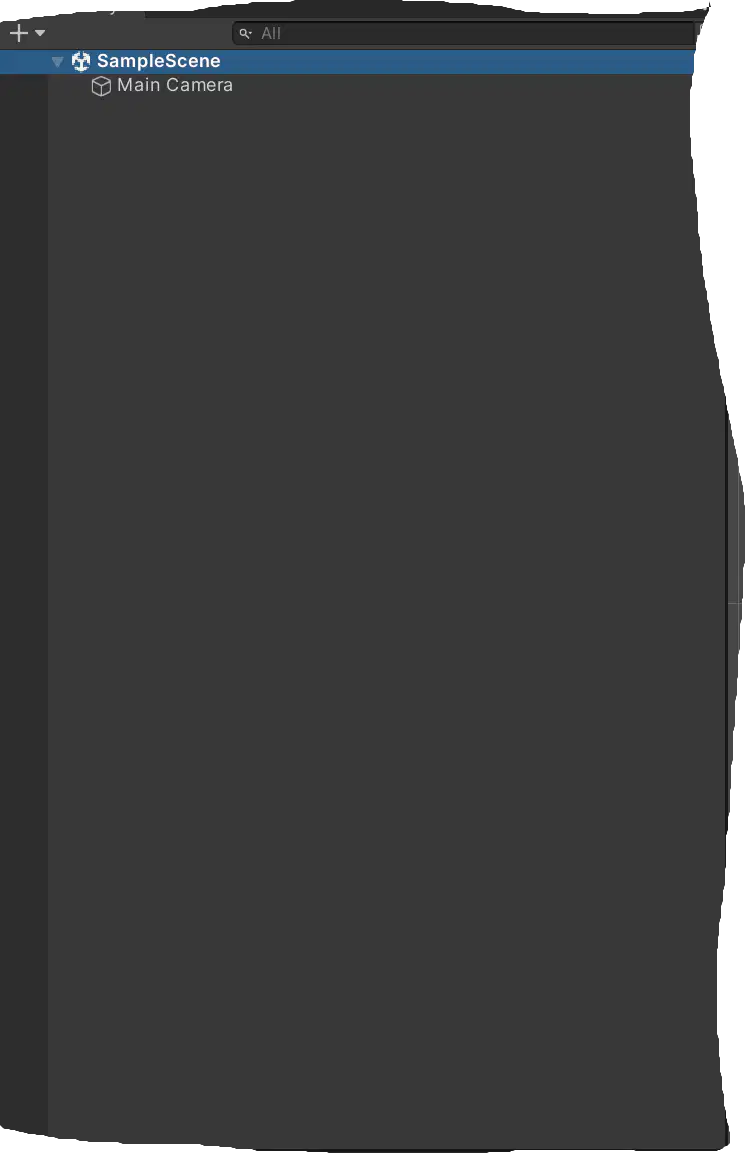
This is the _ tab
Hierarchy
Scene
Game
Project
Which lighting setting effects lighting in this way: Light dims every time it is reflected off a surface and it does not affect the initial brightness.
Indirect Multiplier
Intensity
Render Mode
Type
Which light outputs light in every direction?
Spot
Directional
Point
Area
Working with terrain: What does the neighbor tool do?
Creates adjoining terrain that automatically connects to your current terrain
Erases neighboring terrain to enable to create custom adjoining terrain
Generates a random similar looking terrain to the one you are working with currently
There is no neighbor tool

Series: Name the Light based on the image
point
directional
area
spot
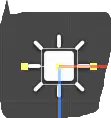
Name the Light based on the image
point
directional
area
spot
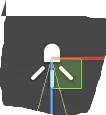
Name the Light based on the image
point
directional
area
spot
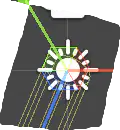
Name the Light based on the image
point
direcitonal
area
spot
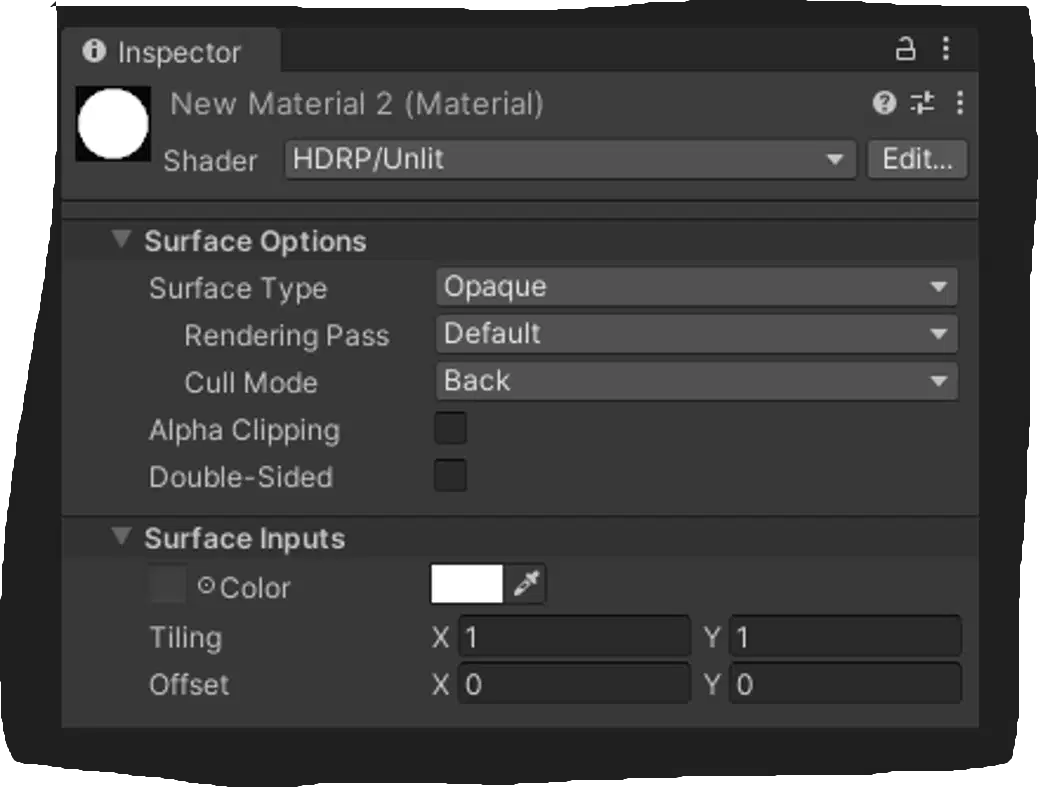
If a texture does not wrap on the model, which material setting should be checked?
Shader
Rendering
Albedo
Tiling

Find the imposter: Which one of these statements is inaccurate regarding scaling objects
You can change scale by dragging the value in the inspector
You can type different scale value in the inspector
If you scale an obj it will pixelate the edges
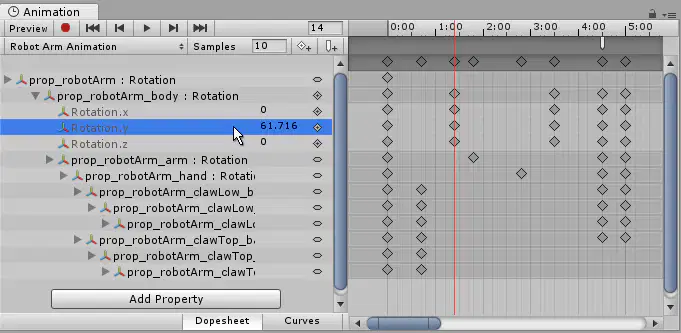
Is the mouse on the correct position to change the height of the current keyframe?
Yes
No

You want to reset the value of the scale of the object, while not affecting the position or rotation. What is the best course of action?
Add a reset scale component
If you reset rotation it will always interfere with the other values
Reset the transform by right clicking on the word/logo
Click the 3 vertical dots, choose reset property, and choose scale
Which tool let's you resize, move, and rotate an object?


What tab is this
Game
View
Project
Animation

Find the imposter 2: Choose the incorrect statement or your voted out buddy!
A game obj can have multiple animations clips assigned at a time
You cannot modify or create a keyframe until you create an animation clip
You have to click add property to add an animatable property
This lighting is pre-calculated before running
Baked
Realtime
Neither
Which package is for greyboxing?
Frame One
ProBuilder
Terrain Tool
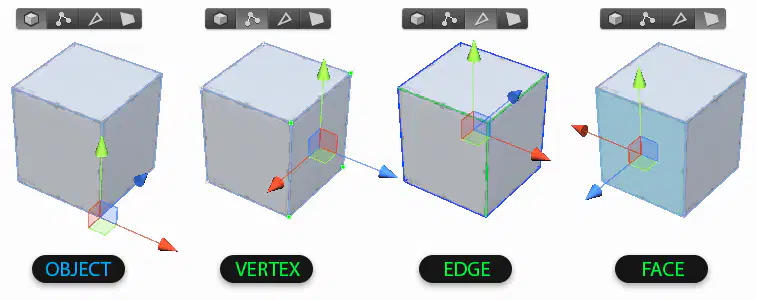
Are these ProBuilder tools accurately labeled?
Yes
No
These are not probuilder tools
T or F
Texture maps are added to materials in unity
T
F
T or F
Normal mapping is for bumps, scratcdhes, and surface detail
T
F
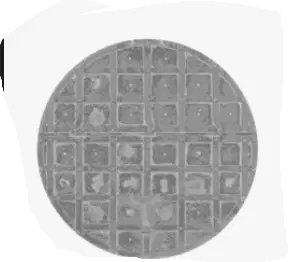
Normal Mapping uses which colors
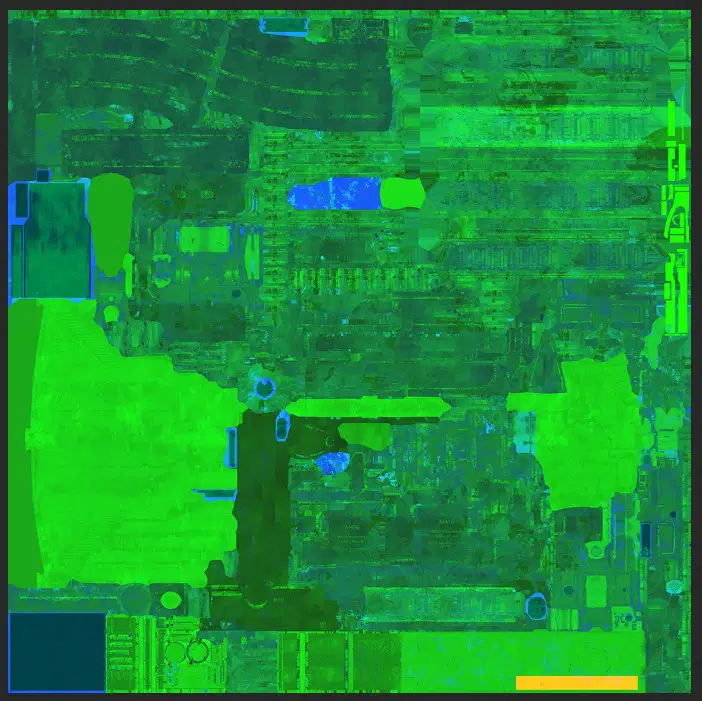

T or F
Hard shadows take the nearest shadow map pixel. Soft shadows average several shadow map pixels, resulting in smoother looking shadows. However, soft shadows are more expensive to render. No shadows take the least amount of processing
T
F
Which one of these is not a template for building a game in Unity
2D Core
3D Core
2D VR
3D Mobile
How would you go about creating a prefab?
Move game obj from hierarchy to project window
Move game obj from project to hierarchy window
Move game object from inspector to hierarchy window
You cannot create a prefab in Unity
To slice a sprite the sprite mode must be set to
single
multiple
You need to edit wrap mode
You need to edit filter mode
What are culling masks used for
slice sprites
stop rendering objects getting farther away
animating sprites
greyboxing
Which one of these statements is incorrect
you have to execute a script to use a culling mask
culling masks let you display a subset of layers available
They are both correct
This lighting is constantly calculated at every frame
Baked
Realtime
Niehter
Both
T or F
Culling mask are used to render objects on same layer
T
F
You can/cannot implement lighting that is pre-calculated and live calculated
can
cannot

