
 Worksheets
Hardware & Software
Total questions: 22
Worksheet time: 11mins
Name
Class
Date
1.
The physical parts of a computer that we can touch are called
a)
Software
b)
Hardware
2.
Programs that give instruction to the computer.
a)
keyboard
b)
mother board
c)
hardware
d)
software
3.
An example of software would be...
a)
MS Power Point
b)
keyboard
c)
monitor
d)
printer
4.
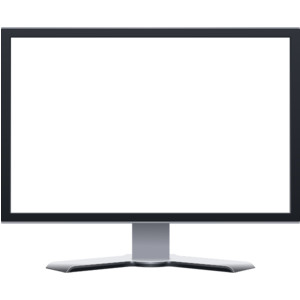
Why do we need a computer monitor?
a)
To keep the computer from overheating.
b)
Because it is like the brain of the computer
c)
To see what the computer is doing
d)
Just because
5.
An example of the computer's hardware would be ...
a)
MS Word
b)
MS Publisher
c)
Keyboard
6.
What tells the hardware what to do and how to do it?
a)
Software
b)
Hard Drive
c)
Hard Ware
d)
Central Processing Unit (CPU)
7.
Physical parts of a computer...such as the keyboard and monitor.
a)
software
b)
hardware
8.
Mozilla Firefox is a program that allows you to access information on the Internet.
a)
True
b)
False
9.
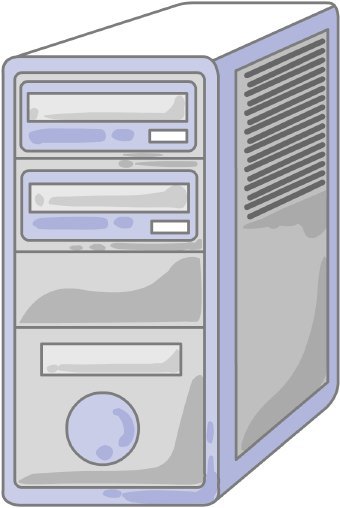
What is this piece of hardware?
a)
Mouse
b)
Keyboard
c)
Monitor
d)
CPU
10.
A computer program is stored as a file on the computer's hard drive.
Which of the following is an example of a program?
Which of the following is an example of a program?
a)
File
b)
Bing
c)
Google Chrome
d)
Kahoot!
11.

Keyboard
a)
Hardware
b)
Software
12.

Google Search
a)
Hardware
b)
Software
13.

Safari
a)
Hardware
b)
Software
14.

Mouse
a)
Hardware
b)
Software
15.

Google Chrome
a)
Hardware
b)
Software
16.

Tablet
a)
Hardware
b)
Software
17.

Camera
a)
Hardware
b)
Software
18.

Laptop
a)
Hardware
b)
Software
19.

Microsoft windows
a)
Hardware
b)
Software
20.

USB Port
a)
Hardware
b)
Software
21.

What is hardware?
a)
Physical parts/tools/equipment that we can touch
b)
Programs that we use on devices
22.

What is software?
a)
Physical parts/tools/equipment that we can touch
b)
Programs that we use on devices
100 %

