
Font size
 Worksheets
Computer Hardware and Software Review
Total questions: 40
Worksheet time: 25mins
In binary form, 0 stands for "Off" and 1 stands for "On" state (True/False) ?
True
False
Which type of computer is used for weather forecasting?
Super Computers
PDA
Mainframe Computers
Wearable Computers
These computers are used in homes, schools, offices and shops
Micro computers
Mini computers
Super computers
These computers are smaller and lighter than laptop generally 7 inch or 10 inch screen
Tablet computers
Laptop computers
Desktop computers
Which computer is the most powerful?
Supercomputers
Minicomputers
Worstation
Mainframe
Personal Computer
A complex mathematical formula used by computers is called...
a circuit
an algorithm
a pixel
an output
Entering data into a computer is called...
input
storage
processing
output
The act of saving information on a computer is called...
input
storage
processing
output
The results of computing that is broadcast in some form, like on a monitor, paper, speakers is called...
input
storage
processing
output
The use of data in algorithms (or a set of instructions) to extract an outcome is called...
input
storage
processing
output
a bit is...
the small square used by a computer to create images
the maximum transmission capacity of the internet
the smallest unit of storage of a computer
a part of the hardware of a computer
Apple iOS, Microsoft Windows and Linux are examples of...
operating systems
hardware of a computer
web browsers
computer viruses
Chrome is an example of...
an operating system
a web browser
a hardware component
a social media site
Which of the following can be considered hardware (choose all that apply)?
Mouse
Google Chrome
CPU
Ethernet wire
Call of Duty
Which of the following can be considered software?
Keyboard
Google Sheets
Monitor
Video projector
The master chip or drive controlling all other parts of the computer is the...
CPU (Central Processing Unit)
BIOS (Basic Input/Output System)
ARPANET
RAM (Random Access Memory)
The mouse, keyboard, monitor, camera, speakers and projector are all considered...
Software
Firmware
Peripherals
BIOS (Basic Input/Output System)
Which of the following uses icons, images and other shapes as a way of navigating on a computer?
Command Line Interface (CMD)
Graphical User Interface (GUI)
Which of the following uses text-based interaction to navigate/operate a computer?
Command Line Interface (CMD)
Graphical User Interface (GUI)
How many bits make up a byte?
1
8
1000
1 million
Which of the following are considered Social Media?
Snapchat
Netflix
Youtube
Python, C#, BASIC, HTML5 and JavaScript are known as...
Programming languages
Operating systems
Graphical User Interfaces
Peripherals


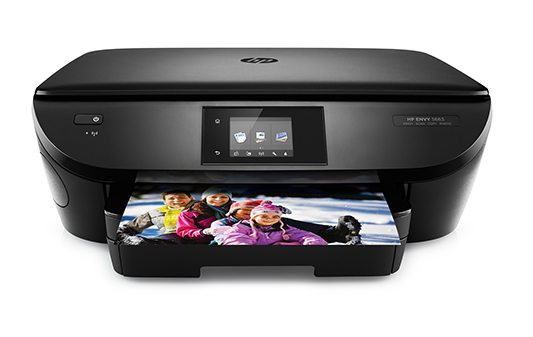


Name of this input device?
Printer.
Keyboard.
Mouse.
Pen.

What is the name of this output device?
Printer.
Monitor.
Hard drive.
Mouse.

What is the name of this device?
Laser printer.
3-D printer.
Scanner.
Inkjet printer.
What part of the computer do we use to type
keybord
monitor
mouse
Why do we have computers
Because we can play games of it
Because it makes our work easier
Because it is a machine
What is the cpu
The brain of the computer
The part that let's us play games
The part that kills virusus
How does a computer process you pressing a computer key?
The computer is super smart and knows what to do
The CPU (central processing unit) has the data of what to do and sends an electricity signal through the computer
A billion bytes is called
Kilobytes
Terabytes
Gigabytes
Megabytes
The only language a computer can read is
binary
scratch
RAM
javascript
RAM is
Operating System
Short-term memory
Long-term memory
Hardware
Software is
Keyboard, Mouse, Monitor
Microsoft Word, Google, Operating System
Keyboard, Google Docs, Mouse
Microsoft Word, speakers, Snipping Tool
Hardware can be broken up into two categories :
On/Off
Input/Output
Bits/Bytes
GB/MB
An example of input device is
Monitor
Printer
Keyboard
Speakers

