
Font size
 Worksheets
COMPUTER 8 - QUIZ REVIEW
Total questions: 25
Worksheet time: 20mins
Which of the following is a software that is extensively used for raster image editing, graphic design, and digital art?
Adobe Reader
Adobe Premier
Adobe Photoshop
Adobe Illustrator
Which of the following that contains all the main functions of Photoshop, such as File, Edit, Image, Layer, Select, Filter, Analysis, 3D, View, Window, and Help?
tool bar
menu bar
move tool
marquee tool
A tool that can select and move objects on the page?
(a)
A tool that can select an object by drawing a rectangle or an ellipse around it.
(a)
A tool that can select an object by drawing a freehand border around it.
(a)
It selects all objects in a document with the same or similar fill color, stroke weight, stroke color, opacity or blending mode.
menu bar
lasso tool
marquee tool
magic wand tool
It takes color samples from colors on the page and displays them in the Color Boxes.
tool bar
lasso tool
eye dropper
marquee tool
It takes a sample of an image and applies over another image, or a part of the same image.
(a)
It applies a color fill to a selected part of the image or to an entire layer.
(a)
It removes part of an existing path or stroke.
(a)
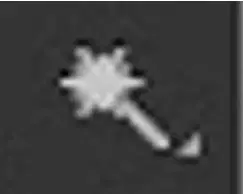
What is this tool in adobe photoshop cs6?
(a)
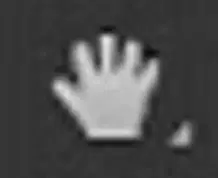
What is this tool in Adobe Photoshop?
(a)
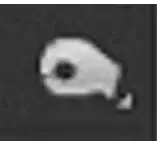
What is this tool in Adobe Photoshop?
(a)
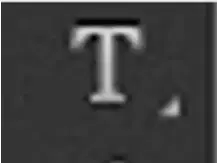
What is this tool in adobe photoshop cs6?
(a)
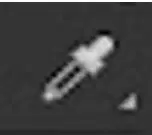
What is this tool in Adobe Photoshop?
(a)
Which of these jobs would you use Photoshop skills for? Choose all that apply.
Graphic Designer
Accountant
Web Site Designer
Photographer
Microsoft created Adobe Photoshop?
True
False

What is this tool called?
Quick Selection Tool
Rectangular Marquee Tool
Lasso Tool
Move Tool


What is this tool called?
Clone Stamp
Gradient
Dodge
Color Swap

What is this tool called?
Lasso
Dodge
Blur
Eraser

What is this tool called?
Zoom
Hand
Shape Tool
Pen

How many Layers does this file have?
5
2
1
3
Which tool can insert text on top of an image?
Spot Healing Brush
Content Aware Move
History Brush
Type Tool
If your layers panel is missing, how do you make it appear on your screen?
Edit - Show Layers
View - Layers
Window - Layers
Show - Layers

