
 Worksheets
Msi Chapter 2
Total questions: 22
Worksheet time: 13mins

What is this window called?
New Document Box
New File Box
Preset Documentt
Templates
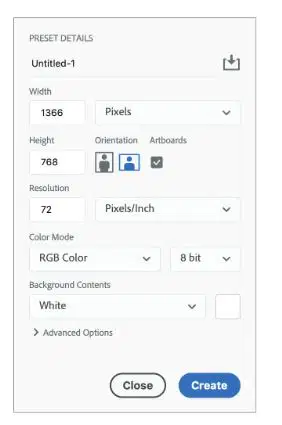
The preset pane includes the following settings:
Document Preset
SIze, Canvas, background color, pixels, advanced options
Color mode, width, height, artboard, orientation,
Width, Height, Artboards, Orientation, Resolution, Color Mode, Bit depth, bck content
Types of Color Modes:
RGB
Grayscale
CYMK
Bitmap
are special layer groups which trim the contents of any contained elements to its edges, similar to a canvas
(a)
is the level of detail in a raster image, and is measured by the number of pixels per inch or centimeter
(a)
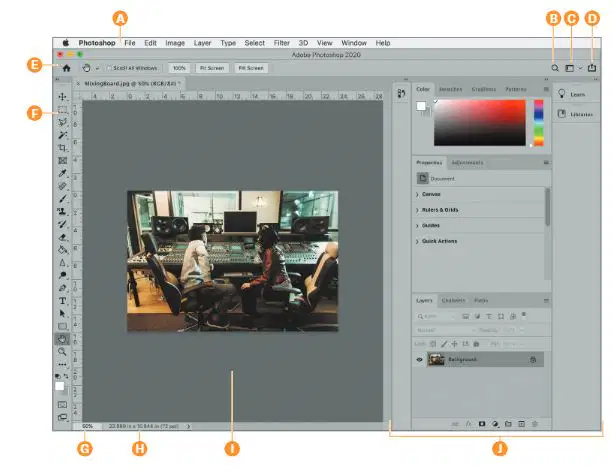
What does A point too?
Bar
Menu
File
Option
What does E point too?
Option Bar
Menu
Image
Tool Bar
What does F point too?
Marquee Tool
Menu
Image
Tool Bar
What does J point too?
Layer
Images
Panels
Tool Bar
What does C point too?
Settings
Workspace
Menu
Essentials
The _____ pulldown allows you to choose a workspace, reset a workspace if you’ve altered it, delete unneeded workspaces, or create one of your own.
Essentials
Layers
Workspace
Menu
The Preferences dialog box allows you to customize the application to best accommodate
your workflow
Several settings are adjustable – the interface display, units and measurements, how files
are saved, performance, cursors, transparency, type, as well as plug‑ins and scratch disks.
True
False
what
no

How can you customize/edit the tool bar?
Click > Preferences
Option bar
Three dots on the bar
View> All Tools
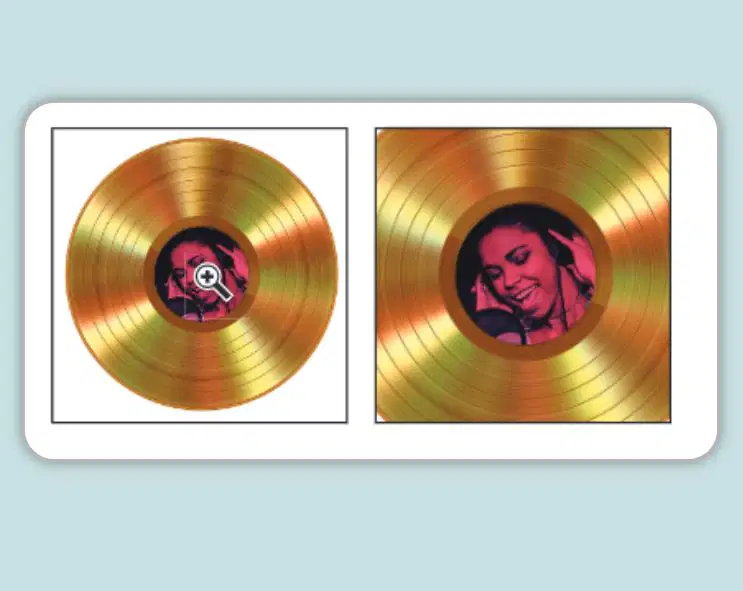
What tool does this image show being used to magnify the image?
Hand tool
Zoom tool
Magnifier Glass
Lolipop
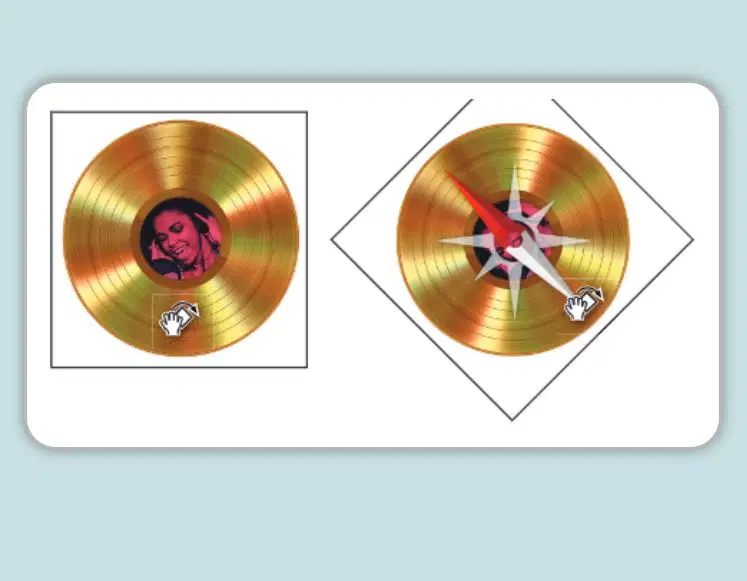
The ________ View tool is used to modify the view perspective in the sample image
Spin
Turn
Scale
Rotate

This image shows the ___________ tool being used to pan over the image
Fist
Scroll
hand
Move
Create a new guide by simply
clicking and dragging away from
the horizontal or vertical ruler.
Yes
No
False
True
_______ appear as non-printing lines on top of the image, and can assist with precisely positioning elements
Dragging
Coordinates
Guides
Grids
_______ provide visual reference for aligning and positioning elements
Guides
Dragging
Grids
Preferences

What is C ?
Default
Foreground Color
Switch
Background Color
What is C ?
Default
Foreground Color
Switch
Background Color
allows you to select a new color by sampling it from
another element..
Swatches
Paint
Eyedropper
Magic Wand

