
Font size
 Worksheets
Y7_ICT_Computing_Spring_May_1/2_Term_Assessment
Total questions: 85
Worksheet time: 43mins


You can use this to input printed documents to a computer ?
Trackerball
Scanner
Keyboard
Mouse
This sensor is used for burglar alarms
Temperature
Humidity
Movement/Motion
PH
Define the term 'sensor'. Choose the most appropriate definition.
Used to capture and can measure physical quantities
A hardware device that collects data and stores it.
A sensor stores data that it collects
True
False
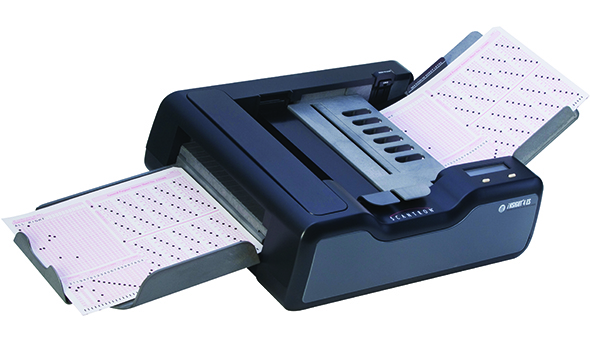
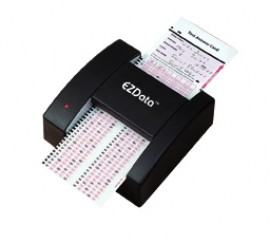
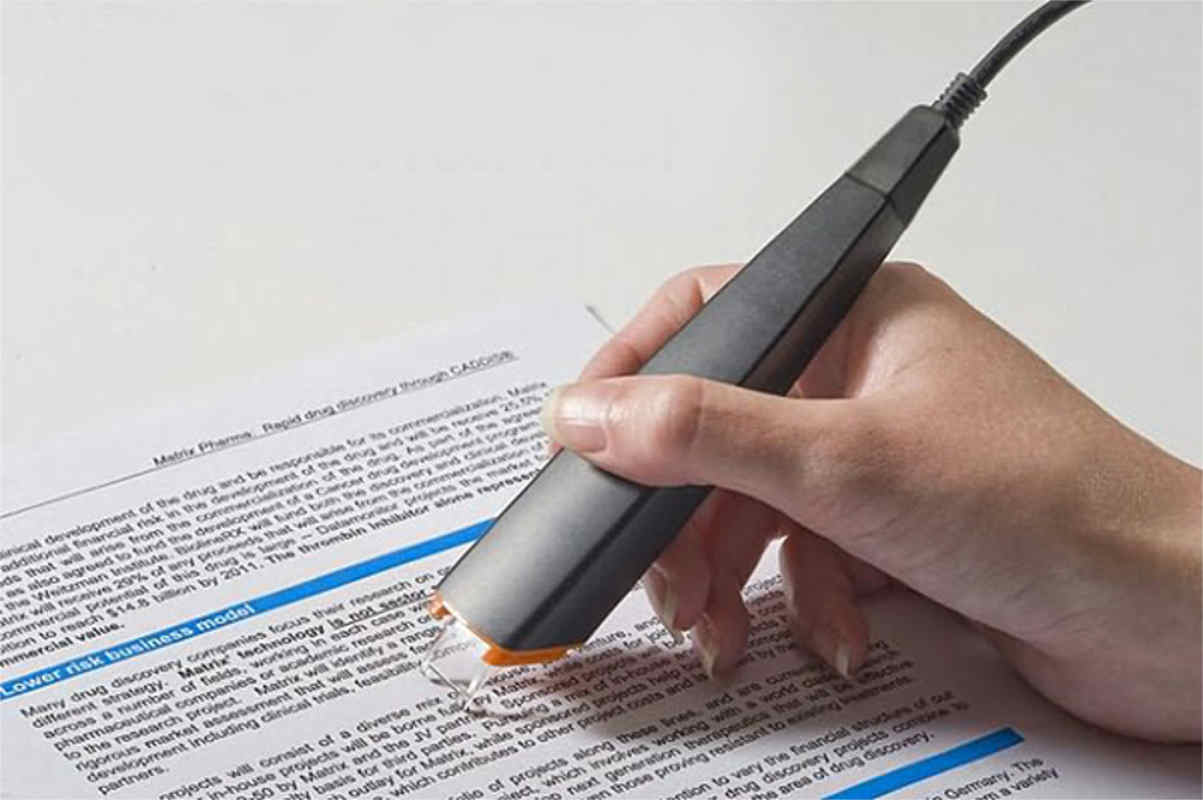
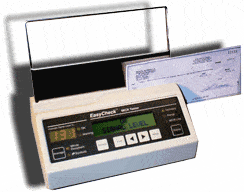


The device used to input the data from a contactless credit card
Bar code reader
Magnetic stripe reader
RFID reader
Pin Pad
What two input devices could be used with a VR flight training system?
Steering wheel/joystick
Motion sensor
bar code reader
OCR
RFID

What is the difference between private and personal information?
Personal information shares your private information to the world, but private info doesn't.
They are both about you, but personal info doesn't give away anything about you. Private info does.
Private information is not ok to share and neither is personal info as the both give away something about you.

Which ones are examples of personal information. Choose 2 answers.
Hobbies.
Full Name.
Favourite Food.
School.

Which ones are examples of private information. Choose 2 answers.
First Name.
Email address.
Phone Number.
Country you live in.

What is a digital footprint?
Everything you do and everywhere you go on your computer?
The trail of websites you visit on the internet.
Everything you do and everywhere you go on the internet.

True or False?
You can have both a positive and negative digital footprint.
True.
False.

Sarah's older sister wants to know her password for Roblox. What should she do?
Give it to her. Sarah can trust her family with her passwords.
Tell her no.
Give her a fake password so she can't get into her account.
Tell her sister no but check with her parents.

What does SMART stand for?
Be Safe, Don't meet up, Accepting emails and texts can be dangerous, is the info reliable, tell an adult.
Be smart, Meet up with your friends, Accepting files can be dangerous, is the information reliable, talk to someone.
Be Safe, Don't meet up, Dont share your address or age, remember the safety rules, tell an adult.
Be smart, Meet up with your friends, Accepting emails and texts can be dangerous, is the info reliable, tell and adult.

How does being SMART on the internet help us?
It means we can be better researchers and find reliable answers on the internet.
It means we can protect our identity and stop ourselves from being cyberbullied.
It means that we won't get into trouble and our parents will completely trust us to do what is right online.

Why is it dangerous to talk online with people we don't know in real life? Choose the best answer.
Because our parents and our teachers tell us not to.
Because we don't know if they are our friends or not.
They might not be who they say they are and they could trick us into revealing private information.

Who are examples of trusted adults we can go to if something doesn't feel right online? Choose 2 answers.
Parents.
All family members.
Teachers.
Random strangers.

What is a privacy policy?
It is a long, boring document that explains the privacy laws for that country.
It is a document on a website or app that tells you what kind of info they are collecting and how they will use it.
It is an app on your phone that explains how to keep your personal information private.

How do you know if a website is appropriate and safe to use?
It has a privacy policy, a seal of approval and a person to contact if you have questions.
It has a privacy policy and links to other safe websites that are good for kids.
It has a seal of approval and a lock symbol in the address bar which means they are keeping their website secure.

True or False?
You can accept an email from a stranger if it is from a big Australian company that has a good reputation (like Woolworths).
True.
False.

You are playing minecraft when a person who says they go to your school joins the game and starts chatting with you. What do you do?
Keep playing and ignore the chat box and the message.
Hop off Minecraft straight away and go tell your parents about the message.
Say hi and start chatting.
Say hi and keep playing but ignore any other messages that come through.

What is a troll?
It is a mean person who says rude things and bullies others.
It is a mean character from a fairy tale.
It is a person who makes mean comments online to upset others.

What is a hater?
Someone who hates everybody esle because they have low self esteem and like hurting others.
It is a mean person online who constantly sends rude, hurtful messages to others.
It is someone who hates you.

You are watching a funny cat video on YouTube when you see an ad pop up for free music downloads for kids. What do you do? Choose the best answer.
Ignore the ad and keep watching the video.
Report the ad as inappropriate.
Click on the ad to download the free music.

What is the 'feedback sandwich'?
A type of sandwich that is available at McDonalds for a good price.
A strategy we use in class when commenting on others work.
A tool that helps us comment to others in a positive way.

You receive an email about your Minecraft account. It says you need to update your password. What do you do?
Click on the link in the email to update your password.
Don't reply because it is probably a hacker trying to get your private information.
Reply and tell them you are blocking the address because this is a scam.
Ignore the email because you aren't having any problems with your account.

What is the number #1 cyber safety rule for kids your age?
Ask or tell a grown up before you do anything online.
Never share your private information online.
Always stand up for yourself and report or block cyberbullies.

What Microsoft programme would you use for writing documents
Microsoft Word
Microsoft Excel
Microsoft PowerPoint
Microsoft Access

To proof read what you have written in Microsoft Word, you will use s (a) check

New paragraphs should begin with a capital, however, new sentences don't need to!
TRUE
FALSE

Which of the following features can you use to enhance text?
Bold
Underline
Italics
All of them

If I wanted to make the text bigger, I would change the s (a) of the text

What is wrong with the following sentence - i went to the supermarket today to get bread and milk.
Bread and milk should both have capitals.
The sentence should end with a question mark.
supermarket should begin with a capital.
The sentence should begin with a capital.

You should keep the title and text exactly the same as each other (font, size, colour etc)?
TRUE
FALSE

If you want to select a certain part of the text, you must h (a) the text with your mouse

How can you correct the following spelling mistake - mcdonelds
Leave it alone and hope it fixes itself
Get a dictionary and change it manually
Right click and select the appropriate option
Double click on it

When you want to right, left, centre or justify text, this is called a (a)

To apply bold style to font what icon should we click?

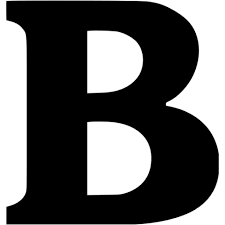
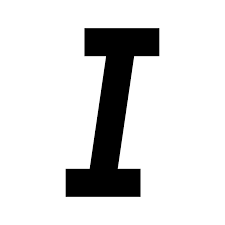
Pema wants to underline the sentence which icon should she click on ?
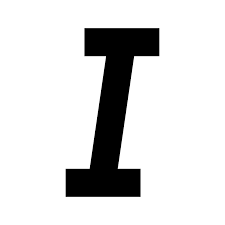

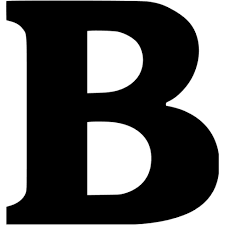

The above picture is an icon for
Change font type
Change font colour
Change font shape
Change font size
What is the keyboard shortcut for Copy?
CTRL+C
CTRL+A
CTRL+V
CTRL+P
When you save a document for the first time, which tab displays in Backstage?
Save As
Save
New
Info

Identify the name of the icon
Highlight
Italicize
Bold
Strikethrough

Identify the icon name
Align Left
Align Right
Justify
Center

Identify the name of the icon
Justify
Align right
Center
Align left


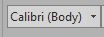
What is this icon?
Font
Increase Font Size
Font Color
Text Effects

What is this icon?
Cut
Copy
Paste
Format Painter

What is this icon?
Cut
Copy
Paste
Format Painter

What is this icon?
Cut
Copy
Paste
Format Painter
Pema wants to underline the sentence which icon should she click on ?
When you save a document for the first time, which tab displays in Backstage?
Save As
Save
New
Info
To align paragraph left and right, use icon ....
Align Right
Align Left
Center
Justify
The short cut to Align text center is
CTRL+L
CTRL+J
CTRL+E
Microsoft program that allows you to create and make a presentation is called as .............................
MS PowerPoint
MS Word
MS Excel
MS Paint
Which is the MS PowerPoint application logo?


MS PowerPoint Presentation consists of ....................
Pages
Worksheets
Slides
.................... has minimize, maximize and close options.
Title bar
Ribbon
Office button
Quick Access toolbar is present on the title bar. You can perform many tasks with just one click.
True
False
................. is present at the bottom of PowerPoint, it displays the current slide number and view buttons.
Title bar
Ribbon
Status bar
Placeholder
A ...................... is a rectangular box in a slide. You can click on it to add text or pictures.
Ribbon
Placeholder
Status bar
The ribbon consists of two parts: tabs and groups.
True
False
Which one of the programs below is the PowerPoint presentation?


You can create only 9 slides in a presentation.
True
False
Which group of the Insert tab contains the slide number facility?
Symbols
Image
Text
In which group of the Insert Tab does shapes fall in?
Images
Text
Illustrations
In which group of the Home Tab is slide Layout contained in?
Slides
Drawing
Font
To add a theme to the slide, you will click ______________________ tab.
Insert
Home
Design
____________________ view shows the slides in miniature form.
Slide Show
Slide Sorter
Normal
_______________ key is used to stop the slide show.
Ctrl
Alt
ESC
Viewing a presentation means to see your slides on a full computer screen.
True
False

