
 Worksheets
StoryBoard That Technical skills
Total questions: 20
Worksheet time: 10mins
Which tool in "Storyboard That" allows you to create and organize scenes in your comic?
Panel Layouts
Characters
Speech balloons
Which tool in "Storyboard That" provides a variety of pre-made characters to choose from?
Panel Layouts
Characters
Props
Textables
Which tool in "Storyboard That" allows you to add text to your comic characters?
Speech bubbles
Panel Layouts
Scenes
Items
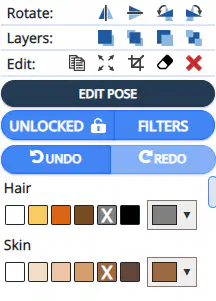
Which tool in "Storyboard That" lets you customize the appearance of your characters, such as their poses and expressions?
Edit pose
Lock/unlock
Filters
Rotate

Which tool in "Storyboard That" allows you to choose different layouts and arrangements for your comic panels?
Panel Layouts
Characters
Scenes
Filters
Which tool in "Storyboard That" allows you to add narration and descriptive text to your comic panels?
StoryBoard That Layout
Scenes
Character
Filters
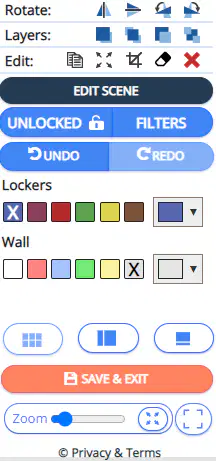
Which tool in "Storyboard That" allows you to change the background and setting of your scenes?
Edit scene
Filters
Panel layout
Edit layout
Which tool in "Storyboard That" lets your characters communicate?
Panel layout
Characters
Speech Bubbles
Scenes
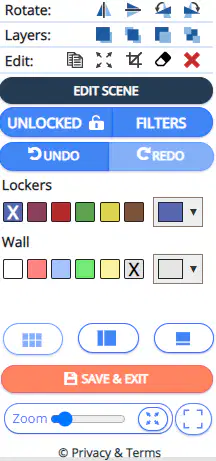
Which tool in "Storyboard That" allows you to reposition objects within your scenes?
Layers
Edit
Edit scene
Views
Which tool in "Storyboard That" provides a collection of backgrounds to help you get started with your comic?
Characters
Cover
Scenes
Cells
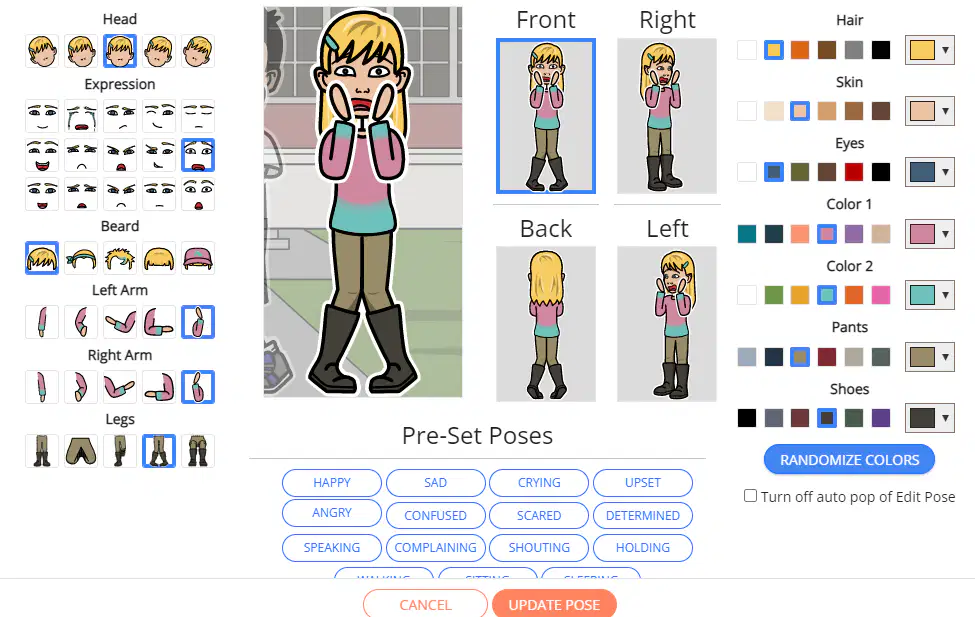
Where is the section to adjust the color of your characters?
Upside
Downside
Right
Left
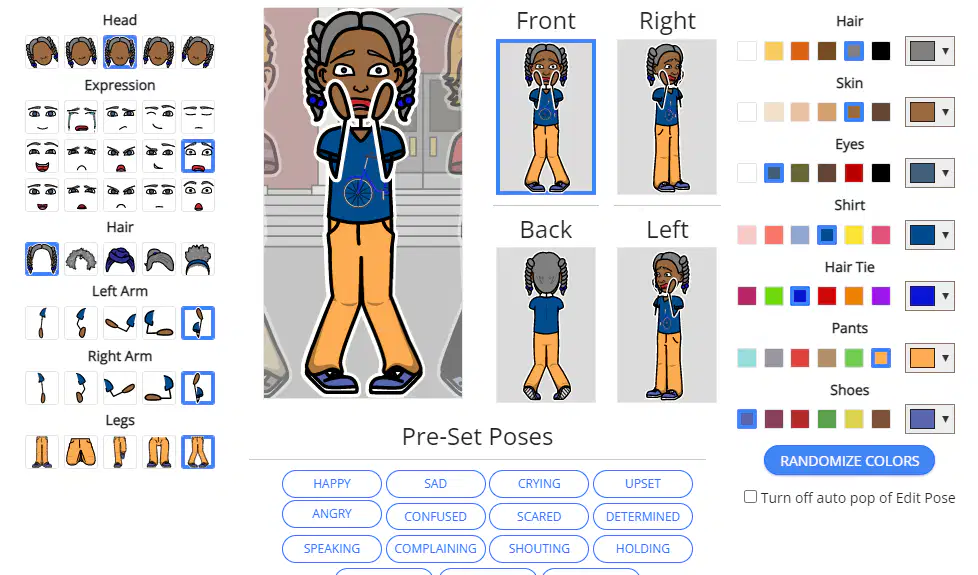
Where is the section to adjust facial expresions of your characters?
upside
downside
right
left
Where is the section to adjust emotions of your characters?
Upside
Downside
Right
Left
Is it possible to rotate characteres in StoryBoard That?
Yes
No
Maybe
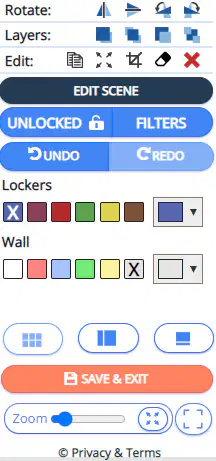
Which tool in "Storyboard That" allows you to duplicate and reuse scenes in your comic?
Copy
Strech to fill
Crop
Delete
What is the main purpose of the "Scene Creator" tool in Storyboard That?
To add dialogue and text to your storyboard
To create custom scenes using various backgrounds and characters
To organize and arrange your storyboard panels
To export and share your completed storyboard
What does the "Character Creator" tool allow you to do in Storyboard That?
Add speech bubbles and captions to your characters
Rearrange and edit the order of your storyboard panels
Customize and design unique characters for your storyboard
Import and integrate external images into your storyboard
What is the purpose of the "Layouts" tool in Storyboard That?
To create different versions of your storyboard for different audiences
To save and export your storyboard in various file formats
To add special effects and filters to your storyboard panels
To arrange and organize your panels in different layout styles
What is the purpose of creating a logical plan for a comic storyboard using a flowchart?
To organize the sequence of events
To showcase artistic skills
To develop characters
To explore different comic genres
Which elements are commonly used in a flowchart for a comic storyboard?
Squares, circles, and triangles
Ovals, rectangles, diamonds, and arrows
Lines, dots, and curves
Stars, hearts, and clouds

