
 Worksheets
Study Guide - Photoshop Final
Total questions: 33
Worksheet time: 21mins
Label the icons
Move the words to the correct location
Label each icon correctly
Which 3 tools can be used to make color selections in Photoshop?
¿Qué 3 herramientas se pueden usar para hacer selecciones de color en Photoshop?
Magic Wand
Varita mágica
Quick Selection
Selección rápida
Color Range
Gama de colores
Color Palette
Paleta de color
Which tool puts text on top of the image?
¿Qué herramienta pone texto encima de la imagen?
Spot Healing Brush
Cepillo corrector puntual
Content Aware Move
Movimiento consciente del contenido
History Brush
Pincel de historia
Type Tool
Tipo de herramienta
If I want to edit my picture with my tools I must be on the correct....
Si quiero editar mi imagen con mis herramientas debo estar en el correcto....
Layer
Capa
Tool
Herramienta
quick select
Selección rápida
adjustment
adjustment

These are your...
Estos son tus...
Photoshop stuff
cosas de photoshop
Drawings
Dibujos
Layers
Capas
Pictures
Fotos
A photo file type is
Un tipo de archivo de foto es
.jpeg
.mp3
.doc
.mov
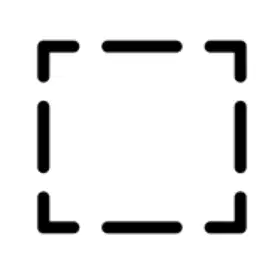
What tool is shown?
¿Qué herramienta se muestra?
Elliptical marquee
Marquesina elíptica
Rectangular marquee
Marco rectangular
Magnetic lasso tool
Marco rectangular
Polygonal lasso tool
Herramienta Lazo poligonal

What is the tool called?
¿Cómo se llama la herramienta?
directional
direccional
move
mover
plus sign
Signo de más
pointer
puntero
Control + will zoom into a picture.
Control + hará zoom en una imagen.
True
Verdadero
False
Falso
The Magic Wand tool will
La herramienta Varita mágica
select pixels of similar color
La herramienta Varita mágica
select all the black and white
Selecciona todo el blanco y negro
select only orange colors
selecciona solo colores naranjas
select all the pretty colors
seleccione todos los colores bonitos
The Eye ball in the layers panel
El globo ocular en el panel de capas
will delete a layer
eliminará una capa
will hide a layer
ocultará una capa
will hide all the layers
ocultará todas las capas
will only work when the layer is highlighted
solo funcionará cuando la capa esté resaltada
What is the file extension for a file saved as a PhotoShop file?
¿Cuál es la extensión de archivo de un archivo guardado como un archivo de PhotoShop?
.psd
.pds
.photo
.phsd
Your image is located on the __________________.
Su imagen se encuentra en el __________________.
Canvas
Lienzo
Panels
Lienzo
Workspace
espacio de trabajo
Options Bar
Barra de opciones
Match the following Keyboard shortcut with the Tool or Function it controls.
Haga coincidir el siguiente método abreviado de teclado con la herramienta o función que controla.
B
Brush Tool
Pincel
D
Default Colors
Colores predeterminados
X
Switch Foreground & Background Colors
Cambiar colores de primer plano y de fondo
V
Move Tool
Herramienta de movimiento
H
Hand Tool
Herramienta de mano

What is the name and use of this tool?
¿Cuál es el nombre y el uso de esta herramienta?
Box Tool: Creates a box
Herramienta Caja: Crea una caja
Crop Tool: Allows you to create a replica background?
Herramienta de recorte: ¿Le permite crear un fondo de réplica?
Box Tool: select a single column of pixels from top to bottom.
Herramienta Caja: seleccione una sola columna de píxeles de arriba a abajo.
Crop Tool: crop an image and remove unwanted areas.
Herramienta de recorte: recorta una imagen y elimina áreas no deseadas.

What tool is this?
¿Qué herramienta es esta?
Sword Tool
Herramienta Espada
Cut Tool
Herramienta de corte
Eyedropper Tool
Herramienta cuentagotas
Brush Tool
Pincel

What is the name of this tool?
¿Cuál es el nombre de esta herramienta?
Domino tool
herramienta dominó
Rectangle tool
Herramienta rectangular
Square tool
herramienta cuadrada
Eraser tool
Herramienta de borrador

What is the primary use for this tool? (Select 2)
¿Cuál es el uso principal de esta herramienta? (Seleccione 2)
Paint in a previous history state.
Pintura en un estado de historia anterior.
Blurs pixels to create an eraser effect.
Desenfoca los píxeles para crear un efecto de borrador.
Permanently erases pixels on a layer.
Borra permanentemente los píxeles de una capa.
Temporarily hides the selection as if erased.
Oculta temporalmente la selección como si se hubiera borrado.

Which bar is the green square?
¿Qué barra es el cuadrado verde?
Photoshop bar
barra de photoshop
Menu bar
Barra de menús
Options bar
barra de opciones

What is the yellow box pointing to?
¿Qué indica el cuadro amarillo?
Options Menu
Menú de opciones
Tool box or Toolbar
Caja de herramientas o barra de herramientas
Layers panel
Panel de capas

What is this tool? What does it allow you to do?
¿Qué es esta herramienta? ¿Qué te permite hacer?
Eye dropper; select a color from the selected layer
cuentagotas; seleccione un color de la capa seleccionada
Magic wand; allows you to select an area based on color(the lower the tolerance, the less color it will select)
Varita mágica; le permite seleccionar un área según el color (cuanto menor sea la tolerancia, menos color seleccionará)
Sparkler; adds spark effects to the select area
Bengala; agrega efectos de chispa al área seleccionada
Label each item
Etiqueta cada elemento
Label the icons correctly
Etiqueta los iconos correctamente
Label each item
Etiqueta cada elemento
What is the shortcut key for undoing the last action in Photoshop?
¿Cuál es la tecla de método abreviado para deshacer la última acción en Photoshop?
Ctrl + Z (Windows), Command + Z (Mac)
Ctrl + Y (Windows), Command + Y (Mac)
Ctrl + S (Windows), Command + S (Mac)
Ctrl + X (Windows), Command + X (Mac)
What is the purpose of the History panel in Photoshop?
¿Cuál es el propósito del panel Historia en Photoshop?
To keep track of the changes made to an image
Para realizar un seguimiento de los cambios realizados en una imagen
To add special effects to an image
Para agregar efectos especiales a una imagen
To apply filters to an image
Para aplicar filtros a una imagen
To crop and resize an image
Para recortar y cambiar el tamaño de una imagen
Which option is used to save a Photoshop file as a JPEG image?
¿Qué opción se utiliza para guardar un archivo de Photoshop como una imagen JPEG?
Save As
Save for Web
Export As
Export Layers
What is a raster layer in Photoshop?
¿Qué es una capa ráster en Photoshop?
A layer made up of vector graphics
Una capa formada por gráficos vectoriales
A layer made up of pixels
Una capa formada por píxeles.
A layer made up of text
Una capa compuesta de texto.
A layer made up of shapes
Una capa formada por formas.
What is the shortcut for redo?
¿Cuál es el atajo para rehacer?
(a)
Which shape is layer 4 connected (matched) to on the layers section?
Point at the answer
¿A qué forma está conectada la capa 4 en la sección de capas?
Señala la respuesta
Where is the shadow layer located?
¿Dónde se encuentra la capa de sombra?

