
Font size
 Worksheets
ICT6
Total questions: 27
Worksheet time: 15mins
The most common protocols used for network cards are.………………………..
a) Wireless LAN or Wi-Fi
b) Not a device
c) Input/output devices.
Network cards are ………………………..
a) Digital disc
b) Output devices
c) Input/output devices
The Braille Embosser is ………………………..
a) Digital versatile disc
b) Output device
c) Flash drive
SGDs (Speech-Generating-Devices) are ………………………..
a) Output devices
b) Not a device
c) Both devices
…………………….. are stored on cartridges, Cassettes, or reels.
OCR
Punch card reader
Magnetic tape
The Magnetic Tape Drive is …………………………...
a) An output device
b) An input device
c) Both devices
The ………………. line is located at the bottom of checks.
a) MICR
b) Not a device
c) Touch device
The MICR (Magnetic Ink Character Reader) is ……………………..
a) Output device
b) Not a device
c) Input device
The ………………………… is mostly used in data entry records.
COP
OCR
Website
The OCR (Optical Character Recognition) is ……………………...
a) An output device
n) An input device
Input/output
In …………………. ……………….., after deleting a file, you are able to restore it
Microsoft Windows
Words
Excel
In a ........................... topology, each device is connected to two other devices
star
flag
ring
To save a file on a memory card, you should plug it in the ……………… port.
USP
input
output
MS Windows ………………………….. is used to collect the files and folders after deleting them
recycle bin
words
The …………………………………………… is an alternative way of writing for people with
visual disabilities.
MICR
Braille Embosser
network cards
An example of LAN is wide internet.
True
False
The PCR is input device.
True
False
A VAN is a collection of LANs
True
False
Folders and files can be shared on One Drive.
True
False
You can not set the date and time format.
True
False
Getting back the deleted files and folders is called restoring.
True
False
The Recycle Bin icon is the volume control symbol.
True
False
To type 0, extend your right little finger and press the 0 key .
True
False
To type the Dollar$ mark, press and hold the right Shift key and press the 3 key
True
False
To type 8, extend your right middle finger and press the 8 key
True
False
To type 1, you need to press the 1 key with your
left little finger.
True
False

LAN

WAN
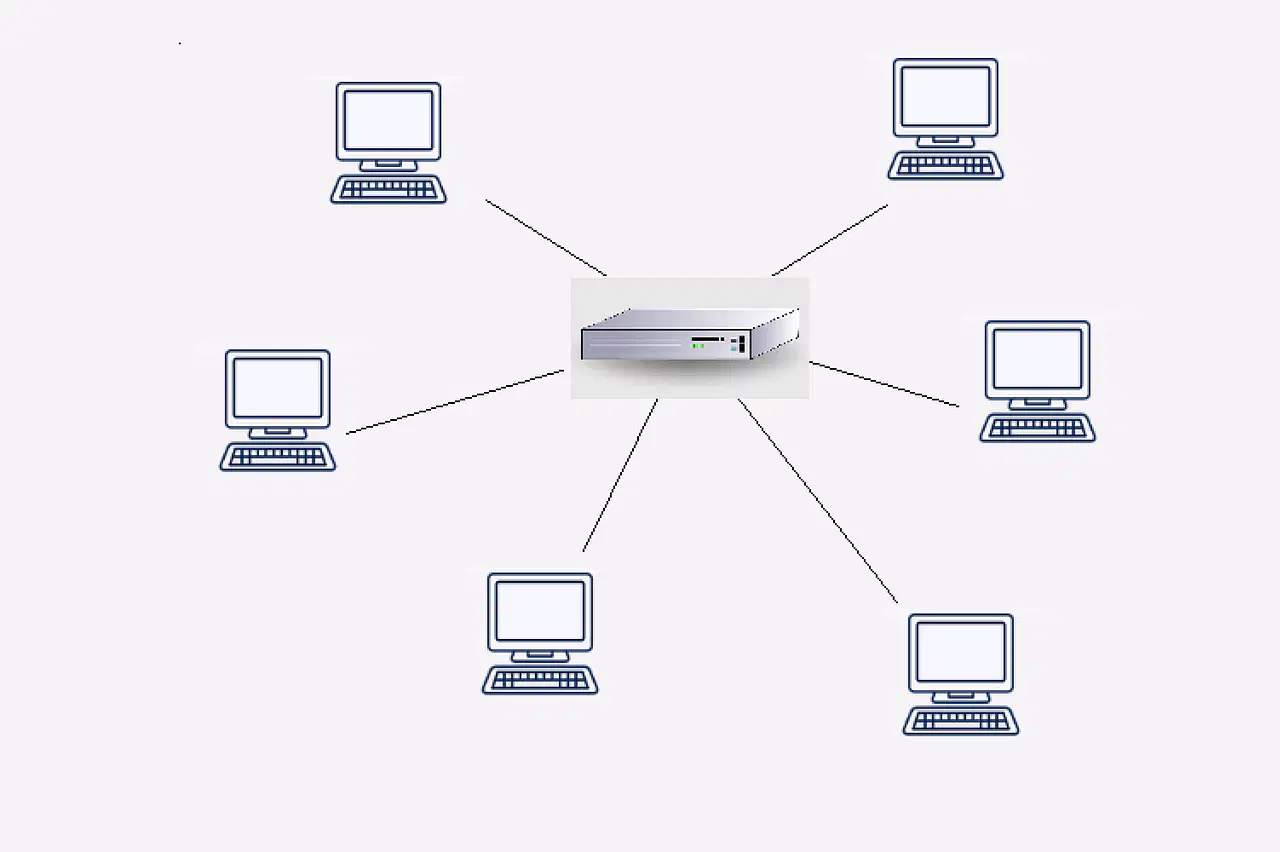
Star topology
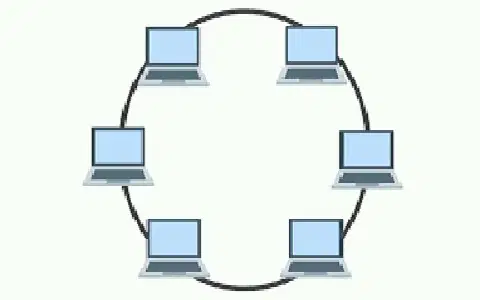
Ring topology
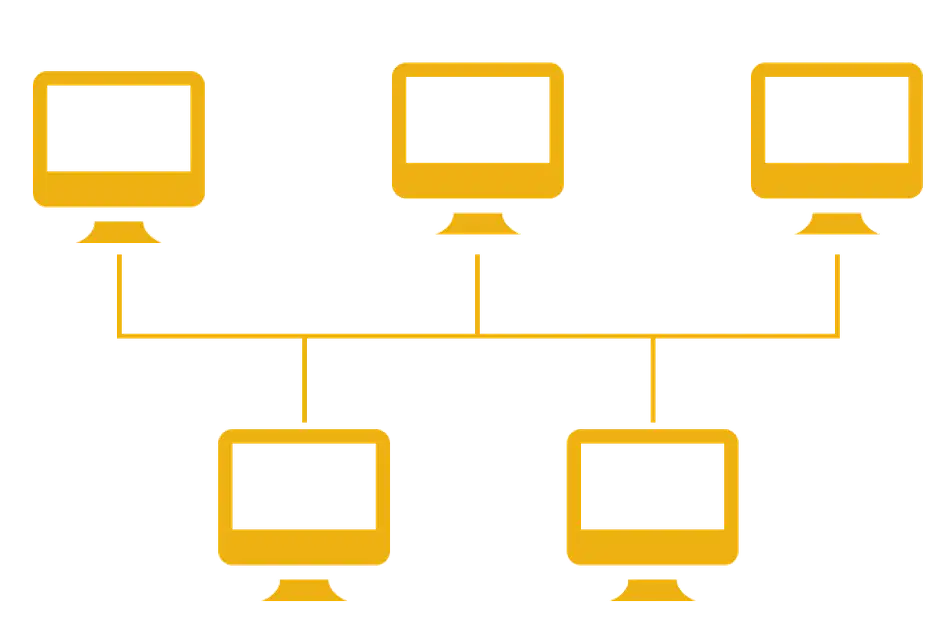
Bus topology

