
Font size
 Worksheets
Animation Content
Total questions: 16
Worksheet time: 9mins
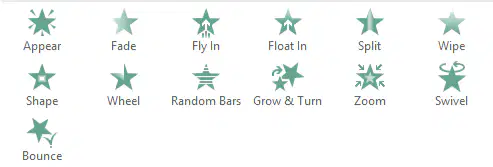
តើមុខងារចលនានេះហៅថាអ្វី?
Entrance
Emphasis
Exit
Motion Paths
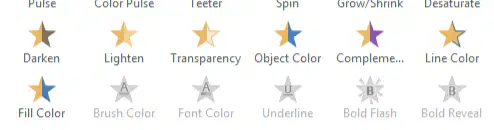
What is the animation function?
Entrance
Emphasis
Exit
Motion Paths
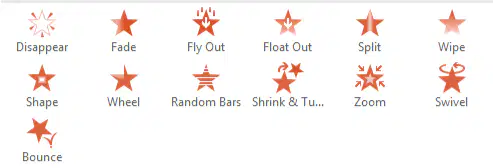
តើមុខងារចលនានេះហៅថាអ្វី?
Entrance
Emphasis
Exit
Motion Paths

តើមុខងារចលនានេះហៅថាអ្វី?
Entrance
Emphasis
Exit
Motion Paths
ជ្រើសរើសវត្ថុ 3 ដើម្បីបង្កើតចលនា
Picture
Shape
Text
Slide
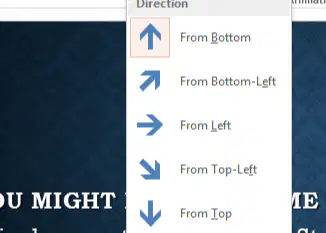
ជ្រើសរើសឧបករណ៍ដើម្បីផ្លាស់ប្តូរទិសដៅនៃចលនា(Animation)
Effect Options
Add Animation
Preview
Trigger

True/False: ផ្ទាំងគំនូរជីវចល (Animation pane) បានប្រើដើម្បីគ្រប់គ្រងវត្ថុមានចលនានៅក្នុងបទបង្ហាញ
True
False
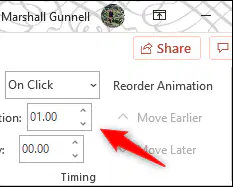
ជ្រើសរើសឧបករណ៍ចំនួន 3 នៃក្រុមកំណត់ពេលវេលា
Start
Duration
Delay
Animation
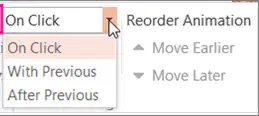
ចលនានឹងចាប់ផ្តើមបន្ទាប់ពីចុចលើការបញ្ចាំងស្លាយ
Start on Click
Start With Previous
Start After Previous
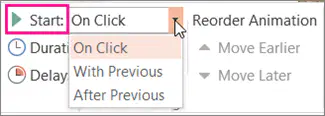
ចលនានឹងចាប់ផ្តើមបន្ទាប់ពីការបញ្ចាំងស្លាយដោយស្វ័យប្រវត្តិ។
Start on Click
Start With Previous
Start After Previous
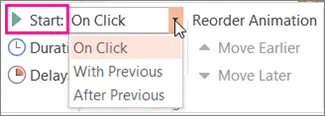
ចលនានឹងចាប់ផ្តើមបន្តបន្ទាប់គ្នាពីការបញ្ចាំងស្លាយដោយស្វ័យប្រវត្តិ។
Start on Click
Start With Previous
Start After Previous
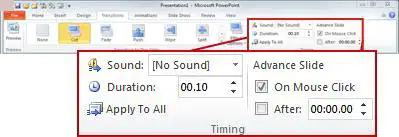
ចុចលើ _____ ដើម្បីចាប់ផ្តើមការបញ្ចាំងស្លាយដោយស្វ័យប្រវត្តិ។
On mouse click
After
Duration
Apply to all
ចុចលើ _____ ដើម្បីចាប់ផ្តើមការបញ្ចាំងស្លាយជាមួយនឹងសំឡេង។
On mouse click
Sound
Duration
Apply to all
ចុចលើ _____ ដើម្បីអនុវត្តការផ្លាស់ប្តូរទៅស្លាយទាំងអស់។
On mouse click
Sound
Duration
Apply to all
ចុចលើ _____ ដើម្បីរៀបចំរយៈពេលនៃការបញ្ចាំងស្លាយ។
On mouse click
Sound
Duration
Apply to all
ផ្ទាំងមួយណាដែលត្រូវអនុវត្តការផ្លាស់ប្ដូរនៅលើការបញ្ចាំងស្លាយ
Home
Animation
Transition
Format

