wayground logo

Free Printable Worksheets

Font size

S
M
L
XL
Worksheets

IT test

Total questions: 83

Worksheet time: 38mins

Name
Class
Date
1.

The use of systems for storing, retrieving and sending information

a)

Hardware

b)

Software

c)

Multimedia

d)

Information Technology

2.

Computers and related devices, such as keyboards, monitors and speakers

a)

Hardware

b)

Software

c)

Google chrome

d)

Microsoft Word

3.

Programs which enable users to write papers, browse the Internet, download music and play games

a)

Hardware

b)

Software

c)

Printer

d)

Scanner

4.

Graphics, text, video, sound and animation

a)

Abacus

b)

Multimedia

c)

Hardware

d)

Operating Systems

5.

Which of these are examples of Multimedia?

a)

a Youtube video with closed captions

b)

a video with images, music and lyrics

c)

an official music video

d)

All of these are examples of Multimedia

6.

Allows people to share information while working on different computers in different locations

a)

Netflix

b)

Network Systems

c)

Among Us

d)

Youtube

7.
Physical parts of a computer...such as the keyboard and monitor.
a)
software
b)
hardware
8.
An example of the computer's hardware would be ...
a)
MS Word
b)
MS Publisher
c)
Keyboard
9.
An example of software would be...
a)
MS Power Point
b)
keyboard
c)
monitor
d)
printer
10.
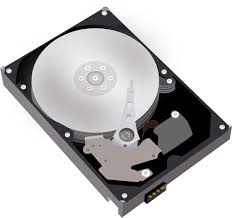
What does the hard drive do?
a)
Stores information temporarily 
b)
Gives Instructions
c)
Stores information permanently 
d)
Drives through the computer
11.
Which of the following is an Output device?
a)
Printer
b)
Mouse
c)
Microphone
d)
Keyboard
12.
Is any hardware component that can display information to a user
a)
Hardware - OUTPUT
b)
Hardware - STORAGE
c)
Hardware - SYSTEM UNIT
d)
Hardware - INPUT
13.
Screen that shows you what you are doing on the computer?
a)
MONITOR
b)
COMPUTER
c)
SPEAKER
d)
SCANNER
14.
Programs that give instruction to the computer.
a)
keyboard
b)
mother board
c)
hardware
d)
software
15.

What is the most important program that runs on your computer, it lets software and hardware work together?

a)

Operating System

b)

Programs

c)

Applications

d)

Hardware

16.

Hardware and Software do not have to work together.

a)

True

b)

False

17.
The information on a flash drive is
a)
Hardware
b)
Software
18.
Which of the following is an Input device?
a)
Printer
b)
Monitor
c)
Speakers
d)
Keyboard
19.
What Operating System is on a Microsoft computer?
a)
OSX
b)
CentOS
c)
Windows
d)
Android
20.

A printer is _______.

a)

input

b)

output

21.
A keyboard is ______.
a)
input
b)
output
22.

A webcam or camera is _______.

a)

input

b)

output

23.
A speaker is _______.
a)
input
b)
output
24.

Keyboard, Mouse, Camera and Microphone are all ___________?

a)

Software - Input

b)

Software - Output

c)

Hardware - Output

d)

Hardware - input

25.

Printer, Desktop monitor, Headphones and Projector are all ____________?

a)

Software - Input

b)

Software - Output

c)

Hardware - Input

d)

Hardware - Output

26.

Types of operating systems:

a)

Unix

b)

Robotics

c)

Linux

d)

Windows

e)

Business

27.

Which of the following is not a Microsoft application?

a)

Word

b)

Excel

c)

Powerpoint

d)

Safari

28.

In a powerpoint presentation, an animation is

a)

a cartoon television program.

b)

visual effects added to text or an object.

c)

a hand-drawn imagine.

d)

None of the above.

29.

A worldwide collection of networks that links millions of businesses, government agencies, educational institutions, and individuals

a)

Network Card

b)

Super computer

c)

Internet

d)

Web site

30.

Allows user to create and manipulate documents containing mostly text and sometimes graphics

a)

Presentation

b)

Utility Program

c)

Word Processing

d)

Microsoft Word

31.

Use to create personal profiles, budget summaries, income statements or calculate students marks

a)

Presentation

b)

Spreadsheet

c)

Database

d)

Microsoft Excel

32.

Deleted files, Unused program files, Temporary internet files

a)

Utility Software

b)

Disk Defragmenter

c)

Disk Cleanup

d)

Anti Virus

33.

Holds many components of the system

a)

Mainframe

b)

Motherboard

c)

CPU

d)

Adapter Card Slot

34.

Microsoft Office is an example of a

a)

Application software

b)

Video game

c)

Operating System Software

d)

Programming Software

35.

___ apps are used for creating documents.

a)

Word processor

b)

Presentation

c)

Spreadsheet

d)

Browser

36.

___ apps are used for organizing and calculating numbers.

a)

Word processor

b)

Presentation

c)

Spreadsheet

d)

Browser

37.

What do you call the app with this logo?

a)

Docs

b)

Word

c)

Pages

d)

Firefox

38.

What do you call the app with this logo?

a)

Docs

b)

Word

c)

Pages

d)

Firefox

39.

What do you call the app with this logo?

a)

Sheets

b)

Excel

c)

Numbers

d)

Facebook

40.

Choose all the software applications.

a)
b)
c)
d)
41.

Choose all of the hardware devices.

a)
b)
c)
d)
42.

If I want to type a research paper, which of these will help me?

(Select all that apply)

a)
b)
c)
d)
43.

If I want to chat online with a friend, which of these will help me?

(Select all that apply)

a)
b)
c)
d)
44.

If I want to update my followers online, which of these will help me?

(Select all that apply)

a)
b)
c)
d)
45.

What kinds of information make up your digital footprint?

a)

Online photos

b)

Comments that others post about you

c)

Comments you post about other people's pictures

d)

All of the above!

46.

What CAN you control about your digital footprint?

a)

Comments friends make about me

b)

Things my parents post about me

c)

Photos my friends post of me

d)

Things I post

47.
What is your digital footprint?
a)
A scanned image of your foot
b)
A photograph of your shoe
c)
All the information online about a person that is stored online.
d)
Having a blog, facebook or twitter page
48.
Everything that is posted online is saved for how long?
a)
Until I remove it
b)
Forever
c)
Two weeks
d)
One year
49.
What is a good way to maintain a positive digital footprint?
a)
Don't overshare
b)
Use privacy settings
c)
Only post things that you would want everyone to see
d)
All of the above
50.
What is something you CAN share to a stranger on the computer?
a)
Your first name
b)
Your email address
c)
Your cellphone number
d)
None of the above.  Never give out personal information to someone you do not know.
51.
True or False?  
It is safe to tell people about your hobbies online (eg it is safe to tell people that you like playing Minecraft)
a)
True
b)
False
52.
The first screen you see when you start your computer is called the . . .
a)
Word Screen
b)
Screen Saver
c)
Desktop
d)
Windows 7 Screen
53.
Which of the following options would you use when saving a document with a new filename?
a)
Save
b)
Ctrl + S
c)
Save As
d)
Both A & B
54.
Which editing group tool is used to search for and replace specific text in a document?
a)
Select
b)
Find 
c)
Replace
d)
Locate
55.
Which paragraph format indents every line EXCEPT the first?
a)
Indented
b)
Hanging Indent
c)
Block
d)
Secondary
56.
What are the two types of orientaton?
a)
Portrait and Landscape
b)
Portrait and Sideways
c)
Principal and Landscape
d)
Principal and Sideways
57.
Which centering option is located on the Home tab?
a)
Vertical
b)
Horizontal
c)
Diagonal
d)
Middle
58.
Which key is used to capitalize one letter at a time?
a)
Caps Lock
b)
Enter
c)
Backspace
d)
Shift
59.
What is the quickest way to select all of a paragraph?
a)
Double-Click
b)
Select All
c)
Single Click
d)
Triple Click
60.
MS Word is this kind of application:
a)
Word Processing
b)
Spreadsheet
c)
Desktop Publishing
d)
None of the above
61.
Which of these is an example of a Word document:
a)
book report
b)
presentation
c)
spreadsheet
d)
none of the above
62.

Which of the following is not a type of page margin?

a)

Left

b)

Right

c)

Center

d)

Top

63.

Which of the following is not a font style?

a)

Bold

b)

Italics

c)

Regular

d)

Superscript

64.
a)
Spell Check
b)
Page Count
c)
Word Count
d)
Word Art
65.
How can you stop a slide show ?
a)
press the right arrow 
b)
press escape
c)
press left arrow 
d)
press delete 
66.
What is a slide transition ?
a)
overheads
b)
letters
c)
special effect used to introduce a slide in a slide show 
d)
the way one slide looks
67.
A small image of a slide and are visible on the left-side pane and in slide sorter view are called what?
a)
Slide Thumbnails
b)
Sorter View
c)
Ribbon
d)
Tab
68.
A section of the ribbon in Office programs that identifies groups of commands based on their groups
a)
Tab
b)
Ribbon
c)
Tab Group
d)
Ribbon Group
69.
A box with a dotted border text that resides in your layout to enter text
a)
Placeholders
b)
Placemakers
c)
Dotted Box
d)
Textbox
70.
A box on a slide reserved for the title of a presentation or slide
a)
Title Placeholder
b)
Text Placeholder
c)
Subtitle Placeholder
d)
Content Placeholder
71.
A predefined set of colors, fonts, line and fill effects, and other formats that can be applied to your presentation
a)
Theme
b)
Theme Fonts
c)
Theme Effects
d)
Theme Presentation
72.
Which commonly used animation effect makes text on a slide appear in the presentation?
a)
Motion
b)
Emphasis
c)
Entrance
d)
Exit
73.
Daniel wants each slide to appear with a checkerboard effect. Which of the following would you apply to cause this effect?
a)
Animation
b)
Transition
c)
Object
d)
Trigger
74.
A Title slide should always be your first slide.
a)
True
b)
False
75.
Why should you ask questions during a presentation?
a)
To engage the audience
b)
 Reduce the amount of text
c)
Question slides have fewer graphical elements
d)
Create fewer slides
76.

What kind of software is PowerPoint?

a)

database

b)

presentation

c)

spreadsheet

d)

word processing

77.

A program using a table comprising of rows, columns and cells.

a)

MS Word

b)

MS PowerPoint

c)

MS Outlook

d)

MS Excel

78.

The intersection of a row and a column is called this.

a)

Active Cell

b)

Chart

c)

Column

d)

Row

79.

This symbol must be typed first to use a formula.

a)

Plus Sign

b)

Equal Sign

c)

FX

d)

Function

80.

In Excel, rows are identified by this

a)

Letters

b)

Numbers

81.

Columns go in what direction?

a)

Vertical

b)

Horizontal

82.

Rows go in what directions?

a)

Vertical

b)

Horizontal

83.

A _____________ is a document that stores data in a grid of horizontal rows and vertical columns.

a)

Row

b)

Spreadsheet

c)

Minus

d)

Plus