
 Worksheets
Online safety
Total questions: 48
Worksheet time: 30mins

What is E-Safety?
Knowing how to be safe online
Knowing how to be safe in a public place
Knowing how to cross a road
Knowing how to be safe in school
When on social media, we should all be cautious of...
How our outfit looks
Oversharing
If we have a charger
Which information is personal?
telephone number
address
password
all three of them
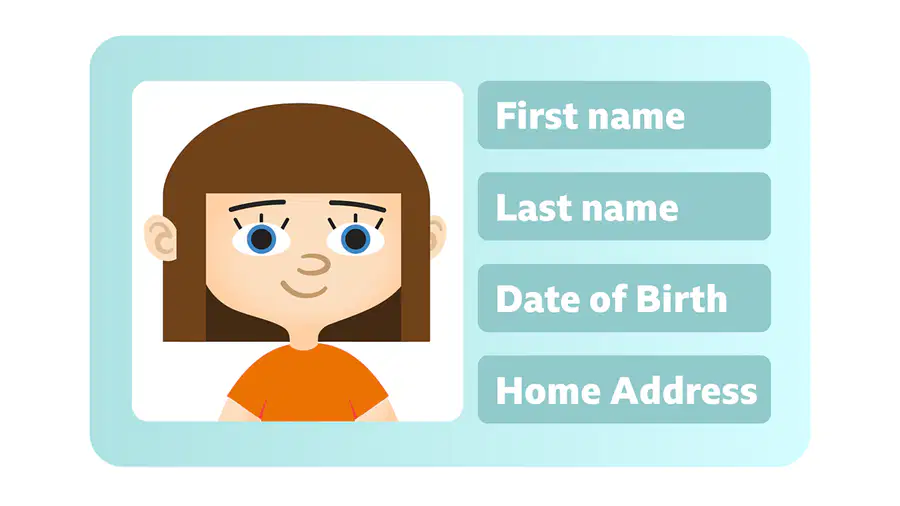
What kind of information can you share with your internet friends?
photos
my birthday
my address
none of this

Every person i meet online...
is my friend
always tells the truth
is a stranger
What do you do when an online gamer wants to know your name?
i tell him/her my name
i stop chatting and tell my parents/carers about it
i go on chatting because it might get interesting
What should you do if you're worried you may have been hacked or scammed online?
tell a trusted adult straightaway
try to check your settings
message the app help centre
change your password
If you think you got scammed or hacked, you should...
Email a teacher
Get a new internet provider
Change your passwords
16. Which of these is consider as personal information?
Date of birth
Gender
Online nikename
Which of these are important in staying safe online? (Choose 3)
Complex password that only you know
Not posting anything online or on social media
Only use secure websites
Use a trusted antivirus and security software
Personal information might stay online if...
read a blog
download a film
log into an account
Which one should you never share on social media?
A photo of your cat
A false name
Your address
Why is it important to look for websites with https in the URL?
To show the Wi-Fi is connected
To show the Wi-Fi and the website is safe
To show the Wi-Wi is quick
How can you check if a website is safe?
Look for the star symbol in the URL
Look for http://
Look for a padlock symbol
What can give your device a virus?
Installing a firewall
Using a private Wi-Fi connection
Clicking on an unsafe link in an email.
Antivirus software...
Finds a virus
Stops a virus
Helps you connect to the internet quickly
What is a strong password?
letters
more than 8 letters
more than 8 letters and a number


What should I do if I receive an email that makes me upset or scared?
Delete it and tell no one
Show a friend and see if it upsets them too.
Send a nasty email back
Tell a grown up, this could be someone you live with or a teacher at school.
What must you never do with your passwords?
Change them
Forget them
Share with friends or strangers
Share with family
Why is being able to communicate online a good thing?
Tick two answers.
You can make friends with people from all over the world.
You know they are definitely who they say they are.
You can talk to people with the same interests.
They could be mean to you.
What is a password?
A secret code that you can't share with anyone.
It can be a mixture of numbers, words and symbols, used to protect an account or device.
It is a word you say to get past someone
Why do you need to keep your password safe?
You don't, you can share it with your friends.
It might get lost
Someone could use it to log into your accounts or devices, they could share personal details, photos or spend your money.
Is everything you read on the internet true?
Yes, it is always true, there isn't allowed to be false information on the internet.
I think so.
No, some information on the internet is true but some isn't.
It's all made up
What is email?
Email is a way to communicate online using a computer or other device.
Email is mail sent to a persons house.
Email takes a really long time, it is much better to send a letter.

True or False?
You can have both a positive and negative digital footprint.
True.
False.

How does being SMART on the internet help us?
It means we can be better researchers and find reliable answers on the internet.
It means we can protect our identity and stop ourselves from being cyberbullied.
It means that we won't get into trouble and our parents will completely trust us to do what is right online.
What is a troll?
A person who leaves distasteful messages on someone's social media account
Someone who sends a virus
Someone who spies on a computer

What is a privacy policy?
It is a long, boring document that explains the privacy laws for that country.
It is a document on a website or app that tells you what kind of info they are collecting and how they will use it.
It is an app on your phone that explains how to keep your personal information private.

Which ones are examples of personal information. Choose 2 answers.
Hobbies.
Full Name.
Favourite Food.
School.


What is a digital footprint?
Everything you do and everywhere you go on your computer?
The trail of websites you visit on the internet.
Everything you do and everywhere you go on the internet.
Which 3 things should you never post online?
your home address
your cat's name
your passwords
your full name
What should you do if you see something online that upsets you?
go to bed
tell an adult
keep it secret
eat sweets
You receive a message from a school friend asking for the phone number of another friend you both have. What do you do?
Message back straight away with the telephone number. You’re all friends so there’s no problem here.
Check with your other friend first, to make sure they’re happy for you to share their telephone number with B this person.
Apologise and say that you can’t send them the telephone number because you don’t want to share C someone else’s personal information.
There’s an exciting new game that lots of your friends have started playing but it’s rated for ages 18+. You’re visiting a friend when they ask if you want to play it. What do you do?
Suggest holding off until next time you visit, so you can ask your parents first.
Say no, thank you. The age limit is there for a reason and it would break the law to play it.
Say yes and grab a controller. You can’t play it at home but this way your parents will never know.
You’re signing up to the website of a new game. The form asks for the following details: Full name, email address, home address, telephone number. What do you do?
Give them all the details. Companies and organisations can always be trusted to look after their customer’s A personal information.
Report the game – personal information should be kept private and secure.
Check the webpage for further details about why they need the information or ask an adult to help.
Your Mum has given you permission to borrow her phone to use your favourite app. Whilst you’re using the phone, a notification pops up showing your Mum has received a new message – and it looks like it’s about you. What do you do?
Hand the phone back to your Mum – it’s her phone so the notification is for her, not you
Open the notification to read the message with your name in. It’s about you, so you should be allowed to B read it
Exit the app and open your Mum’s messages. If there’s one message about you, there might be more and C you have a right to know what they say
You’re hanging out with several friends at your house, having fun and taking photos. You and your best friend love one of the photos and want to share it online, but another friend is less pleased with it. What do you do?
Share the photo anyway. There’s two votes for sharing it and only one for not.
Don’t share the photo. Being a good friend means asking for consent and thinking about how your actions B will impact other people.
Try to convince your friend who doesn’t like it to change their mind. If you can get them to agree then it’s C fine to post it.
You’ve been given permission to download a new game on a device shared by your family. After the download has completed a pop-up appears asking if the game can access the device’s camera, files and location. What do you do?
A Say yes for all of them and get started playing the game.
Select ‘no’ for now so you can play the game and see whether it works without access to the camera, files B and location information.
Select ‘no’ for now so you can check with the other people who use the device and decide whether the C game needs to receive that information or not
Your friend sends you a message making a rude comment about another friend. You disagree with the comment and want to stand up for your friend. What do you do?
Screenshot the comment and send it to the person it was about. They have a right to know when A someone’s being mean about them behind their back.
Reply to your friend’s message saying that you disagree and reminding them that a good friend wouldn’t B say those kind of things in the first place.
Screenshot the comment and post it publicly online so that the friend who sent it learns not to send those C kind of messages.
. You’re part of a big group chat on a messaging app where people share lots of funny photos. Your friend from school loves funny photos and you think they’d enjoy being in the group. What do you do?
Add them to the group as a surprise so they can see the photos
Ask them in school if they’d like to be part of the group, then add them if they say yes.
Share the photos in your private chat with your friend and get all the credit for finding them.
You’re doing a school project on poetry and find a poem online that you really like. You want to use it in your project. What do you do?
Add the poem to the project and pretend you wrote it yourself
Message the poet asking permission to use it in your project but give up when they don’t reply
Use the poem in the project but make sure you include the name of the person who wrote it and even C include a link to the webpage where you found it.
Last time your friend was round you recorded a video of you singing together. You both agreed that you could post it online. When they next come round you record another singing video and you want to post it online again. What do you do?
Check with them whether you’re allowed to post this video online too.
Post the video online without checking. They said yes last time, so it’ll be the same for this one.
It’s your video so it doesn’t matter what they think, you’ll post it anyway

