
BARU
Ukuran huruf
 Lembar kerja
Store App/ Online Order
Total soal: 19
Worksheet time: 10mins
What can we do Cashify Store App?
Cashify Store App हम क्या कर सकते हैं?Repair Order Confirm
Digiverse Features Use
CIU Panel Features Use
Buyback Process
Can we do Online Phonepro Dispatch Process with Store App?
क्या हम Store App से ऑनलाइन फोनप्रो डिस्पैच प्रक्रिया कर सकते हैं?
YES
NO
Which application will you use while packing the Online Phonepro?
Online Phonepro पैक करते समय आप किस Application का उपयोग करेंगे?
QC App
Collector App
Store App
Switch App
Which application will you use for Stock Audit of Phonepro & Accessories?
फ़ोनप्रो और एक्सेसरीज़ के स्टॉक ऑडिट के लिए आप किस एप्लिकेशन का उपयोग करेंगे?
Exon
Switch App
Store App
QC/Collector App
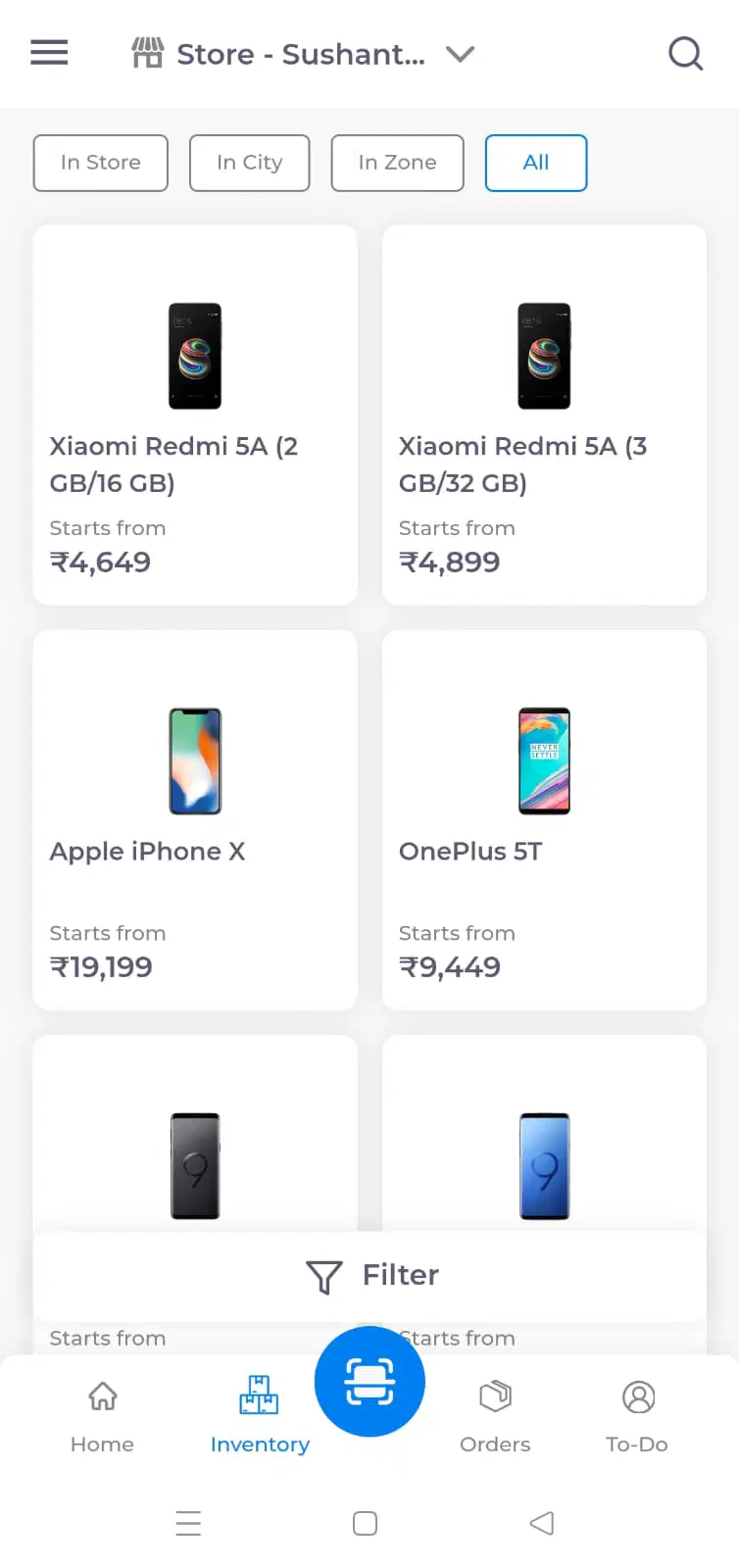
What can you do with the Inventory Option?
आप Inventory Option के Use से क्या कर सकते हैं?
We can bill the device.
हम डिवाइस का बिल कर सकते हैं.
We can find the inventory in store/city/Zone/All
हम इसमें इन्वेंट्री देख सकते हैं
We can Process online Order in this option.
इस विकल्प में हम ऑनलाइन ऑर्डर प्रोसेस कर सकते हैं।
We can mark device faulty by inventory option.
हम inventory option द्वारा डिवाइस को Faulty Mark कर सकते हैं।
Do we now have rights to view inventory in another location?
क्या हमारे पास अब दूसरी जगह के इन्वेंटरी देखने के राइट है?
Yes
NO
Not Aware about this.
इस बारे में जानकारी नहीं है.
Which application do we have to use to view the PhonePro Coupons?
हमें PhonePro के कूपन देखने के लिए किस एप्लीकेशन का यूज करना होगा?
Store App
Switch App
Tech App
What will you do for CBD status devices?
CBD status डिवाइस के लिए क्या करेंगे?
Call to ASM
Will send mail to D2C
Will Initiate stock-in the device with Request NO
We cant stock-in by Own.
हम स्वयं स्टॉक नहीं कर सकते।
Where to go to check the status of the online order?
ऑनलाइन आर्डर का स्टेटस देखने के लिए कहां पर जाएंगे?
Sub-order
Item list
pos dashboard
Stock Transfer
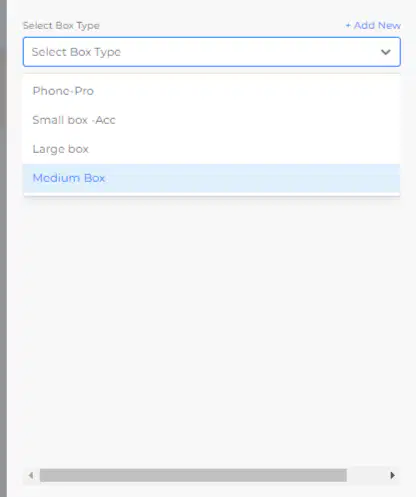
where you will click to Generate Shipping Label?
शिपिंग लेबल जेनरेट करने के लिए आप कहां क्लिक करेंगे?
Small Box- Acc
Large Box
Phone-Pro
Medium Box
What is the correct way to Refund COD online Phonepro Device?
अगर ऑनलाइन डिवाइस का भुगतान COD है तो रिफंड कैसे करेंगे।
Refund to source + fill google form
Refund as credit + Fill google form
Refund to account + Fill google Form
Call to Trainer
From where you can download the manifest?
आप मेनिफेस्ट कहां से डाउनलोड कर सकते हैं?
Pos dashboard
Shipment
Stock Items
To whom will you mail if the Shipping label is not generated?
यदि Shipping label generated नहीं हुआ तो आप किसे मेल करेंगे?
Logistics - Post Sales
Retail D2C
Area Manager
Finance Team
Which courier partner would you choose first if the courier is manual?
यदि courier manual है तो आप किस courier partner को पहले Choose करेंगे ?
Bluedart
Delhivery
Simply logistic
Local Provider
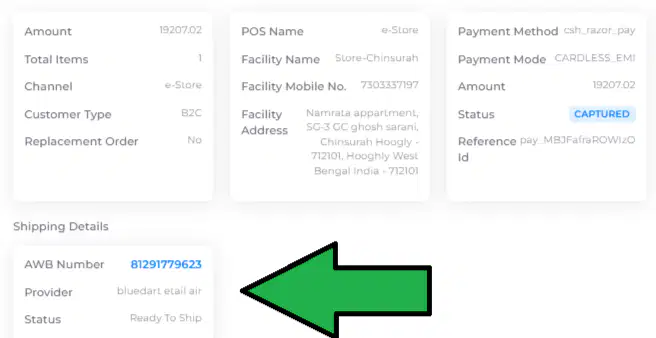
What can you do with the option in front of the Green Arrow?
ग्रीन एरो के सामने वाले Option से आप क्या कर सकते हैं?
Cancel the Order
Go to the Shipping Details
Go to the Sub-Order Option
Go to the Stock Transfer Option
Full form of CBD in Online phonepro status?
ऑनलाइन फोनप्रो स्टेटस में CBD का Full form किया है?
Collection before dispatch (CBD)
Cancellation before dispatch (CBD)
Cancellation Behalf dispatch (CBD)
Cancel Behalf Demo (CBD)
By which application option is live where you can search devices by Brand Name & Price segment wise?
कौन सा एप्लिकेशन लाइव है जहां आप Brand Name & Price segment wise के आधार पर डिवाइस खोज सकते हैं?
Switch App
Exon App
Store App
Tech New App
Will the credit amount be sent to the customer's mobile number as soon as we click? If we click on Digiverse Refund as Credit.
हमारे एक क्लिक करते ही कस्टमर के मोबाइल नंबर पर क्रेडिट अमाउंट चला जायेगा? अगर हम डिजिवर्स मैं Refund as Credit पर क्लिक करते हैं।
YES
No
If customer want same device as a Replacement then where we have to click?
यदि ग्राहक Replacement के रूप में वही Device चाहता है तो हमें कहां क्लिक करना होगा?
Refund as Credit
Refund to Account
Replace
Refund as source

