Wayground logo

Free Printable Worksheets

Font size

S
M
L
XL
Worksheets

Premiere Pro Quiz 1

Total questions: 19

Worksheet time: 10mins

Name
Class
Date
1.
What is the file extension for a Premiere Pro project?
a)
.prproj
b)
.pproj
c)
.preproj
d)
.pprj
2.

What is the source panel used for?

a)

Setting in-points and out-points, then dragging the clips into the timeline

b)

Importing movie clips into the media browser

c)

Exporting movie clips out of the project

d)

Exporting the movie footage out of the project

3.

What is the program panel used for?

a)

It is used for viewing the final program material

b)

It is used for exporting the final program

c)

It is used for importing the footage

d)

It is used for recording the footage

4.
What is the timeline used for?
a)
Editing a sequence of movie clips and audio clips
b)
Recording movie and audio clips 
c)
Importing movie clips
d)
Viewing movie clips
5.
What is the difference between audio clips and movie clips
a)
Movie clips are visual files
b)
Movie clips are audio files
c)
Audio clips are photoshop files
d)
Audio clips are visual files
6.
How do you save your project in Adobe Premiere Pro? 
a)
Go to the file menu and select 'save-as'
b)
Go to the edit menu and select 'copy'
c)
Go to the clip menu and select 'rename'
d)
Go to the sequence menu and select 'render'
7.

What tool is this?

a)

Zoom Tool

b)

Razor Tool

c)

Hand Tool

d)

Cut Tool

8.

This tool is used to split clips into pieces.

a)

Razor Tool

b)

Cut Tool

c)

Zoom Tool

d)

Selection Tool

9.

This button is used to set an In Point on a clip or on the timeline.

a)

Mark Out

b)

Insert

c)

Mark In

d)

Button Editor

10.

This button is used to set an Out Point on a clip or on the timeline.

a)

Mark Out

b)

Mark In

c)

Extract

d)

Lift

11.

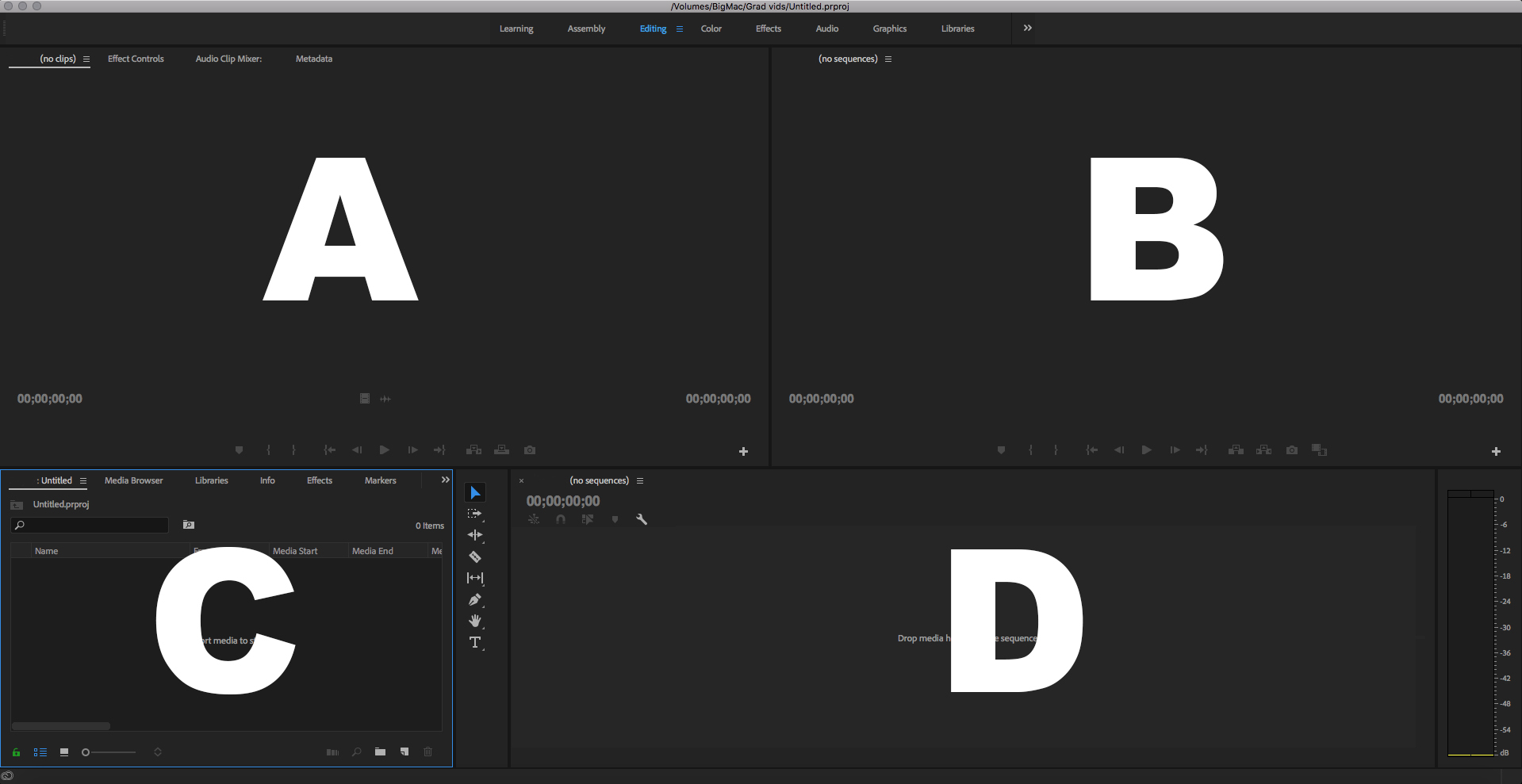
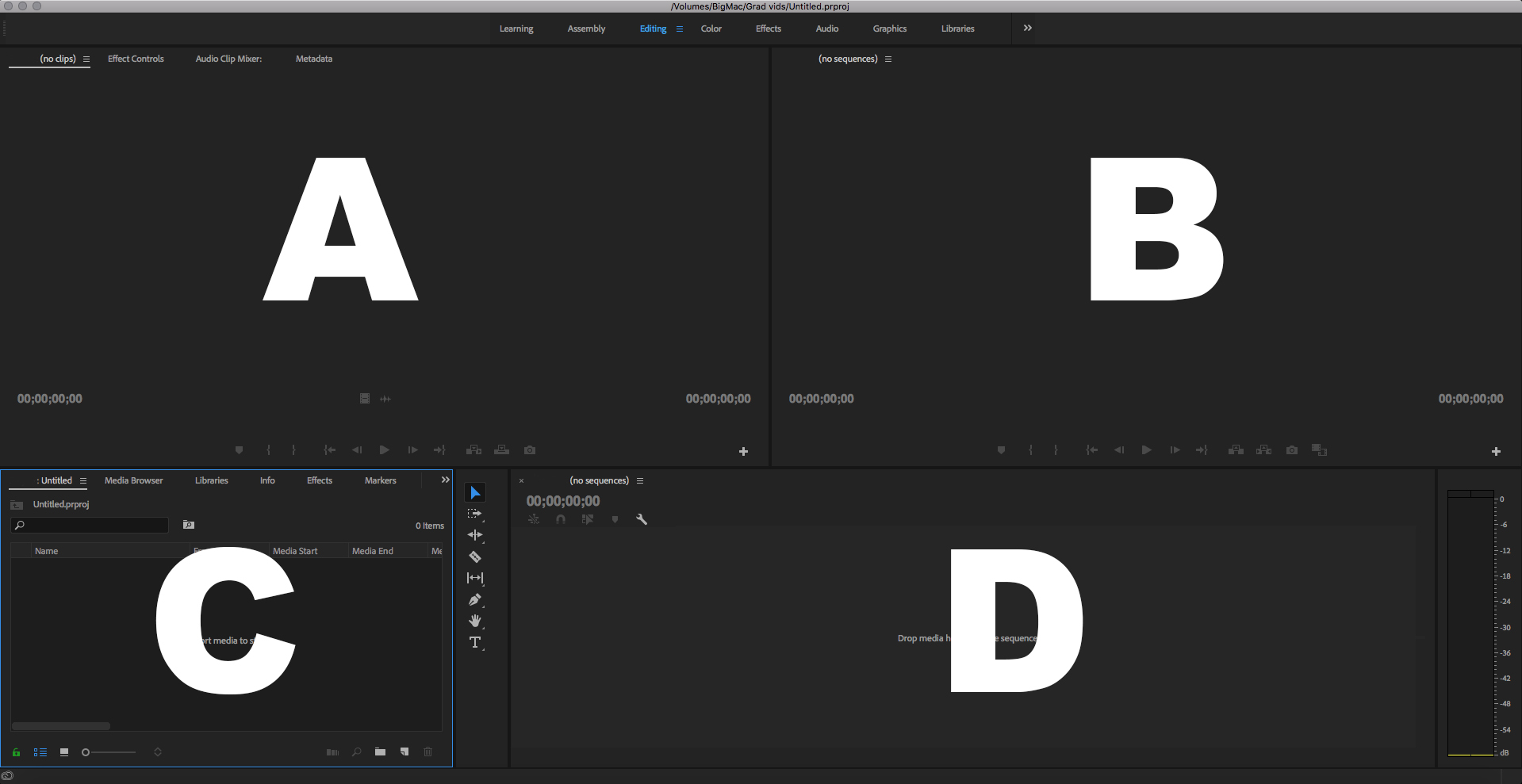
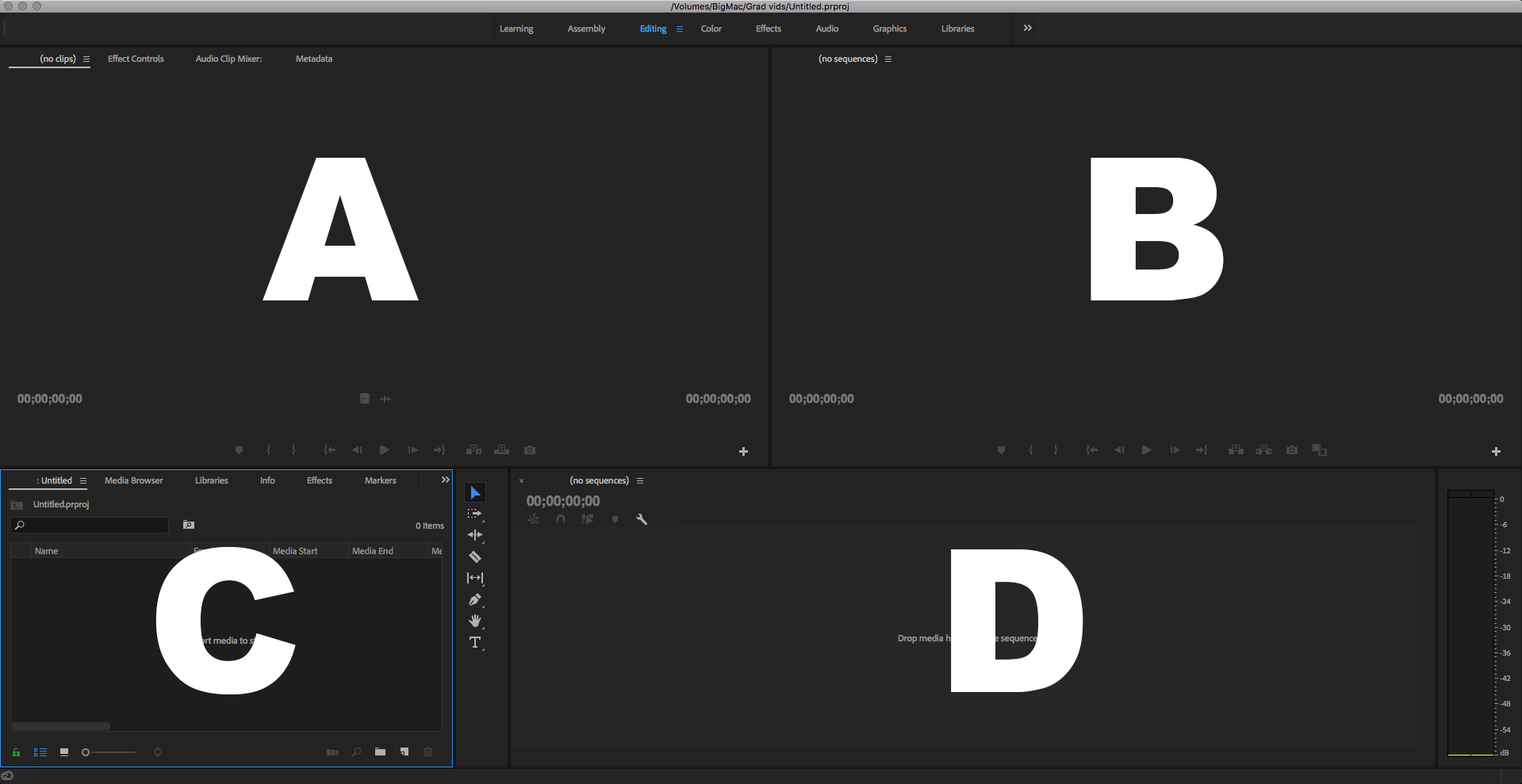
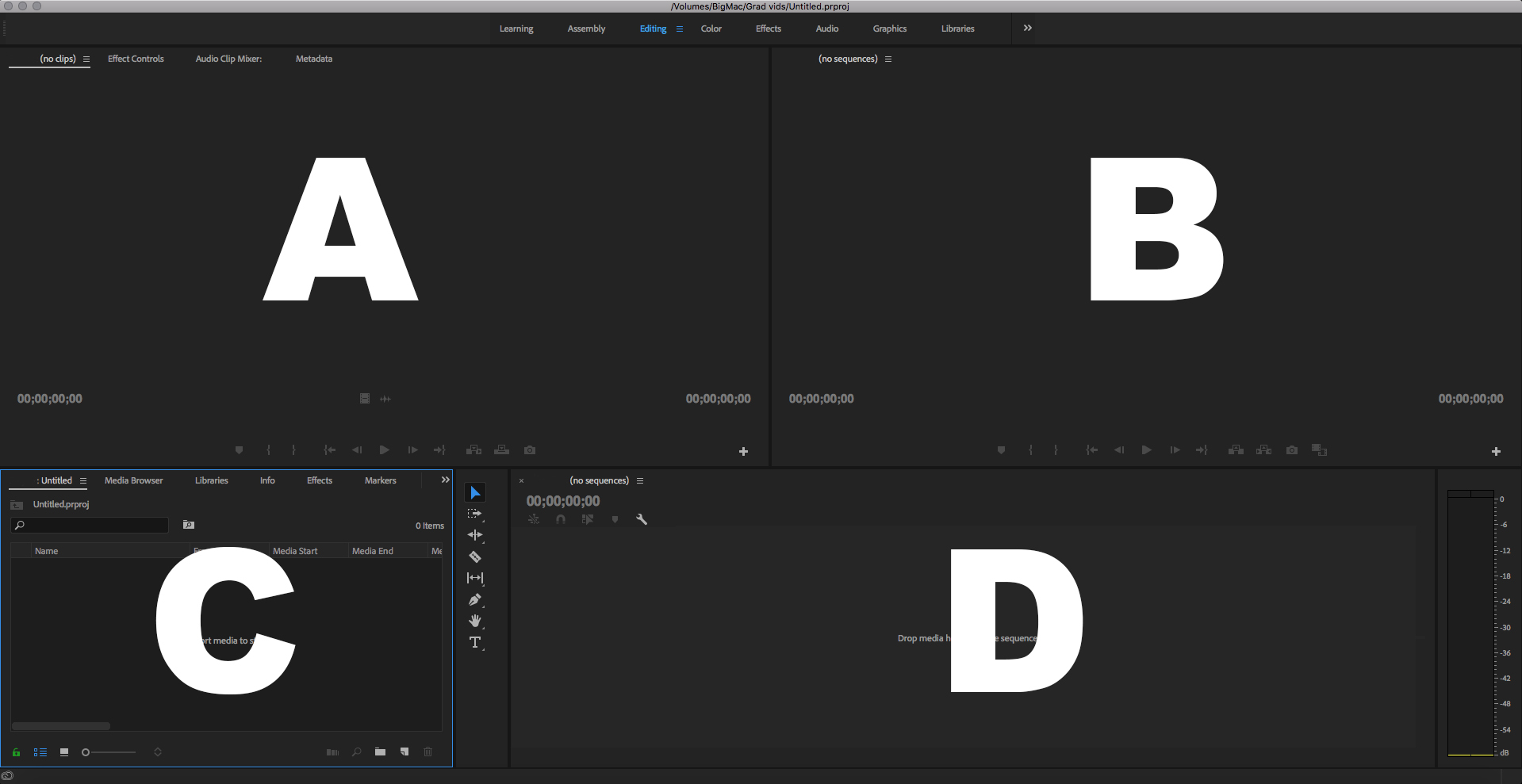
Which is the Program Panel?

a)

A

b)

B

c)

C

d)

D

12.

Which is the Source Panel?

a)

A

b)

B

c)

C

d)

D

13.

Which is the Timeline Panel?

a)

A

b)

B

c)

C

d)

D

14.

Which is the Project Panel?

a)

A

b)

B

c)

C

d)

D

15.

In the Source panel you

a)

see what you’ve edited

b)

hear what you’ve edited

c)

preview your entire project

d)

preview video or audio clips

16.

In the Timeline panel: the blue line is called

a)

the red line

b)

the indicator

c)

speed/duration

d)

the playhead

17.
Name the selected tool.
a)
Mark In
b)
Mark Out
c)
Add Marker
d)
Export Frame
18.
Name the selected tool.
a)
Mark In
b)
Mark Out
c)
Add Marker
d)
Export Frame
19.
Name the selected tool.
a)
Mark In
b)
Mark Out
c)
Add Marker
d)
Export Frame