
 Worksheets
Worksheet 4.1
Total questions: 20
Worksheet time: 10mins
Shortcut is a "link" to a folder, file or program to help you access it easily and quickly.
TRUE
FALSE
Shortcut is a "link" to a folder, file or program to help you access it hardly.
TRUE
FALSE
A shortcut will be created in the same location with the original item.
TRUE
FALSE
When you delete a shortcut, only the shortcut disappears. The original file, folder, or program is not deleted.
TRUE
FALSE
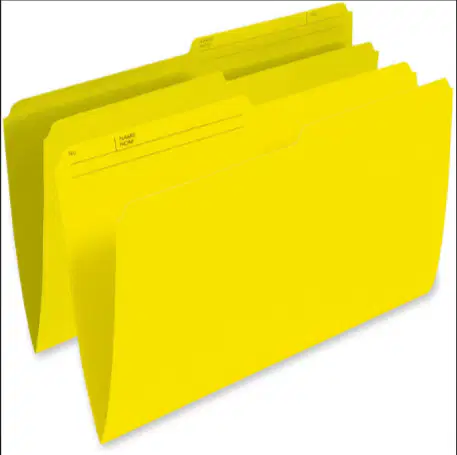
The picture beside is a logo for "folder".
TRUE
FALSE
Compressed files and folders take up large storage device.
TRUE
FALSE
Compressed files and folders take up less storage space.
TRUE
FALSE
In Microsoft Windows, compressed folders are called zipped folders.
TRUE
FALSE
To movea file or folder to another location, use Cut and Paste or drag and drop with your mouse.
TRUE
FALSE
To rename a file you can also select the file and press F6 on your keyboard.
TRUE
FALSE
Click the date and time on the right side of the Taskbar. You will see a clock and a calendar of the current month.
TRUE
FALSE
If Automatically adjust clock for Daylight Saving Time is checked, then you will always have the false time.
TRUE
FALSE
Screen resolution is the amount on pixels of your screen.
TRUE
FALSE
It's a common mistake to think that higher resolution means better graphics.
TRUE
FALSE
The picture beside is a logo for adjust the volume.
TRUE
FALSE
You don't need to download anti-virus to fight viruses.
TRUE
FALSE
Malware are programs that can harm your computer and destroy your files.
TRUE
FALSE
You have to update anti virus to fight a virus.
TRUE
FALSE
Same types of malware are viruses, worms, trojan, spyware, and adware. You don't want any of them on your computer.
TRUE
FALSE

The picture beside is an illustration if the computer has a virus.
TRUE
FALSE

