
 Worksheets
Lesson 2.4 - 2.5
Total questions: 25
Worksheet time: 13mins
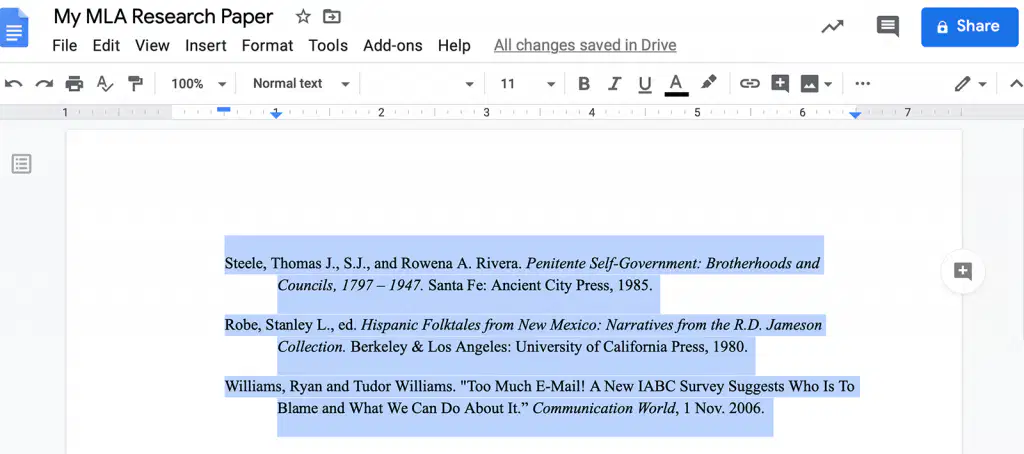
-It is used to indent every line after the first line in every paragraph.
First Indent
Hanging Indent
Left Indent
Right Indent
-It is used to indent every line after the first line in every paragraph.
First Indent
Hanging Indent
Left Indent
Right Indent

Ctrl + ] = Increase Font Size
TRUE
FALSE
Ctrl + ] = Increase Font Size
TRUE
FALSE

Ctrl + Shift + F or Alt HFF
Ctrl + Shift + F or Alt HFF
Change Case
Font Type
Font Size
Ctrl + Shift + F or Alt HFF
Ctrl + Shift + F or Alt HFF
Change Case
Font Type
Font Size

It is used to set the first line of each paragraph to be indented.
First Line Indentions
Hanging Indent
left Indent
Right Indent
It is used to set the left paragraph margins.
First Line Indentions
Hanging Indent
left Indent
Right Indent
It is used to set the left paragraph margins.
First Line Indentions
Hanging Indent
left Indent
Right Indent

ALT + H4
Clear All Formatting
Bold
Underline
Strikethrough

Ctrl + Shift + P or Alt HFS
Increase Font Size
Font Size
Font Type
Change Case

SELECT ALL TEXT
CTRL + A
CTRL + S
CTRL + L
CTRL + E
To set the page direction in which a document is display
or printed.
Orientation
Margin
Size
To set the space between the text and the edge of our document
Orientation
Margin
Size
Size of Legal or Long Bond Paper
8.5 x 11
8.5 x 13
8.5 x 14
8 x 12

To change the font size.
Alt + HFC
Alt + HFS
Ctrl + [
Ctrl + ]
To change the font size.
Alt + HFC
Alt + HFS
Ctrl + [
Ctrl + ]
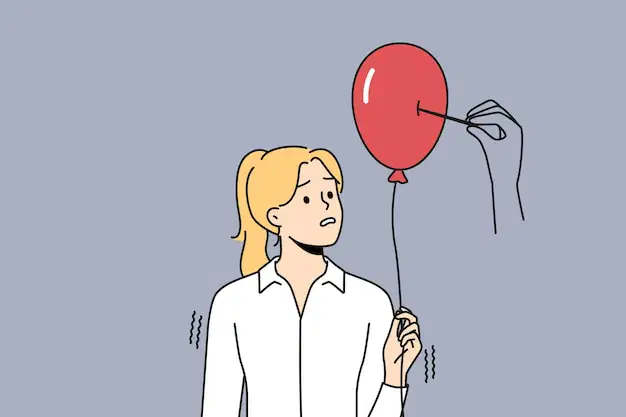
To increase the font size.
Alt + HFC
Alt + HFS
Ctrl + [
Ctrl + ]

Make the text a bit smaller.
Alt + HFC
Alt + HFS
Ctrl + [
Ctrl + ]
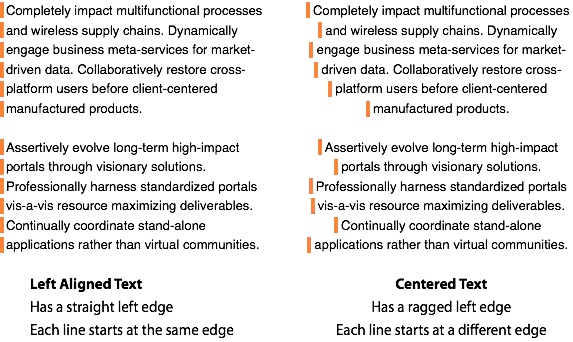
Center the content on the page.
Decrease Indent
Justify
Increase Indent
Center
Distribute the text evenly with the margin.
Decrease Indent
Justify
Increase Indent
Center
Distribute the text evenly with the margin.
Decrease Indent
Justify
Increase Indent
Center

Make the text bold.
Ctrl + D
Ctrl + G
Ctrl + O
Ctrl + B
Make the text bold.
Ctrl + D
Ctrl + G
Ctrl + O
Ctrl + B

The format of Nicole's document is horizontal. Which page orientation did she utilize?
Landscape
Portrait
Diagonal
Oblique

