
 Worksheets
G9 1st sum 1st quarter assess quality of received materials
Total questions: 21
Worksheet time: 23mins
What is the primary reason for ensuring the quality of computer system servicing?
Enhancing aesthetics
Reducing electricity consumption
Minimizing system failures and downtime
Increasing software compatibility
Why is security important in computer system servicing?
To increase system speed
To reduce power consumption
To protect sensitive data
To enhance system aesthetics
What can happen if a server crashes due to poor servicing in a corporate
Increased productivity
Significant productivity losses
improved data security
Enhanced customer satisfaction
What does SOP stand for in computer system servicing?
Service Optimization Plan
Standard Operating Procedures
System Overhaul Protocol
Software Optimization Process
Why are SOPs important in computer system servicing?
To make tasks more complicated
To ensure consistency, efficiency, and quality
To increase downtime
To discourage teamwork
What are workplace standards in computer system servicing?
Specific criteria and requirements for coffee machines
Guidelines for office furniture arrangement
Criteria for computer component quality and compatibility
Regulations for employee dress code
Which step involves examining the packaging when checking received materials?
Step 1: Inspect the Packaging
Step 2: Check the Model and Serial Number
Step 3: Verify Compatibility
Step 4: Inspect for Physical Damage
Why is it important to verify the compatibility of received computer components?
To speed up the installation process
To ensure they match the office decor
To confirm they meet the requirements of the computer system
To make the workplace look more professional
What is the purpose of documenting defects in computer system servicing?
To discourage employees from reporting defects
To track patterns of faults and improve quality control
To create more paperwork
To avoid taking action on defects
What should a defect reporting form include?
Component details, description of the defect, and technician's name
Office furniture arrangement and employee dress code
Coffee machine specifications and serial number
Actions taken to avoid defects
What should you do after replacing a faulty component in a computer system?
Disconnect all cables permanently
Power up the computer and verify the replacement's functionality
Replace all other components
Leave the computer turned off indefinitely
Which of the following is NOT a reason for ensuring the quality of computer system servicing?
Reliability and Downtime Reduction
Security and Data Protection
Reducing electricity consumption
Customer Satisfaction and Reputation
What is the main purpose of Standard Operating Procedures (SOPs) in computer system servicing?
To increase complexity
To provide step-by-step guides for tasks
To discourage teamwork
To speed up the servicing process
Which of the following is NOT an example of a work instruction?
Installing an operating system
Replacing a hard drive in a desktop computer
Making coffee in the break room
Performing a virus scan and removing malware
What is the significance of workplace standards in computer system servicing?
They make tasks more complicated
They provide guidelines for office aesthetics
They ensure consistency, quality, and compatibility
They reduce the need for documentation
In defect reporting forms, what information should be included about the defect?
The technician's favorite color
Date and location of discovery
Employee lunch preferences
Number of office chairs
Why is documenting defects important in computer system servicing?
It encourages employees to report defects
It creates a clear record for tracking patterns of faults
It increases the number of defects
It decreases warranty claims
What is the primary purpose of promptly replacing faulty computer components?
To increase downtime
To reduce system integrity
To maintain system integrity and reduce downtime
To create more work for technicians
During the demonstration of the proper replacement procedure, why is it essential to wear an anti-static wristband?
To prevent electrostatic discharge and avoid damaging sensitive components
To make a fashion statement
To speed up the replacement process
To increase the technician's comfort
In the demonstration of replacing a faulty component, what is the last step after reconnecting all cables and peripherals?
Unplug the compute
Verify the replacement's functionality
Leave the computer turned off
Install additional components for extra performance
Reorder the following Proper Replacement Procedure
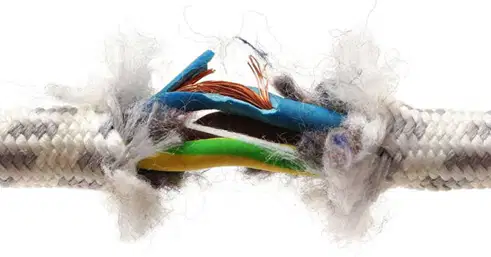
Identify the Faulty Component
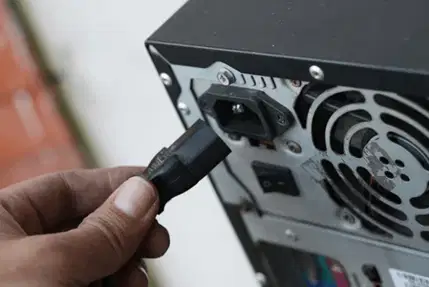
Power Down and Disconnect

Wear Anti-static Wristb
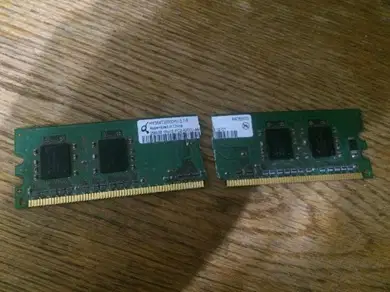
Remove Faulty Component
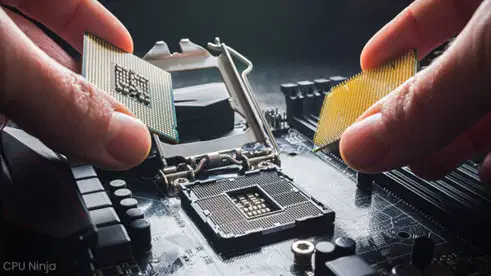
Install Replacement

