
 Worksheets
Computer Systems
Total questions: 100
Worksheet time: 33mins
Which component is the brain of the computer?
CPU
RAM
Hard drive
Motherboard

Identify the component that stores the information being accessed by the CPU.
RAM
Hard Drive
Power Supply
Motherboard


What does PERIPHERAL mean?
The extras you have inside your computer.
The extra hardware you can connect to your computer to make computing easier.
When you look out of the corners of your eyes.
What is meant by hardware?
A part of a computer system that has no physical or invisible form
A collection of electronic data stored and regulated by a computer in the form of a program that can execute a command
Collection of physical components that make up a computer device
Something not important on a computer

Examples of hardware are:
Mouse
Monitor
CPU
All of these
Computer component that handles all instructions it receives from hardware and software running on the computer.
CPU
Power supply
Motherboard
System Unit
Alternatively referred to as main memory, primary memory, or system memory, it is a hardware device that allows information to be stored and retrieved on a computer. It is a volatile memory
CPU
Hard Disk Drive
Random Access Memory
Optical Disk Drives
Which is NOT an example of a peripheral device?
Monitor
Keyboard
Motherboard
Printer

What type of device is this? (Printer)
Input
Output
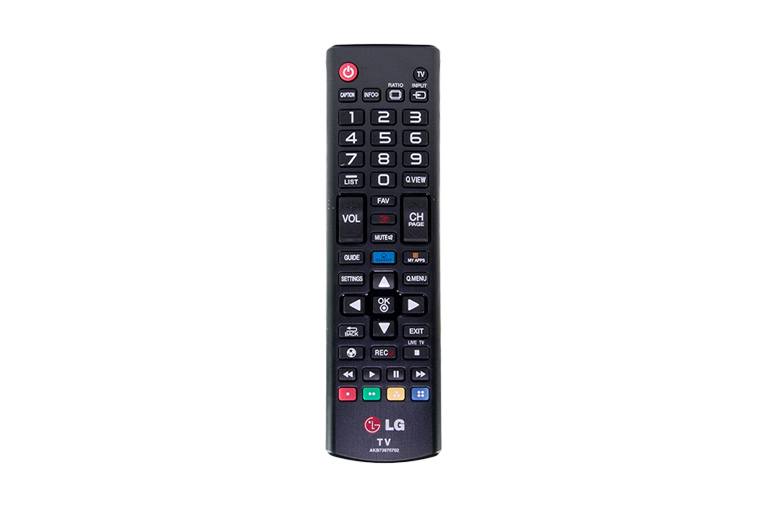
What type of device is this? (Remote Control)
Input
Output
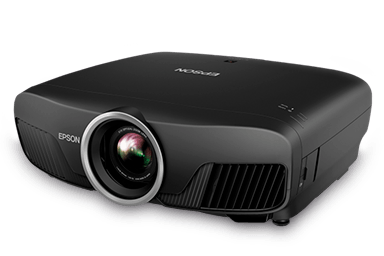
What type of device is this? (Projector)
Input
Output
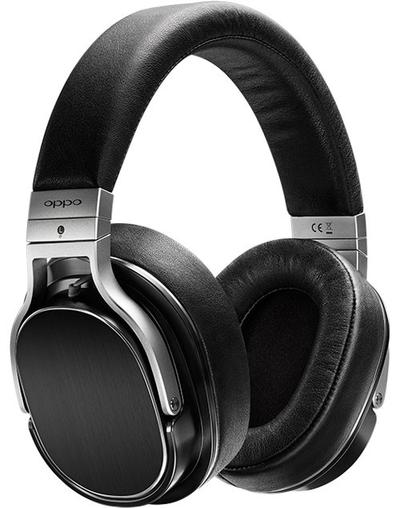
What type of device is this? (Headphones)
Input
Output

What type of device is this? (Speakers)
Input
Output
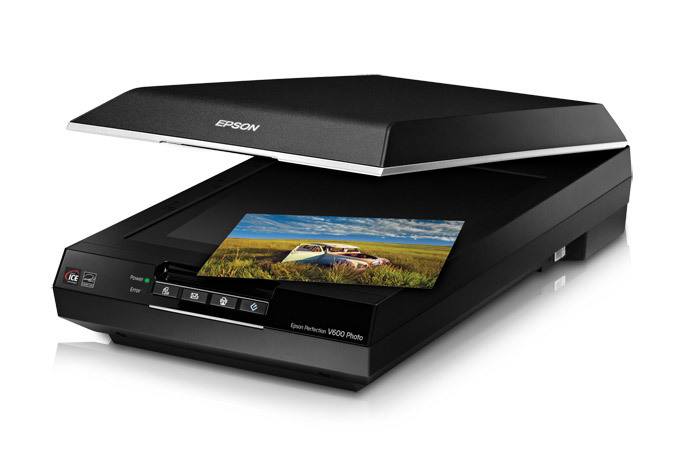
What type of device is this? (Scanner)
Input
Output

What type of device is this? (Microphone)
Input
Output

What type of device is this? (Mouse)
Input
Output
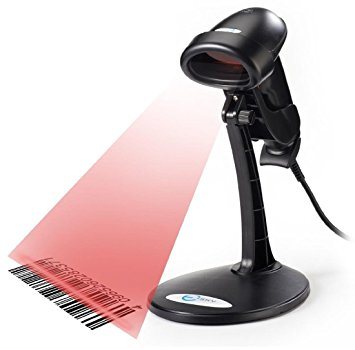
What type of device is this? (Barcode Reader)
Input
Output

What type of device is this? (Monitor)
Input
Output

What type of device is this? (Webcam)
Input
Output

What type of device is this? (Smartphone screen)
Input
Output
Input and Output

What type of device is this? (Interactive whiteboard)
Input
Output
Input and Output


What type of device is this? (Digital camera)
Input
Output
What is the most suitable input device for writing a report?
Which of these holds information without processing or changing it?
Input
Output
Storage
Computer

Which is this? (DVD)
Input
Output
Storage
Computer

Which is this? (Floppy Disk)
Input
Output
Storage
Computer
Which of the following is not a type of storage
Optical
Magnetic
Solid State
Hard Drive

What type of storage is a DVD ROM?
Optical
Magnetic
Solid State
It is not a storage device

What type of storage is a USB memory stick?
Optical
Magnetic
Solid State
It is not a storage device

What type of storage is a HDD?
Optical
Magnetic
Solid State
It is not a storage device
Which of the following storage media would usually have the fastest read/write speeds?
Optical
Magnetic
Solid State
Hand
Why is a Hard Disk Drive (HDD) more likely to break if moved?
It has moving parts
It is too large
It will break if touched
It is too small
Why does a computer need secondary storage?
To reduce the amount of virtual memory it needs
To store data, files and software for future use
To make it run faster
To store data that the processor needs

Which type of storage uses lasers to write the data?
Optical
Magnetic
Solid State
All types
CD/DVD/Blu-Ray
What type of Software is needed to control the computer’s hardware?
Programming Software
Systems Software
Application Software
Bespoke Software
The following is not a type of Systems Software
Applications
Utility Programs
Operating Systems
Device Drivers
Defragmentation will aim to…..?
Make more space on the hard drive
Move files further apart from each other
Move files closer together
Move free space closer together
When a hard drive becomes fragmented; reading and writing files becomes…
Faster
Slower
No different
Harder
A fragmented disk takes longer to read from and write to.
True
False
Stores open programs and operating system data currently in use; can read/write data; volatile
Can only be read, can't be changed; stores essential programs to be run in order to boot the computer; non-volatile
Which type of software helps to maintain the computer system?
Operating system
Application software
Utility software
Device drivers
What is the purpose of utility software?
To provide a platform for application software to run
To manage the memory for the processor
To maintain the computer system
To help maintain the computer system
What is the purpose of operating systems?
Manage computer resources, provide user interface, enable software execution
Perform specific tasks for users
Support and maintain the computer system
Protect the computer system from viruses, malware, and unauthorized access
Which of the following is an example of an operating system?
Word processing software
Windows
Image processing software
Integrated Development Environments (IDE)
What does application software do?
Manage computer resources, provide user interface, enable software execution
Perform specific tasks for users
Support and maintain the computer system
Protect the computer system from viruses, malware, and unauthorized access
Which of the following is an example of word processing software?
Windows
macOS
Linux
Microsoft Word
What is the purpose of system software?
Manage computer resources, provide user interface, enable software execution
Perform specific tasks for users
Support and maintain the computer system
Protect the computer system from viruses, malware, and unauthorized access
Which of the following is an example of system software?
Device drivers
Web browsers
Spreadsheet software
Presentation software
What does an operating system manage?
Installation, execution, and removal of software applications
Hardware devices connected to the computer
Resources of the CPU and memory
All of the above
What is the purpose of word processing software?
Creating, editing, and formatting text documents
Editing, enhancing, and manipulating images
Organizing, analyzing, and calculating numerical data
Creating and delivering multimedia presentations
What is the purpose of image processing software?
Creating, editing, and formatting text documents
Editing, enhancing, and manipulating images
Organizing, analyzing, and calculating numerical data
Creating and delivering multimedia presentations
What is the purpose of spreadsheet software?
Creating, editing, and formatting text documents
Editing, enhancing, and manipulating images
Organizing, analyzing, and calculating numerical data
Creating and delivering multimedia presentations
What is the purpose of presentation software?
Creating, editing, and formatting text documents
Editing, enhancing, and manipulating images
Organizing, analyzing, and calculating numerical data
Creating and delivering multimedia presentations
What is the purpose of database software?
Creating, editing, and formatting text documents
Editing, enhancing, and manipulating images
Organizing, analyzing, and calculating numerical data
Organizing and managing large collections of data
What is the purpose of web browsers?
Creating, editing, and formatting text documents
Editing, enhancing, and manipulating images
Organizing, analyzing, and calculating numerical data
Accessing and browsing websites on the internet
What is the purpose of Integrated Development Environments (IDE)?
Creating, editing, and formatting text documents
Editing, enhancing, and manipulating images
Organizing, analyzing, and calculating numerical data
Writing, testing, and debugging computer programs
What is the purpose of computer security software?
Manage computer resources, provide user interface, enable software execution
Perform specific tasks for users
Support and maintain the computer system
Protect the computer system from viruses, malware, and unauthorized access

Which one of these is best describes application software?
Software used to carry out
tasks e.g. web browser.
Software to help keep your
computer healthy e.g. anti-virus.
Software that allows you to use your computer and install other software.

Which one of these best describes utility software?
Software used to carry out
tasks e.g. web browser.
Software to help keep your
computer healthy e.g. anti-virus.
Software that allows you to use your computer and install other software.
Which of the following is NOT an Operating System
Android
Word
iOS
Windows
Which is NOT a utility program?
word processor
Compression software
Back-up
Disk organisation
Which statement best describes Spreadsheet software?
Used to create and edit text-based documents such as letters and posters.
Used to create interactive presentations about specific subjects.
Used to store and perform calculations on numerical data.
Used to send and receive electronic messages.
Which type of application software is used to view web pages and other online content?
Word Processor
Spreadsheet
Presentation
Internet Browser
Which type of task is Microsoft Excel used for?
Presentations
Word Processing
Spreadsheets
Which of the following is NOT a type of application software?
Word processor
Operating System
Web browser
Games

