
 Worksheets
Photoshop and Illustrator Tools - Vocabulary Review
Total questions: 53
Worksheet time: 1hrs 14mins

What is this tool? What does it allow you to do?
Move tool; allows you to move the canvas
Hand tool; allows you to re-position the canvas
Crop tool; allows you to resize the layer
Move tool; allows you to move the selected layer

What is this tool? What does it allow you to do?
Crop tool; allows you to select a rectangular area on the entire canvas
Rectangle Marquee tool; allows you to select an area in a rectangular shape
Oval Marquee tool; allows you to select a area in a rectangular shape
Lasso tool; allows you to select and area of your choice

What is this tool? What does it allow you to do?
Lasso tool; allows you to select an area on the canvas
Magic wand tool; selects an area based on the color
Ant rope tool; looks like a bunch of ants a marching to make a rope
Lasso tool; allows you to choose what you want to select on the layer

What is this tool? What does it allow you to do?
Eye dropper; select a color from the selected layer
Magic wand; allows you to select an area based on color(the lower the tolerance, the less color it will select)
Magic wand; allows you to select an area base on color(the lower the tolerance, the higher amount of color it will select)
Sparkler; adds spark effects to the select area

What is this tool? What does it allow you to do?
Crop; allows you to change the canvas size
Crop; allows you to change the layer size
Arrow; allows you to select and delete certain areas based on color
Crop; allows you to change the color of the canvas

What is this tool? What does it allow you to do?
Thermometer; allows you to make the canvas blue-tone or red-tone
Eyedropper; allows you to choose a color from the selected layer
Brush; allows you to draw on the selected layer
Eyedropper; allows you to choose a color from the canvas

What is this tool? What does it allow you to do?
Band-aid; allows you to patch up an area by using the surrounding area
Healing brush; allows you to change a selected are by using different effects
Eraser; erases anything on the selected layer
Healing brush; allows you to change a select area by replacing using the area surrounding it

What is this tool? What does it allow you to do?
Eraser; allows you to draw on the selected layer
Brush; allows you to draw on the selected layer
Brush; allows you to draw on the canvas
Mop; adds a liquefying effect to the selected areas on the canvas

What is this tool? What does it allow you to do?
Eraser; allows you to delete/erase anything on the canvas
Grind; allows you to add a gritty effect to the selected areas
Eraser; allows you to delete/erase anything on the selected layer
Grind; allows you to sharpen the images on the selected layers

What is this tool? What does it allow you to do?
Text; allows you to place text horizontally or vertically on layer(adds on to selected layer)
Texture; adds texture to selected layer
Text; allows you to place text horizontally or vertically on canvas
Text; allows you to place text horizontally or vertically on layer(creates new layer for text)

What is this tool? What does it allow you to do?
Hand; allows you to reposition canvas
Hand; allows you to flip the layer horizontally or vertically
Hand; allows you to reposition selected layer
Hand; allows you to add indent effects to the selected layer

What is this tool? What does it allow you to do?
Zoom tool; allows you to zoom in and out of canvas view
Magnifying glass; allow you to burn/darken selected area on layer
Zoom; allows you to zoom in and out of selected layer
Magnifying glass; allows you to zoom in and out of selected layer
This button makes a new blank layer:


These are your...
Photoshop stuff
Drawings
Layers
Pictures
Where is the tools options bar located?
Bottom of the Screen
Right side of the screen
Left side of the screen
Top of the Screen
The _____ of the brush defines how transparent the paint is.
Transparency
Opacity
Luminosity
All of the above
It is the simplest of the painting tools. It is used to fill areas with solid color or patterns.
Pen tool
Gradient tool
Paint bucket tool
Paint brush tool
The _____ of the brush defines how transparent the paint is.
Opacity
Transparency
Luminosity
All of the above
what icon will create a new layer?


which one of these layer features will allow you to trash a layer?


which one of these layer features will allow you to create a layer mask?


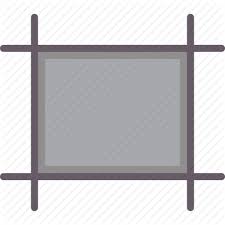


Which option allows you to change the color of the inside of a shape?
fill
stroke
color
shape
What option allows you to change the color of the outline of a shape?
fill
stroke
color
shape

Which panel is this?
layers
color
swatches
gradient

This icon means?
The color of the stroke is red.
The color of the stroke is none.
The color of the stroke is white.
The color of the stroke is red and white.

What panel is this?
layers
swatches
gradient
pathfinder

Which panel is this?
swatches
layers
pathfinder
gradient

What is the black line that appears when you draw a line in Adobe Illustrator?
Line segment
Path
Anchor
Curve

What are the small points (they often look like little blue boxes) on the line in Adobe Illustrator? You can adjust them separately.
Vector points
Vantage points
Anchor points
Line points

What are the 2 bars (with a ball on the end) on either end of a path that can be used to control the direction of the curved path.
Line handles
Path handles
Adjustment handles
Control handles
To save a file you must select ______________.
File > Save or File > Save As
Open > File > Name
Close > Print > Save
Saving in Illustrator _______ format retains layers, type, and other editable illustrator properties.
AI
PSD
JPG
An image made up of individual pixels of color
Vector Image
Raster image
Image made from geometric shapes and mathematical equations
Raster Image
Vector Image
Photograph
What is the Selection Tool's Hot Key? (Short cut key)
O
G
V
N

Used to draw boxes
Type on a Path Tool
Zoom Tool (Z)
Rectangle Tool (M)
Pen tool (P)

Is this a raster or vector image?
vector
raster

Vector
Raster

