
 Worksheets
EnzoGr7_ComputerQ2
Total questions: 136
Worksheet time: 1hrs 14mins


A file created in MS Word is known as ______________________.
Powerpoint presentation
Document
Header
Footer

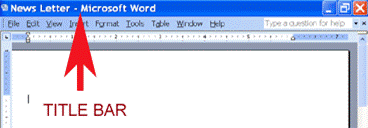
A horizontal bar that displays the name and type of document
Status bar
Scroll bar
Title bar
Ribbon bar
What is a document?
It is a computer file that contains text that we have written.
It is collection of letters or words that we use or can understand
Both A and B.
None of the above is correct.
Which of the following font style is used to make your letters and characters becomes thicker?
Italic
Bold
Underline
All of the above
How do we select text?
Click the mouse before the word to be highlighted, press the left mouse button and slide the mouse along the word while holding the left mouse button.
Use the arrow key to go to the insertion point, then press shift key and then move the arrow key.
Both A and B.
None of the above is correct.
Which of the following commands is used if you want to save your document with a different file name in a different location?
Save
Save As
New
Open
The following can be done through the use of MS Word, except:
memos
calendar
brochure
film
Which of the following displays the name of the document?
Staus bar
Ribbon
Quick access toolbar
Title bar
--------------- displays the number of words written in a document.
Title bar
Status bar
Ribbon
Quick access toolbar
There is only one Scroll bar in MS Word
True
False
You can easily see the number of words written and page number in MS Word.
True
False
----------- means changing font size, style, and color.
Editing
Formatting
Creating
styling
The size of letters in a text is called the ----
Font size
Font style
Page margin
Rulers
Font style of the text is ----
The size of letters in the text
The color of letters in the text
The appearance of the letters in the text

What would happen if you clicked this button?
Change text to capitals
Increase font size
Format text as supertext
Insert text box

What does this button do?
Change text to bold
Insert a letter 'B'
Insert a break
Backspace (deletes a character)
Which tab would you need to click if you wanted to add a photograph to your document?
Home
Insert
Format
Page Layout
The 'Save' button and the 'Save As...' button do exactly the same thing.
True
False


This is the:
Status Bar
Windows Task Bar
Title Bar
None of the above

This is the:
Zoom
Status Bar:
Windows Task Bar
None of the above
Which of these is an example of a Word document:
book report
spreadsheet
presentation
none of the above
To close the word document, click on the File Tab and select the _________ option.
SAVE
CLOSE
EXIT
The _________ option is used to create a new blank document.
SAVE
CLOSE
NEW
The word application opens a blank document with the temporary name _____________ .
Document 1
Document 3
Document 5
Document 7
Under which tab can you find commands to insert pictures?
File
Home
Insert
Design
Layout
Under which tab can you find commands to format text?
File
Home
Insert
Design
Layout


Identify this part of MS Word:
Insertion Point
Quick Access Toolbar
Ruler
Zoom SLider

Identify this part of MS Word:
Insertion Point
Quick Access Toolbar
Ruler
Zoom Slider

Identify this part of MS Word:
Insertion Point
Quick Access Toolbar
Ruler
Status bar

Identify this part of MS Word:
(a)

Identify this part of MS Word:
(a)

Identify this part of MS Word:
(a)

Identify this icon:
(a)

WHAT PART OF MS WORD IS SHOWN?
FILE TAB
HORIZONTAL/VERTICAL SCROLL BAR
RULER
VIEW SHORTCUT

WHAT PART OF MS WORD IS SHOWN?
FILE TAB
HORIZONTAL/VERTICAL SCROLL BAR
RULER
STATUS BAR

WHAT PART OF MS WORD IS SHOWN?
VIEW SHORTCUTS
ZOOM CONTROL
RULER
STATUS BAR

WHAT PART OF MS WORD IS SHOWN?
VIEW SHORTCUTS
ZOOM CONTROL
RULER
STATUS BAR
SAVE - Stores or saves your document on a disk
Cut

Copy
UNDO - Reverses the action at a time
CUT - Removes the selected item from teh active document and places it in the clipboard.
COPY - Copies a text or object.
FONT - Changes the font of the selected text or number


It refers to the height of the character
FONT SIZE - It refers to the height of the character
Increases the font size
Decreases the font size
PASTE the item you cut or copied from the clipboard.



BOLD - Text appears clearer and darker.
ITALICS - Text slants toward right.
UNDERLINE - Underlines the text
Superscript - text appears to be above a character




Subscript - text appears to be below a character
Text effect and typography - applies text effect such as shadow glow
Font color - change the clor of your text
ALIGN LEFT - text aligned to the left of the paragraph

ALIGN RIGHT- text aligned to the right of the paragraph
CENTER - text aligned to the center of the paragraph
Arranges the text alphabetical or numerical order
WORD ART - Add artistic flair to your document

TEXT BOX - Brings focus to the content and great for showcasing text.
Choose a variety of options including mathematical currency and symbols.
Inserts pictures to your document
PAGE BORDERS - Add or change border around your text


WATERMARK - add a ghost text to your document.
PAGE COLOR - add a splash of color to your document
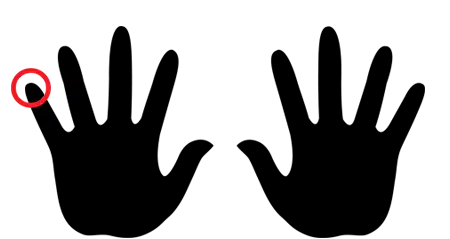
In touch typing, what are the letters assigned to the left pinky finger?
QAZ
WSX
EDC
RFVTGB
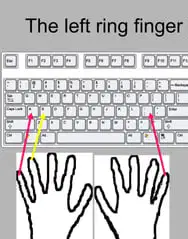
In touch typing, what are the letters assigned to the left ring finger?
QAZ
WSX
EDC
RFVTGB

In touch typing, what are the letters assigned to the left middle finger?
QAZ
WSX
EDC
RFVTGB

In touch typing, what are the letters assigned to the left middle finger?
QAZ
WSX
EDC
RFVTGB
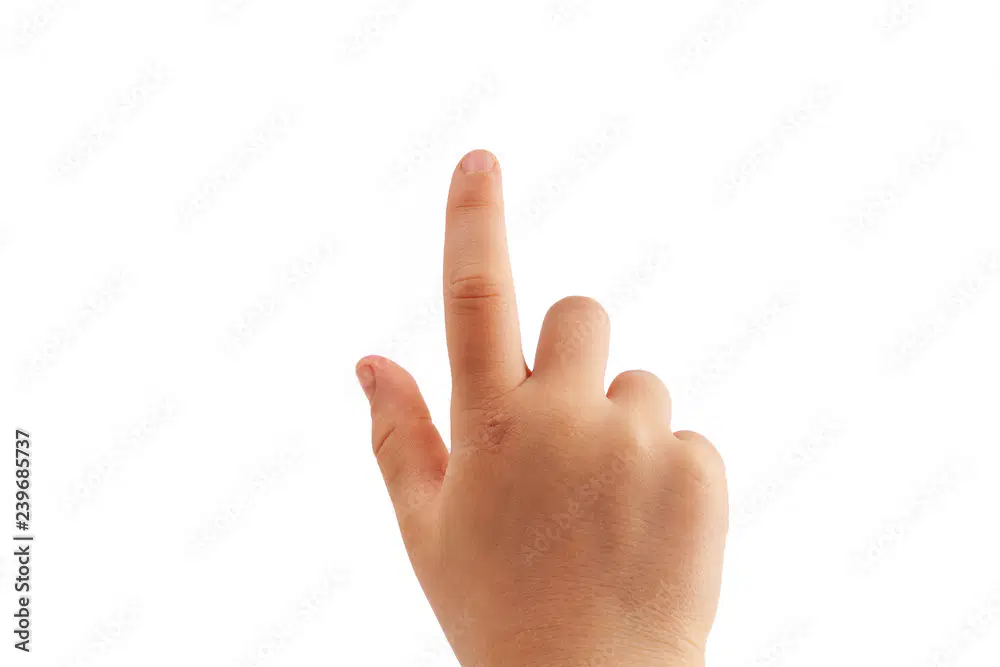
In touch typing, what are the letters assigned to the right index finger?
YHNUJM
IK,
OL.
P;/

In touch typing, what are the letters assigned to the right middle inger?
YHNUJM
IK,
OL.
P;/
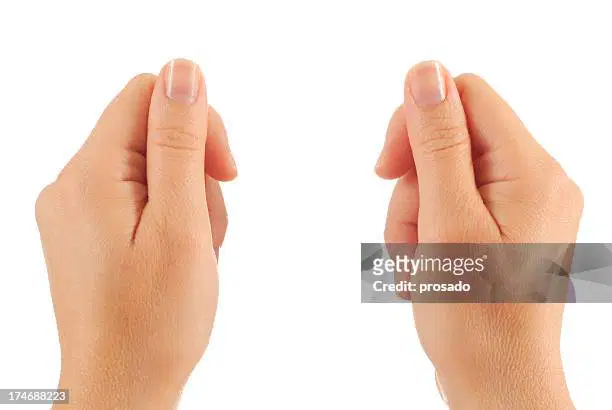
In touch typing, what key is assigned to both thumbs?
space bar
IK,
OL.
P;/

In touch typing, what are the letters assigned to the right ring finger?
YHNUJM
IK,
OL.
P;/

In touch typing, what are the letters assigned to the right pinky finger?
YHNUJM
IK,
OL.
P;/
You can click it to check the Backstage view. This is where you come when you need to open or save files, create new documents, print a document, and do other file-related operations.
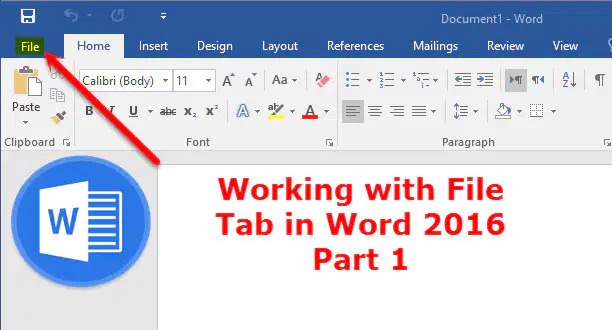
File Tab

Quick Access Toolbar

Ribbon
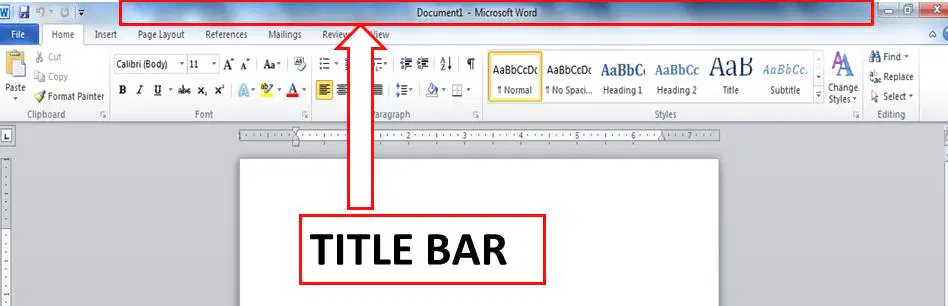
Title bar
This is a convenient resting place for the most frequently used commands in Word. You can customize this toolbar based on your comfort.
File Tab
Quick Access Toolbar
Ribbon
Title bar
Contains commands organized in three components - tab, groups and commands
File Tab
Quick Access Toolbar
Ribbon
Title bar
This lies in the middle and at the top of the window. Shows the program and document titles.
File Tab
Quick Access Toolbar
Ribbon
Title bar
These appear across the top of the Ribbon and contain groups of related commands. Home, Insert, Page Layout are examples of ribbon tabs.

Tabs

Groups

Commands
They organize related commands; each group name appears below the group on the Ribbon. For example, group of commands related to fonts or group of commands related to alignment, etc.
Tabs
Groups
Commands
Commands appear within each group as mentioned above.
Tabs
Groups
Commands
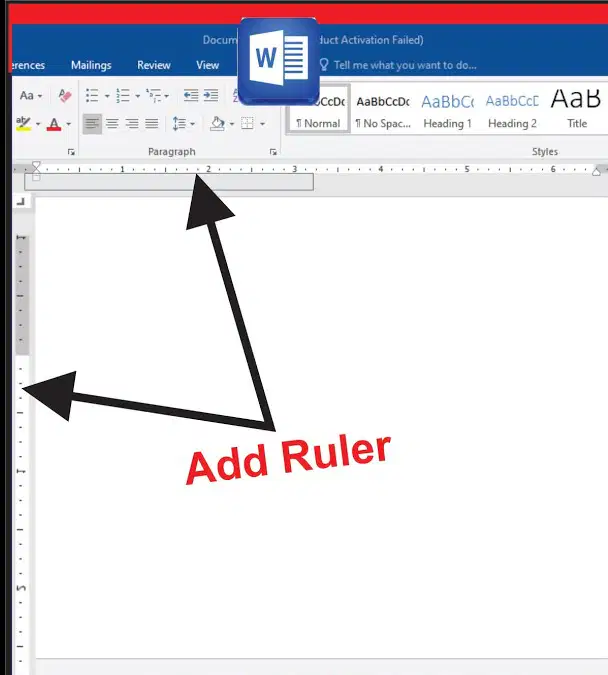
The horizontal ruler appears just beneath the Ribbon and is used to set margins and tab stops. The vertical ruler appears on the left edge of the Word window and is used to gauge the vertical position of elements on the page.
Zoom Control
View buttons
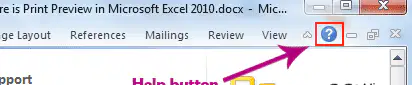
Can be used to get word related help anytime you like. This provides nice tutorial on various subjects related to word.
Zoom Control
View buttons
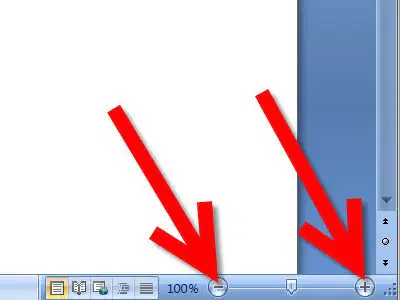
Lets you zoom in for a closer look at your text.
Zoom Control
View buttons
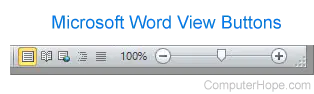
Lets you switch through the Word's various document views.
Zoom Control
View buttons
This displays pages exactly as they will appear when printed.

Print layout view

Full Screen Reading View

Web Layout View
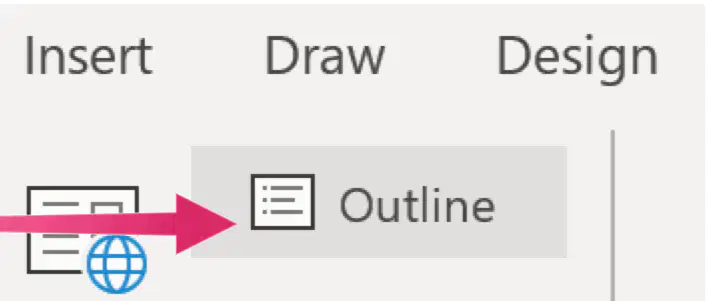
Outline View
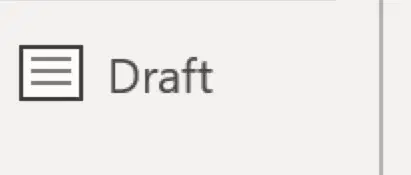
Draft View
This gives a full screen view of the document.
Print layout view
Full Screen Reading View
Web Layout View
Outline View
Draft View
This shows how a document appears when viewed by a Web browser, such as Internet Explorer.
Print layout view
Full Screen Reading View
Web Layout View
Outline View
Draft View
This lets you work with outlines established using Word’s standard heading styles.
Print layout view
Full Screen Reading View
Web Layout View
Outline View
Draft View
This formats text as it appears on the printed page with a few exceptions. For example, headers and footers aren't shown. Most people prefer this mode.
Print layout view
Full Screen Reading View
Web Layout View
Outline View
Draft View
This is the area where you type. The flashing vertical bar is called the insertion point and it represents the location where text will appear when you type.
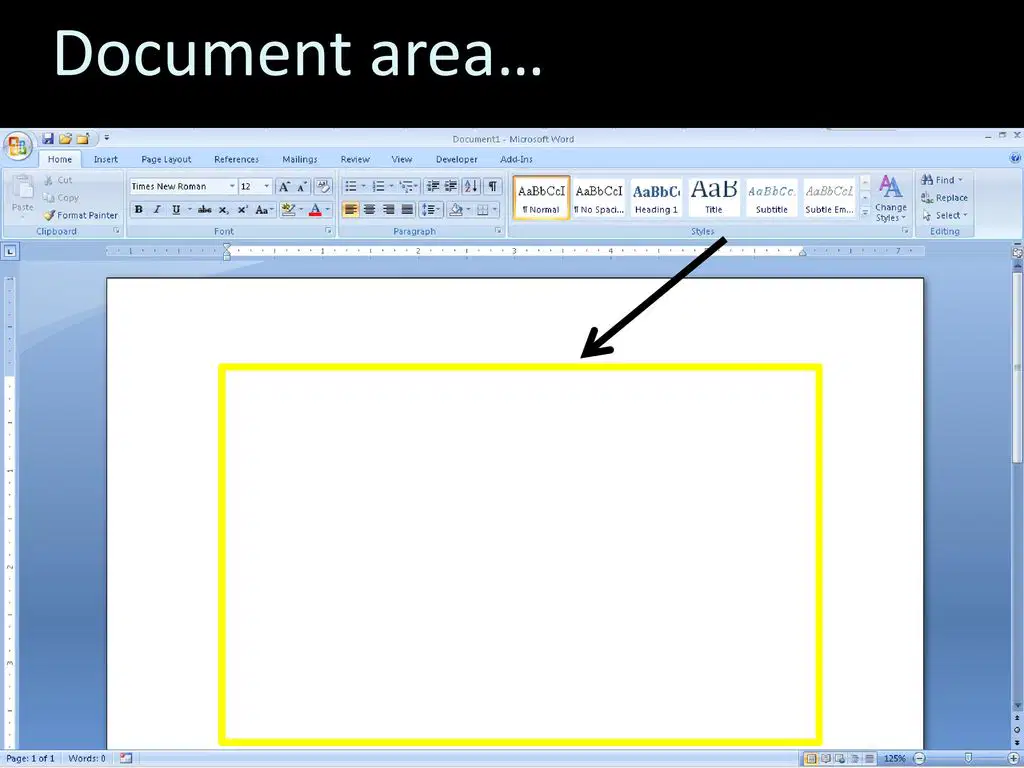
Document Area
Status Bar
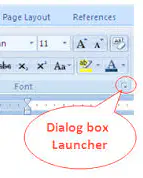
Dialog Box Launcher
This displays the document information as well as the insertion point location. From left to right, this bar contains the total number of pages and words in the document, language, etc.
Document Area
Status Bar
Dialog Box Launcher
This appears as very small arrow in the lower-right corner of many groups on the Ribbon. Clicking this button opens a dialog box or task pane that provides more options about the group.
Document Area
Status Bar
Dialog Box Launcher
Identify the part of the MS Word Window
Zoom control
Status Bar
Help
Ruler
Title Bar
Quick access tool bar
Dialog Box Launcher
Ribbon
Document Area
View buttons
Refers to the computer-based preparation of letters, reports,a nd other documents involving words.
Word Processing
Ulrich Steinhilper
IBM
Coined the word "word processing".
Ulrich Steinhilper
IBM
Typing text.
Writing
Formatting
Designing
Designing how the document will look like.
Writing
Formatting
Designing
Keeping it in a file.
Writing
Formatting
Storing
Designing how the document will look like.
Writing
Formatting
Designing
Identify what part of the word processing cycle.
Means typing the document using the keyboard.
Creating a document
Editing the document
Formatting the document
Storing the document
Printing and managing document
Identify what part of the word processing cycle.
Refers to enhancing the appearance of the document.
Creating a document
Editing the document
Formatting the document
Storing the document
Printing and managing document
Identify what part of the word processing cycle.
Refers to enhancing the appearance of the document.
Creating a document
Editing the document
Formatting the document
Storing the document
Printing and managing document
Identify what part of the word processing cycle.
Refers to saving your file.
Creating a document
Editing the document
Formatting the document
Storing the document
Printing and managing document
Identify what part of the word processing cycle.
Refers to having a hardcopy of your document and managing on how it appears on a printed output.
Creating a document
Editing the document
Formatting the document
Storing the document
Printing and managing document