
NEW
Font size
 Worksheets
Camera Shutter
Total questions: 10
Worksheet time: 5mins
What service is used to enable communication with other devices or Micro: bits in the project?
Bluetooth Button Service
Bluetooth LED Service
Bluetooth Music Service
Bluetooth Camera Service
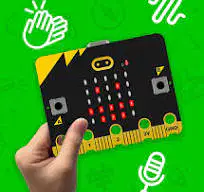
How is the Micro: bit utilized in the project?
As a weather sensor
As a camera shutter controller
As a security camera
As a musical instrument
How does the project turn the Micro: bit into a camera wizard?
By capturing magical moments
By controlling LED colors
. By responding to coding commands
By playing magical tunes
What is the primary objective of the "Microbit Controlled Camera Shutter" project?
. Build a weather station
Design a security system
Turn Micro: bit into a camera shutter controller
Explore outer space with Micro: bit
What is the purpose of the "Bluetooth LED Service" block in MakeCode?
Capture photos with connected cameras
Send colorful light signals through Bluetooth
Control the Micro: bit's temperature
Enable Bluetooth music streaming
Which block is used to command the camera to take a photo when button A is pressed?


How is the camera's front-rear mode toggled in the project?

Tapping the camera lens

What block is used to set up Bluetooth button and LED services at the start of the project?



What role does the given block play in the project?
Sends signals to the camera
. Controls LED colors
Captures photos
Enables music streaming
Which block visually represents the action of the camera shutter opening and closing in MakeCode?



