
 Worksheets
Premiere Pro CC 2023 Quiz
Total questions: 12
Worksheet time: 6mins

Explain the function of the Source Monitor in Premiere Pro CC 2023.
It allows you to create new video clips.
It is a tool for adding text and graphics to the video.
It allows you to view and edit clips before adding them to the timeline.
It is used for adjusting the volume of the audio.
How can you customize the layout of the Timeline panel in Premiere Pro CC 2023?
By singing a song to the panel
By clicking on the panel menu and selecting 'Customize'
By clapping three times
By shaking the computer screen
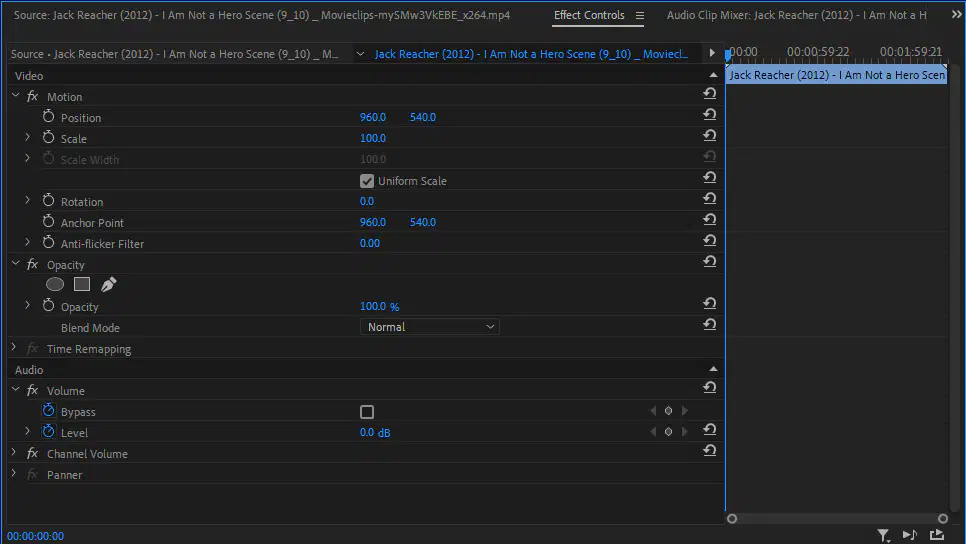
What is the function of the Effects Control panel in Premiere Pro CC 2023?
It is used to adjust and control the effects applied to video clips.
It is used to change the font and text size in video clips
It is used to create new video clips
It is used to adjust the audio levels of video clips

Describe the purpose of the Audio Track Mixer panel in Premiere Pro CC 2023.
To adjust the volume and effects of individual audio tracks within a sequence.
To import and organize audio files for the project
To create and edit text overlays on the video
To edit the color and lighting of video clips

Which tool is used for selecting and moving clips in the Timeline panel?
Text Tool
Crop Tool
Zoom Tool
Selection Tool

Explain the function of the Razor tool in Premiere Pro CC 2023.
It is used to adjust the color balance of a clip.
It is used to add a transition between two clips.
It is used to split a clip into two separate parts.
It is used to apply a motion effect to a clip.

What is the purpose of the Pen tool in Premiere Pro CC 2023?
To create and adjust keyframes for animation and effects.
To change the font style and size
To add transitions between clips
To adjust the volume of the audio

How can you use the Hand tool in Premiere Pro CC 2023?
Double-click on the video clip
Press the spacebar
Right-click on the timeline
Select the Hand tool from the toolbar or use the shortcut key H

Describe the function of the Rate Stretch tool in Premiere Pro CC 2023.
It changes the aspect ratio of a clip
It allows you to change the speed and duration of a clip without affecting its pitch.
It allows you to adjust the color balance of a clip
It allows you to add special effects to a clip

What is the function of the Slip tool in Premiere Pro CC 2023?
It is used to adjust the color balance of a clip.
It is used to change the in and out points of a clip without changing its duration or affecting adjacent clips.
It is used to add a transition between two clips.
It is used to apply a motion effect to a clip.

How can you use the Ripple Edit tool in Premiere Pro CC 2023?
Double-click on the video clip
Select the Ripple Edit tool from the toolbar or use the shortcut key B
Right-click on the timeline
Press the spacebar
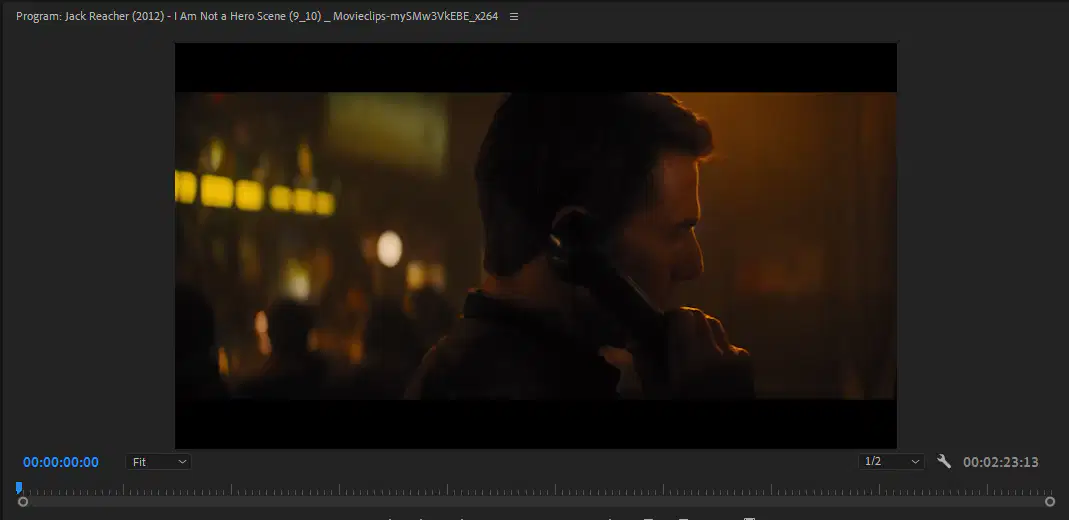
What is the purpose of the Program Monitor in Premiere Pro CC 2023?
To create and adjust keyframes for animation and effects.
To change the font style and size
To display the video that is currently playing in the timeline.
To adjust the volume of the audio

