
 Worksheets
JAVA Test
Total questions: 100
Worksheet time: 3570secs
Java is a _____________________ and a ___________. Java is a high level, robust, object-oriented and secure programming language.
(a)
The primary objective of Java programming language creation was to make it
easy, convenient, friendly user
portable, simple and secure programming language.
easy to use
general-purpose language, ideal for building mostly state-of-the-art system applications like OS kernels, databases, embedded systems, and graphics packages that are used by billions around the world.
The features of Java are also known as (a) .
(a) in Java is a part of the Java Runtime Environment (JRE) which is used to load Java classes into the Java Virtual Machine dynamically. It adds security by separating the package for the classes of the local file system from those that are imported from network sources.
Java was developed by (a) (which is now the subsidiary of Oracle)
Java was developed in year (a) .
(a) is known as the father of Java
Before Java, its name was (a) .
Since (a) was already a registered company, so James Gosling and his team changed the name from Oak to Java.
Any hardware or software environment in which a program runs, is known as a (a) .
It is called platform (choose two)
API
JRE
RIP
OSPF
API stands for
(a)
JRE stands for
(a)
According to Sun, (a) billion devices run Java.
types of java applications. also known as desktop applications or window-based applications. These are traditional software that we need to install on every machine.
Web Application
Standalone Application
Enterprise Application
Mobile Application
Web application
Standalone Application
Enterprise Application
Mobile Application
An application that is distributed in nature, such as banking applications, etc. is called an ____________________. It has advantages like high-level security, load balancing, and clustering. In Java, EJB is used for creating _______________________________.
Web Application
Standalone Application
Enterprise Application
Mobile Application
Java EE
JavaFX
Java SE
Java ME
It is an enterprise platform that is mainly used to develop web and enterprise applications. It is built on top of the Java SE platform. It includes topics like Servlet, JSP, Web Services, EJB, JPA, etc.
Java EE
JavaFX
Java SE
Java ME
It is used to develop rich internet applications. It uses a lightweight user interface API.
Java EE
JavaFX
Java SE
Java ME
Java team members (also known as (a) ), initiated this project to develop a language for digital devices such as set-top boxes, televisions, etc.
James Gosling,_____________________, and ______________________ initiated the Java language project in June 1991. The small team of sun engineers called Green Team.
Patrick Naughton
Dennis Retchie
Mike Sheridan
Bjarne Stroustrup
Firstly, it was called " (a) " by James Gosling, and the file extension was .gt.
Why Oak?
An oak is a tree or shrub in the genus Quercus of the beech family, Fagaceae.
Oak is a symbol of strength and chosen as a national tree of many countries like the U.S.A., France, Germany, Romania, etc.
because Oak is a highly durable hardwood used for thousands of years.
because Oak is commonly used for furniture, joinery, flooring, panelling, decking and veneers.
According to James Gosling, "Java was one of the top choices along with (a) ". Since Java was so unique, most of the team members preferred Java than other names.
Java is an island in Indonesia where the first coffee was produced (called Java coffee). It is a kind of espresso bean. Java name was chosen by James Gosling while having a cup of _________nearby his office.
juice
coffee
tea
coke
________________ was released on January 23, 1996
JDK 0.1
JDK 1.1
JDK 1.5
JDK 1.0
In (a) , Oak was renamed as "Java" because it was already a trademark by Oak Technologies.
After that, it was called (a) and was developed as a part of the Green project.
Java technology was incorporated by (a) .
It is a micro platform that is dedicated to mobile applications.
Java EE
JavaFX
Java SE
Java ME
An application which is created for mobile devices is called a (a) . Currently, Android and Java ME are used for creating mobile applications.
It determines what resources a class can access such as reading and writing to the local disk.
Classloader
Bytecode Verifier
Class manager
Security Manager
is used to print statement in Java
system.out.print
printf
System.out.print
puts
Java is robust because:
The Java platform differs from most other platforms in the sense that it is a software-based platform that runs on top of other hardware-based platforms.
Java provides automatic garbage collection which runs on the Java Virtual Machine to get rid of objects which are not being used by a Java application anymore.
Java language provides these securities by default.
It uses strong memory management.
It checks the code fragments for illegal code that can violate access rights to objects.
Bytecode Verifier
Classloader
Security Manager
Class Manager

...also called a central processor, main processor or just processor, is the electronic circuitry that executes instructions
CUP
CPU
APU
GPU

Keeps the CPU from getting too hot
CPU Cooler
CUP Fan
Case Fan
Ice

Part of the computer that all the other parts connect to
Motherboard
CPU
Daughter Board
Case

Basic Input/Output System. Firmware used booting process (power-on startup)
BIOS
BISO
BOIS
KPOP

Memory (RAM) is...
A large male goat
A big Dodge truck
Random Access Memory (working memory)
Sticks of goodness

...slots on the motherboard for connecting hardware
42
Huh?
Expansion grooves
Expansion slots

PCI-e Slot a Type of expansion slot
Blue slots of goodness
Portals to Phobos
Sloty McSlot face

This is a...
Mother Board
Video Card
Power Supply
CPU Cooler

This is a...
CPU
Mouse Adapter
Video Card
Sound Card

A ____________ is used to connect computers to home and work networks.
Perpetually bad WiFi
Network Interface Card
Ethernet thingie
Telephone Modem

....long term storage memory with spinning disks
HHD
HDD
SSD
DSS

... long term storage memory with no moving parts
SSD
SDD
DSS
DHS

Optical drives are...
A good place to stash your passwords and cash
best when replaced with Hot Pocket toaster
an exceptional cup holder
used to read and write CD’s and DVD’s

These are examples of...
HDMI ports
USB ports used to connect peripherals (like printers and scanners) to your computer
things that are always upside down.
The bane of my existence

This is an example of...
An HDMI port
A High Deflection Multifaction Interactive Port
USB ports
A High Definition Magnification Portal.

The primary output device on your computer is called...
A monitor or screen
Screeny McScreen Face
My portal to Phobos
My favorite part to break

An input device used to control the on-screen pointer
RAT
MOUSE
CAT
MOOSE

An input device used to manually enter data and commands
Screen
Monitor
Punch Card Puncher
Keyboard

This is a picture of something that reduces wall electrical voltage to something more useable for your computer
Power Supply
RAM
CPU
Motorola

The box-like structure that holds all of the computer hardware
Case
COU
CPU
ExClosure
The physical parts that make up a computer is ....
Software
Malware
Hardware
_____________ is another word for a screen.
Monitor
Laptop
Software
___________ is another word for a portable computer.
Desktop
Laptop
Computer
A _________________transfers information from the computer to paper.
scanner
computer
printer
A _______________ transfers information from paper to the computer.
scanner
printer
computer
____________allow us to listen to the audio files from the computer.
printer
scanner
speakers
A________________allows us to download information from the computer.
memory stick or USB flash drive
operative system
hard drive
We input data using a ________________.
keyboard
keynote
key
We use a _________________ or ___________________ to move the cursor and click on images or text.
laptop - computer
screen - scanner
mouse - touchpad
_________________ connects the computer to networks such as the internet.
router
cable
scanner
Mac or Windows are examples of....
operating systems
computers
apps

What type of device is this? (Printer)
Input
Output
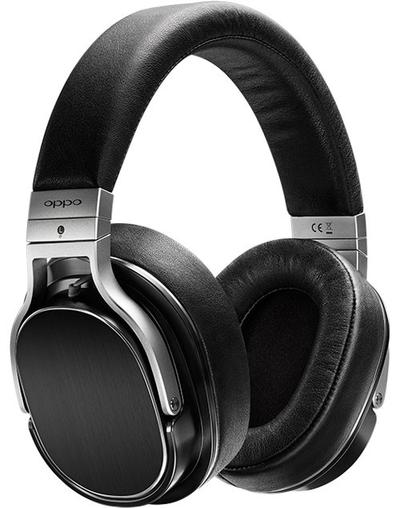
What type of device is this? (Headphones)
Input
Output

What type of device is this? (Speakers)
Input
Output
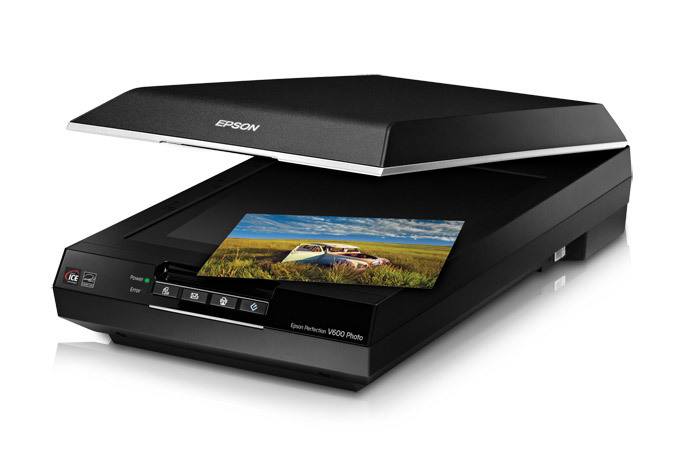
What type of device is this? (Scanner)
Input
Output

What type of device is this? (Microphone)
Input
Output

What type of device is this? (Mouse)
Input
Output
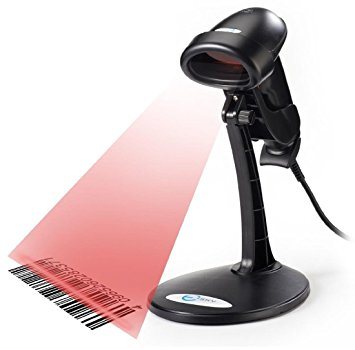
What type of device is this? (Barcode Reader)
Input
Output

What type of device is this? (Monitor)
Input
Output

What type of device is this? (Webcam)
Input
Output

What type of device is this? (Smartphone screen)
Input
Output
Input and Output

What type of device is this? (Interactive whiteboard)
Input
Output
Input and Output


What type of device is this? (Digital camera)
Input
Output
Antivirus software is designed to protect computers from an assortment of viruses and unauthorized intrusions
True
False
An example of the computer's hardware would be ...
MS Word
MS Publisher
speakers
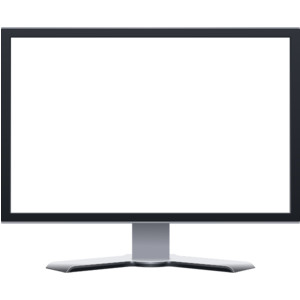
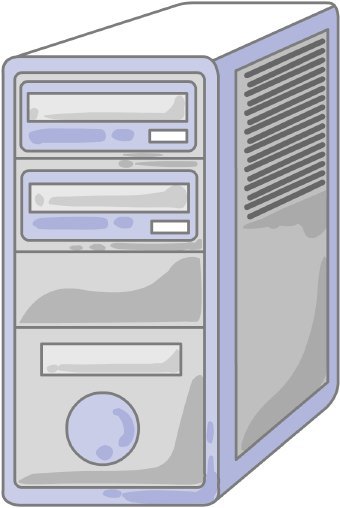
What is this piece of hardware?
Tower/Computer Case
Storage Unit
Monitor
CPU
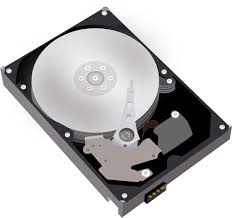
What is the most important program that runs on your computer, it lets software and hardware work together?
Operating System
Programs
Applications
Hardware
What is Hardware?
Computer Instructions or Data
Physicals parts of a computer that you can touch

What is Software?
Programs and applications, it tells the hardware what to do and how to do it
Physicals parts of a Computer
The physical objects that make up the computer system:
Software
Storage
Input
Hardware
Hardware and Software do not have to work together.
True
False
You can touch software
True
False

