
 Worksheets
FORMATTING TEXT-MS WORD YEAR 4
Total questions: 30
Worksheet time: 15mins

The icon inside the red box is used to_________________
change font size
change font
change font color

The icon inside the red box is used to_________________
change font
change font color
change font size

The icon inside the red box is used to_________________
change font
change font size
change font color

The icon inside the red box is used to_________________
change the font size
change the font color
make the text Bold, Italic and Underline

The icon inside the red box is used to_________________
change case
change font color
highlight the text

The icon inside the red box is used to_________________
change size
change case (Lower case/ upper case)
change alignment

The icon inside the red box is used to_________________
do Alignment (left, center, right)
write a text

The icon inside the red box is used to_________________
insert picture
insert shape
insert table
To format a shape in Microsoft Word we should choose ____________________
Format tab
Insert tab
Home tab
To insert a picture in Microsoft Word we should use_____________________________
Home Tab
Insert Tab
MS Word stands for__________________________________
Microsoft Word
Morale science
Word Soft
Word is used for typing_______________________
Numbers
Text, Numbers, symbols...
Text, Numbers only

What is this symbol?
Underline
Italic
Bold

Name the alignment
Left
Right
Center
Justify

Name the tool
Copy
Paste
Cut
Which is the logo for Microsoft Word?


Highlight
bold
italic
copy

Italic
Bold
Highlight
Align
What does B stand for in Microsoft Word window Home tab?
BITALIC
BOLD
BOND
What does I stand for in Microsoft Word window?
ITALIC
ITALY
IT
What does U stand for in Microsoft Word window Home tab?
UNDER
UNTIE
UNDERLINE

right alignment
left alignment
justify
delete
You can insert image in MS Word.
Yes
No
Sometimes

To apply bold style to font what icon should we click?


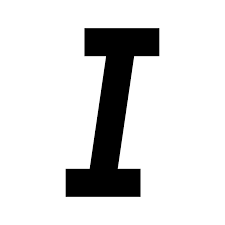

The above picture is an icon for
Change font type
Change font colour
Change font shape
Change font size


What does the button that is being pointed to let you do?
Change the size
Change the font
Add a new slide
Insert a picture
Which of the following font style is used to make your letters and characters becomes thicker?


Makes our text ________
thinner
thicker
Which command helps you to reverse the last action in MS WORD?



