
Font size
 Worksheets
Computer Basics
Total questions: 20
Worksheet time: 15mins

An electronic device that manipulates information, or data. It has the ability to store, retrieve, and process data
(a)
This is the data you provide to the computer, such as typing on a keyboard or clicking a mouse.
(a)
The computer performs calculations, runs software, and executes instructions.
(a)
The results of processing, which can be displayed on a screen, printed, or otherwise presented.
(a)
Any part of your computer that has a physical structure, such as the keyboard or mouse. It also includes all of the computer's internal parts.
Software
Hardware
Desktop
Windows 11
Any set of instructions that tells the hardware what to do and how to do it.
Hardware
Windows
Software
Keyboard
These are some types of computers.
Laptop
Desktop
Mobile Devices
Servers
Headphones
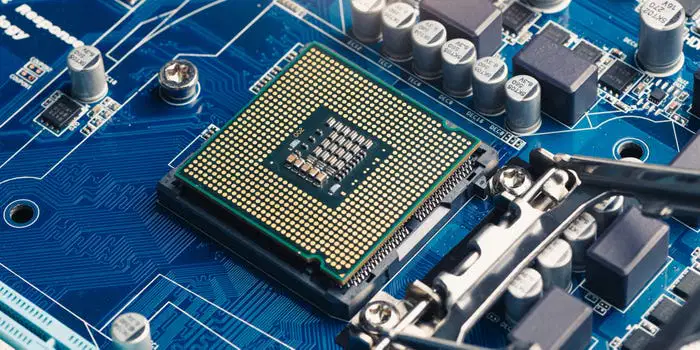
Name the component
RAM
CPU
Hard Drive
Monitor
Keyboard
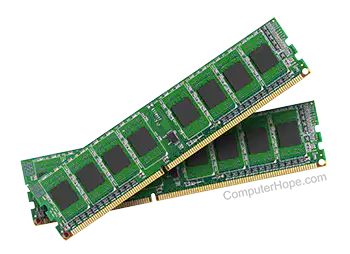
Name the component
RAM
CPU
Hard Drive
Monitor
Keyboard
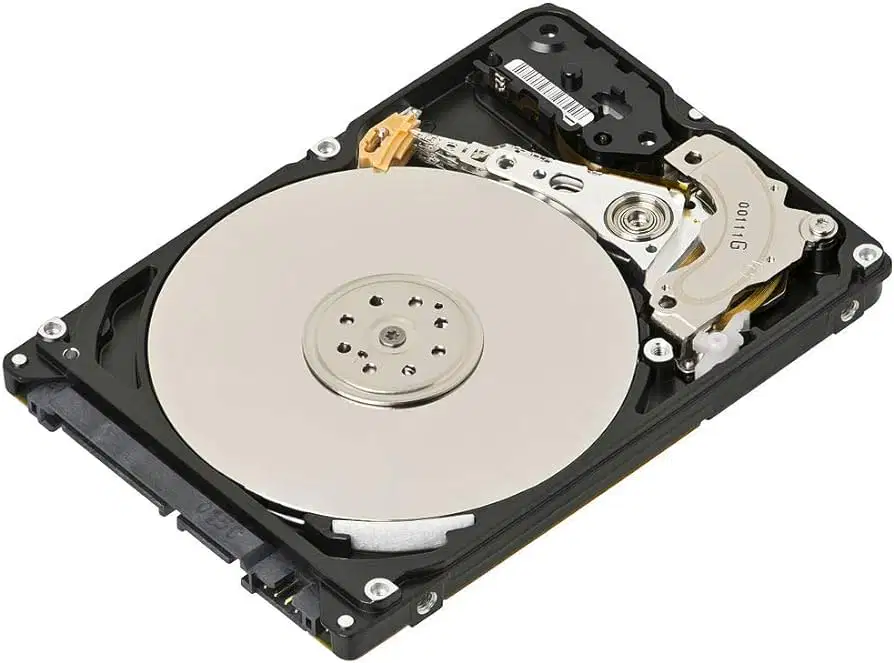
Name the component
RAM
CPU
Hard Drive
Monitor
Keyboard

Name the component
RAM
CPU
Hard Drive
Monitor
Keyboard
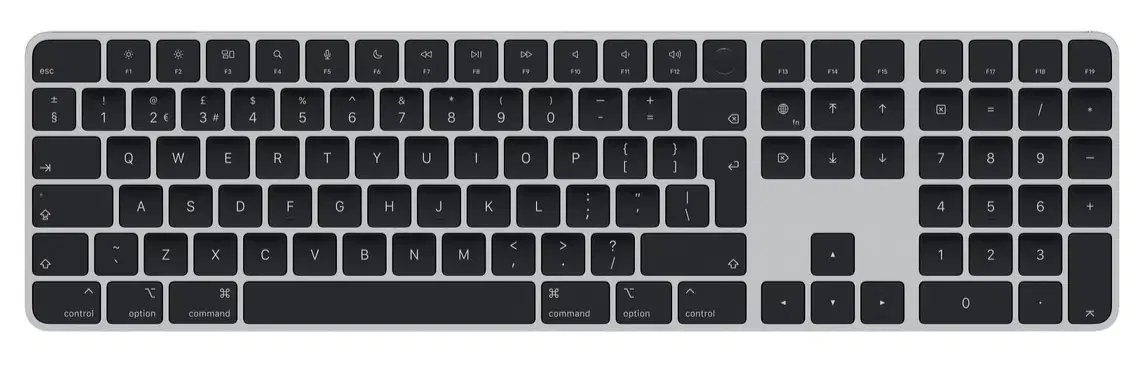
Name the component
RAM
CPU
Hard Drive
Monitor
Keyboard
This is the most important software that runs on a computer. It manages all of the software and hardware on the computer.
iPhone
Android
Operating System
CPU
______ ______are applications that let you access websites and the internet.
(a)
Which one is an internet browser?
Gmail
google.com
Google Chrome
Windows 11 has a built-in file manager called ____ ________.
(a)

It is a reference or an address to a resource on the internet. It specifies the location of a web resource, such as a web page, image, video, or document, and also the means to retrieve it.
ULR
LRU
URL
RLU
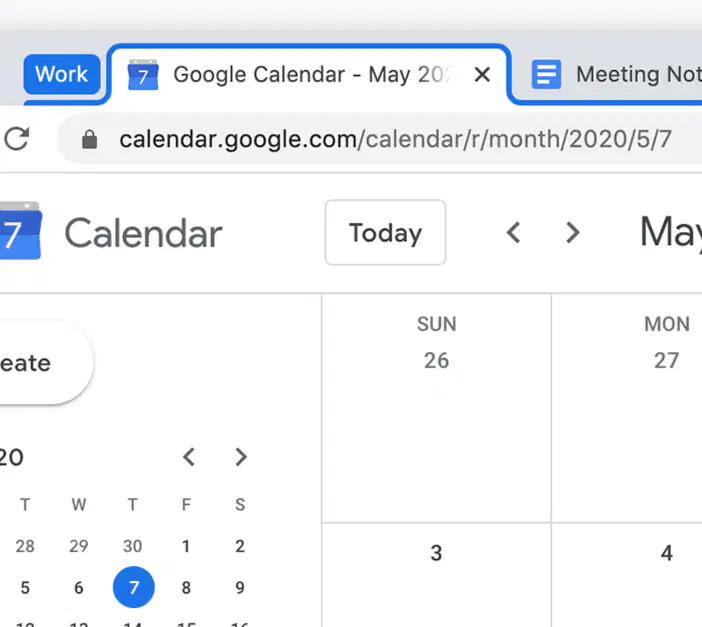
The area at the top of the browser window that displays open tabs. Users can switch between tabs by clicking on them.
Tab Bar
Tool Bar
Hamburger
Waffle
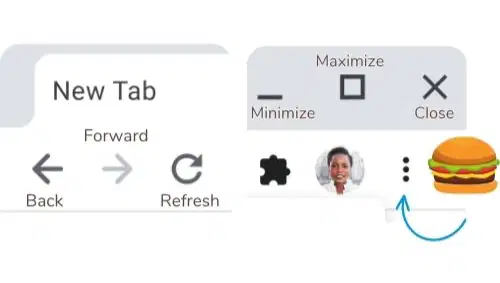
The area where various controls and features are located. This includes buttons for navigation (back, forward, refresh), bookmarks, extensions, and settings.
Toolbar
Tab Bar
Task Bar
Settings
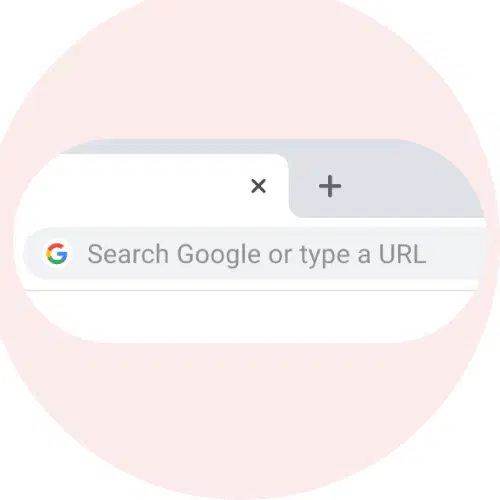
Some browsers use an address bar for navigating to websites and a search bar for conducting web searches. Google Chrome combines these two elements into one bar, known as the (a) .

