
 Worksheets
Minions computer exam
Total questions: 118
Worksheet time: 2hrs 26mins
the main part of the PC
(a)
BIOS meaning
(a)
What chip is a BIOS chip
(a)
Old model with 16 bit code and limited options
(a)
improved version of the past model, smaller and offers interchangeability of components (Green color)
(a)
BTX Meaning
(a)
AT meaning
(a)
LPX meaning
(a)
ATX meaning
(a)
includes instruction on how to load basic computer hardware
(a)
the computer's firmware
(a)
ATX meaning
(a)
ATX meaning
(a)
SFF meaning
(a)
mini motherboard, used in SFF chassis with low power consumption and faster cooling ability
(a)
compact size version of the last version, with compatible riser cards
(a)
ITX meaning
(a)
replacement for ATX, chip sockets are defined for airflow, CPU is diamond
(a)
in LPX, expansion boards are _____ to the motherboard, compared to AT and ATX which are _____ to it
(a)
slim line, low profile, with riser card arrangement for expansion cards.
(a)
Large dimensions, incompatible with mini desktop computers (orange color)
(a)
small desktop cases to save space
(a)
the main part of the PC
(a)
smaller than full-tower, but wider
(a)
smaller than the full tower
(a)
for enthusiast or professionals, high-end: performance, cooling, customization
(a)
BIOS is found (a) the CMOS Battery
tangible components, physical parts
(a)
used for a computer to run
(a)
enhances computer functionality
(a)
is a current regulator and converts AC power to DC power
(a)
a printed circuit boards that holds major components
(a)
CPU that is expensive and sensitive, with pins
(a)
CPU that has 'lands'
(a)
tests hardware to make sure no errors exit before loading the OS
(a)
these are low level drivers that gives basic control over hardware in your system, it is the bridge between the firmware and OS ensuring the hardware to communicate effectively
(a)
is a configuration program to configure CMOS
(a)
BIOS setup is also known as
(a)
OS meaning
(a)
What drive Do you not delete in partition: ____ drive or ____ _____ drive
(a)
In VM, your computer will have this when you use a different OS
(a)
This is a software to load a different OS
(a)
VM meaning
(a)
common VM ware
(a)
VM meaning
(a)
This is the combination of hardware and software for your computer to boot different OS
(a)
your computer in VM
(a)
BSOD meaning, happens to the computer when it has faulty ram
(a)
What drive Do you not delete in partition: ____ drive or ____ _____ drive
(a)
OS that can't let virus in
(a)
high speed network cable consisting of 2 twisted pair and conductors: _____ cable / ____ cable
(a)
what do you type to access drive partition in Run Dialogue box
(a)
who is the father of modern computer
(a)
OS meaning
(a)
this locates the OS and if working, its will pass to control the OS
(a)
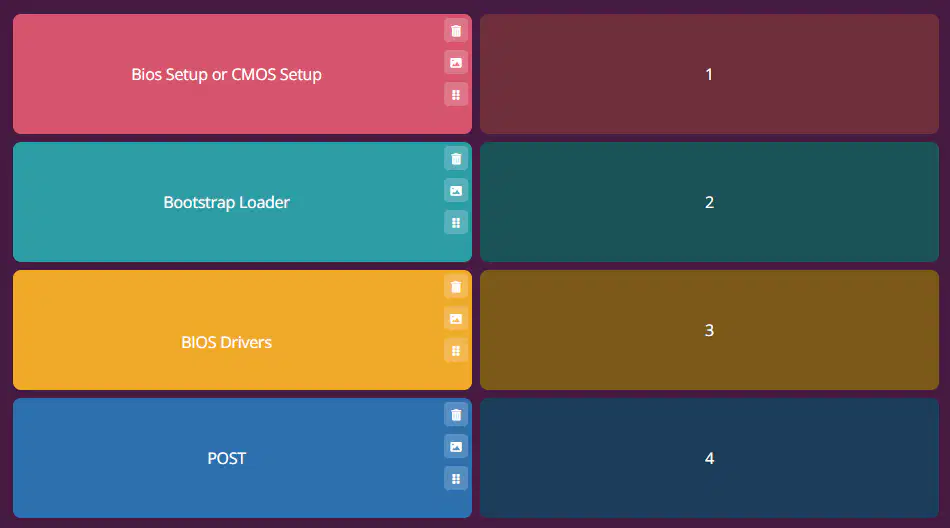
BIOS
(put the correct sequence)
(a)
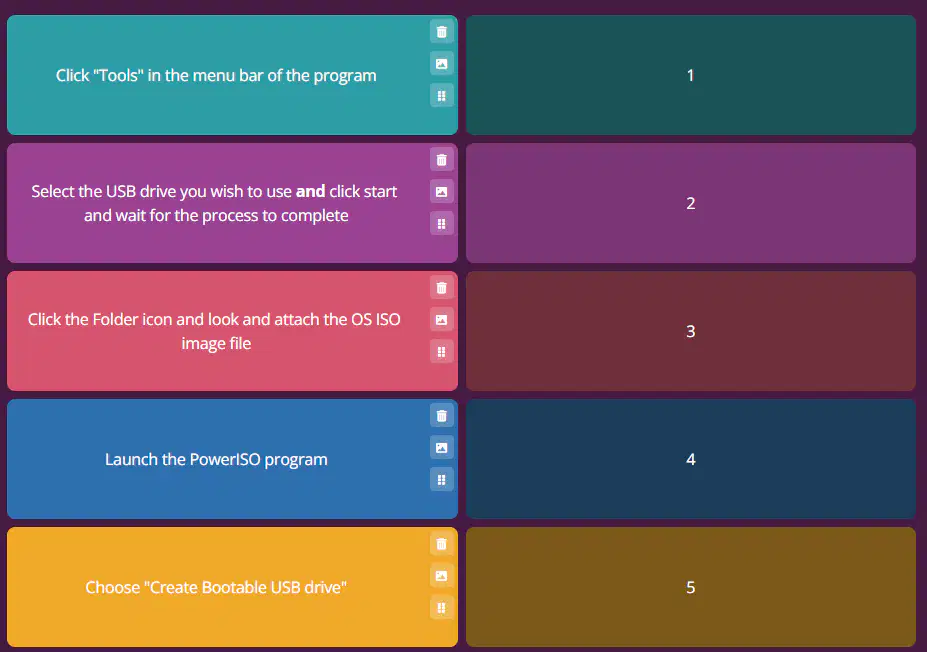
Create a bootable drive
(apply the correct sequence)
(a)
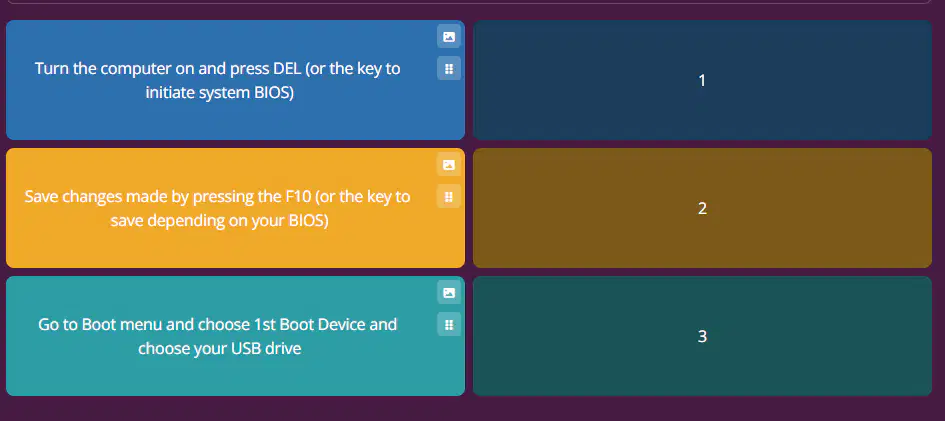
Set 1st Boot in BIOS (apply the correct sequence)
(a)
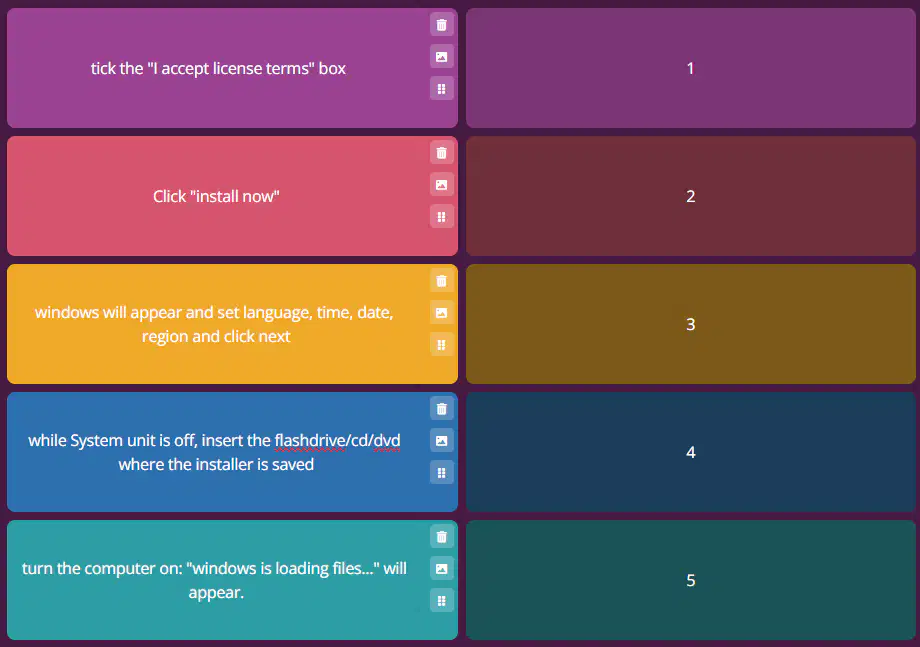
Windows 7 Installation part 1
(put the number of the correct sequence)
(a)
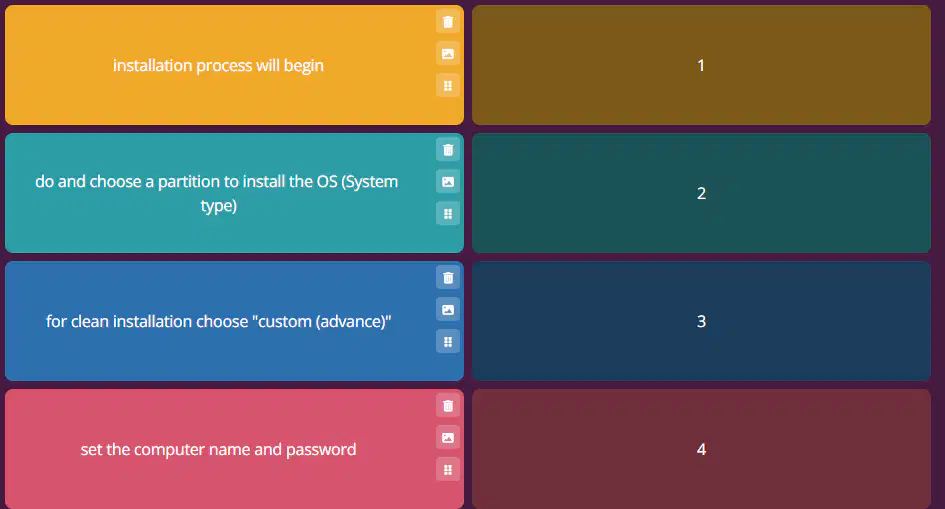
Windows 7 Installation part 2
(a)

Disk partitioning in installation (apply the correct sequence)
(a)
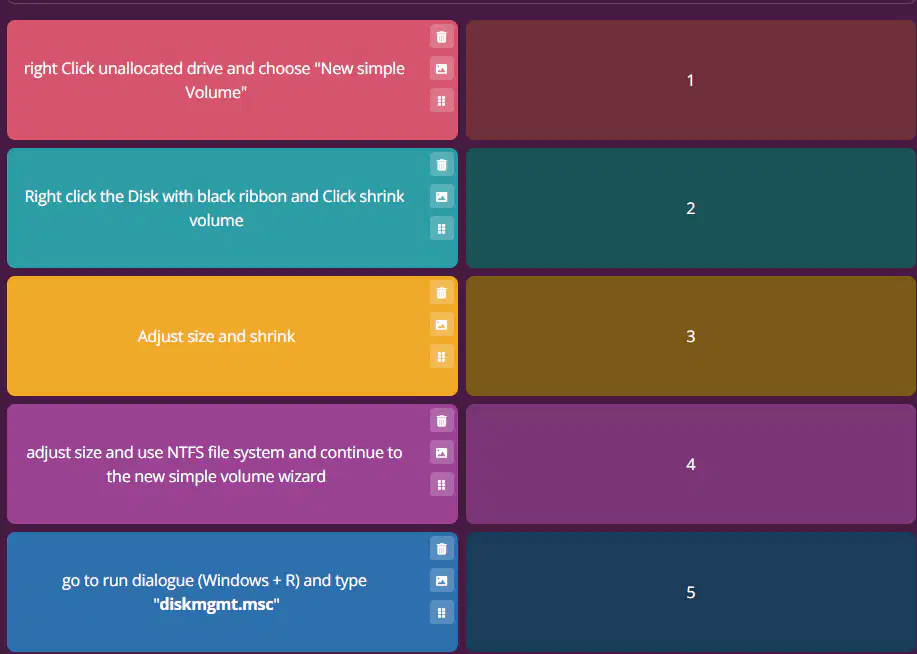
Disk partitioning in the computer
(apply the correct sequence)
(a)
How do POST make sound? Through ____/_____
(a)
indicate that your computer had an issue and was unable to send error information
(a)
POST meaning
(a)
What do you type in Run or Command prompt to access system information to find BIOS information
(a)
What key do you usually press to access BIOS: (a) key
GUI meaning
(a)
RAM meaning
(a)
volatile storage - short term memory, for convenient access for the CPU (to not access HDDs)
(a)
SSD meaning
(a)
HDD meaning
(a)
a magnetic storage
(a)
expensive, yet faster electronic data storage
(a)
it is scratched for the HDD to store data
(a)
it is a non volatile - permanent memory - that is electronically reprogrammed for the SSD to store data
(a)
Connects Power LED, Power switch, HDD LED, and Reset switch (front Chassis components)
(a)
CMOS Battery is also known as
(a)
integral parts of the computer
(a)
the first supercomputer
(a)
examples of microcomputers: ____ and ____
(a)
lower performance and processing capabilities than a microcomputer
(a)
the system case, it houses the primary devices
(a)
microcomputer is also known as
(a)
single user system with one processor and for personal use
(a)
process billions of transactions and calculations in real time securely reliably, used in commercial databases (commercial use), transaction servers, and applications
(a)
the latest supercomputer
(a)
examples of mini computer: _______ and ______
(a)
Mid range computer, less expensive, less powerful, smaller, used in database servers and webservers, it is a multi user system (industrial use)
(a)
2 old examples of mainframes: ____ and ____
(a)
the latest mainframe
(a)
biggest, expensive, can process trillions of transaction/sec and used for scientific and engineering computations
(a)
Add on parts in the computer
(a)
CMOS meaning
(a)
powers firmware and stores date, system and hardware settings, boot order, and passwords.
(a)
ROM meaning
(a)
the firmware that CMOS powers, it is a ROM chip and also the first software that appears
(a)
Connects the fan to the motherboard
(a)
This connects PSU to the motherboard
(a)
SATA meaning
(a)
PATA meaning
(a)
Connector that connects PSU to the motherboard
(a)
SATA meaning
(a)
Connects Floppy disk to motherboard
(a)
the firmware that CMOS powers, it is also the first software that appears
(a)
enhances video, graphics, rendering, and pixel quality
(a)
What do UEFI use for storage
(a)
What peripheral do you use to control UEFI
(a)
use .efi file, is user friendly because of its GUI
(a)
What do Legacy BIOS use for storage
(a)
the brain of the computer
(a)
what peripheral do you use to control Legacy BIOS
(a)
Software used to create a bootable drive
(a)
Contains identical copy of data found on the disk
(a)
ISO File is also known as
(a)
Where can disk partition be done:
(a)
What is disk partition also known as
(a)
It is the creation of one or more regions on the computer storage and can be managed separately
(a)

