
 Worksheets
Troubleshooting in VR for users
Total questions: 18
Worksheet time: 25mins
What should I do when my VR screen is black?
Check my boundary by holding an "oculus" button on the right controller
-Click once on the "oculus" button
- go into settings
- click on "boundary"
-click on "change boundary"
Make sure that the headset is not in a sleeping mode by clicking once on a "turn on" button on a headset
All of the above

If everything is blurry in VR, what should you do?

Adjust the lenses by pushing them

Adjust straps on top and on the sides

Try different position of headset on you
All of the above
What should you do if you don't hear anything what an AI-avatar tells you?
Click on the volume button at the bottom of a VR headset to adjust the sound
Make sure your headphones are plugged in well in the headset
Go into the main menu and find voice adjusting settings
Take another headset

A student cannot log into Immerse, what should they do?
Click on "Remember me"
Write their school email in the white box
Click on "Do you have a partner Access Key? Click Here"
Type their personal email

You noticed that AI avatars do not hear you. You go to the settings in immerse and see that a "head icon", which indicates how well your microphone works, doesn't move. How to fix it?
Speak louder
In the "Voice Options" set everything to high
Increase volume on a VR headset or desktop.
Check browser settings if microphone is allowed on this website

You want to have a conversation with an AI bot in Spanish but they speak English to you. How to fix it?

Go to settings and then languages

Click on language icon at the bottom

Language is chosen in convo with AI bots

Click ESC, settings, scroll to language.

My student is a native Spanish speaker learning English. They would like to be able to translate text and individual words in a conversation with AI bots. How can you help them (refer to this picture)?
Have them click on "Hint" button to open a translation
Ask an AI bot to translate a phrase

Click ESC, settings, scroll to Spanish

Click on a language icon in main menu
What button mutes student's microphone?
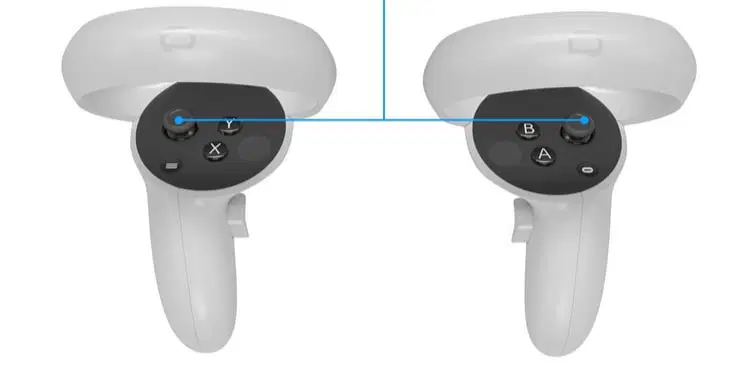
What button opens a backpack with a camera and a scanner?
What button opens a Immerse setting menu to change movement style and display language?
What button pops up class notes on students' wrist

How to go to Immerse home screen from a VR headset?
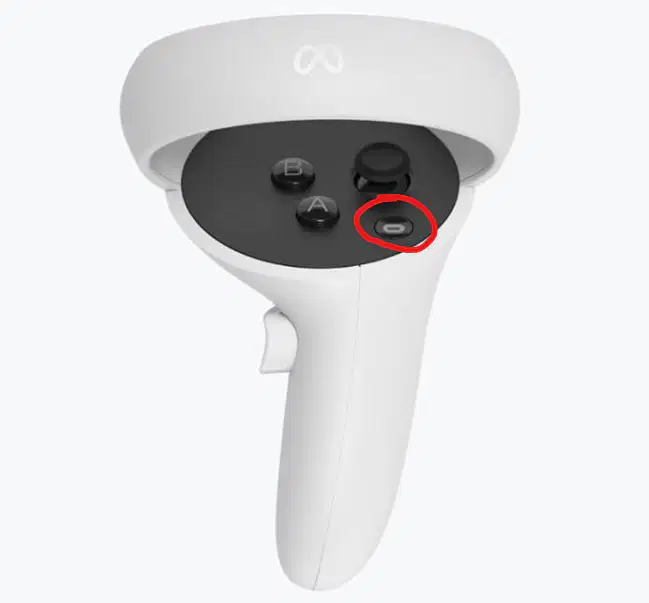
Click "Oculus" button and restart Immerse app
Only teacher can take students back to the main menu
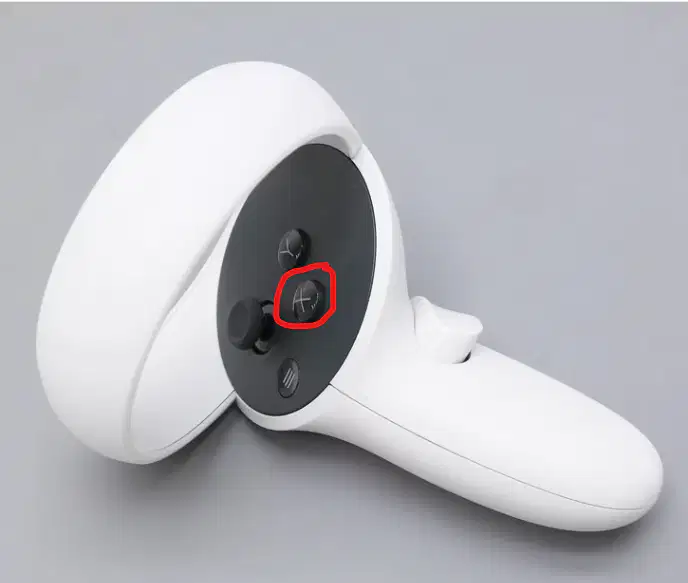
Click X button on controller->leave room
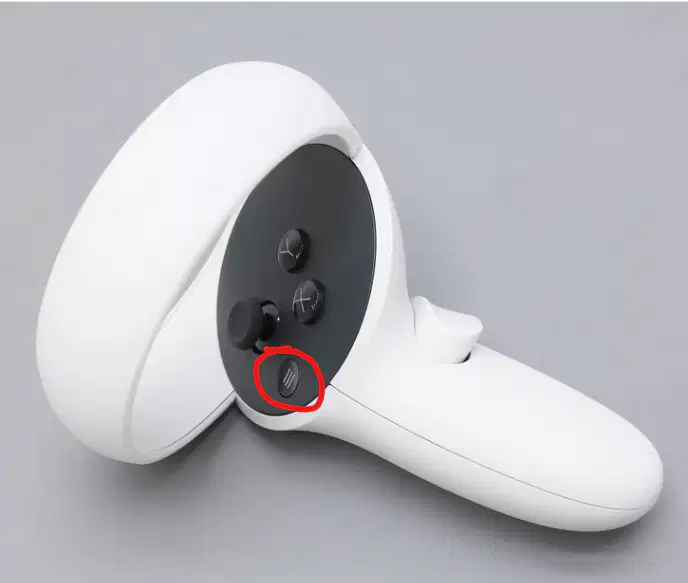
Click an embedded "List" .button.
VR troubleshooting tech questions:
boundary
floor level
glitches
click on sth
volume
getting black
wifi issues
enter meta code
turn on/off headset
VR immerse questions:
Picking up objects
microphone with ai bots
language wiht ai bots
backpack
settings
notes
scanner
camera
Desktop questions
email vs access key
mic not working
movement
ai bot convo level and topic
ai bot conversation flow ( 3 steps)
dad
ad
adad
da
adad

"I am so short in VR, what should I do?"
Let it be if you still can interact with objects
Stand up in real life and then sit down
Click "Oculus" button on controller-> settings-> boundary-> set up floor level-> touch the floor with your controller to put blue grid down to the floor
All of the above
I don't see anything in VR, I see my class "through", then everything is gray. What can cause that?
You accidently clicked turn on button on a VR headset
You are out of your boundaries, just hold "Oculus" button
The headset is broken, take a new one
Your headset is poorly adjusted, just move lenses closer to see better
What serves as a "left mouse click" on your controllers?
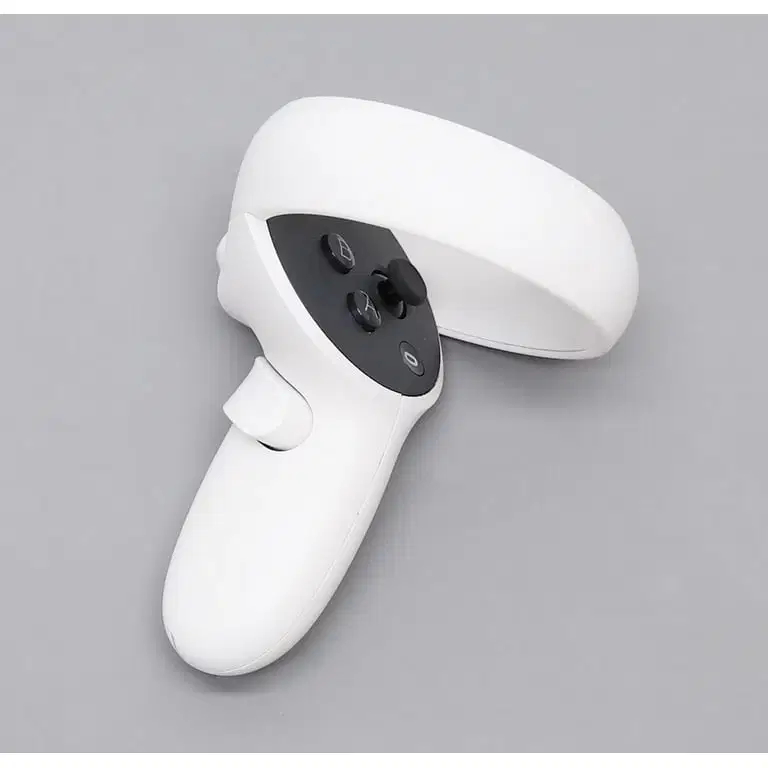
I have a class of 24 students in Spanish 2. What is the most effective way to manage the VR class?
All options are very effective
Have 24 students in a teacher-led lesson at the same time ( 28VR headsets ready)
Split the class in 2 groups: 1st does AI role-plays,2nd has a teacher-led lesson, then switch ( 28 VR headsets ready)
Split the class in half: 1st group works on a test/ worksheet. Another group is in VR and then switch after 20 min ( 15 VR headsets ready)
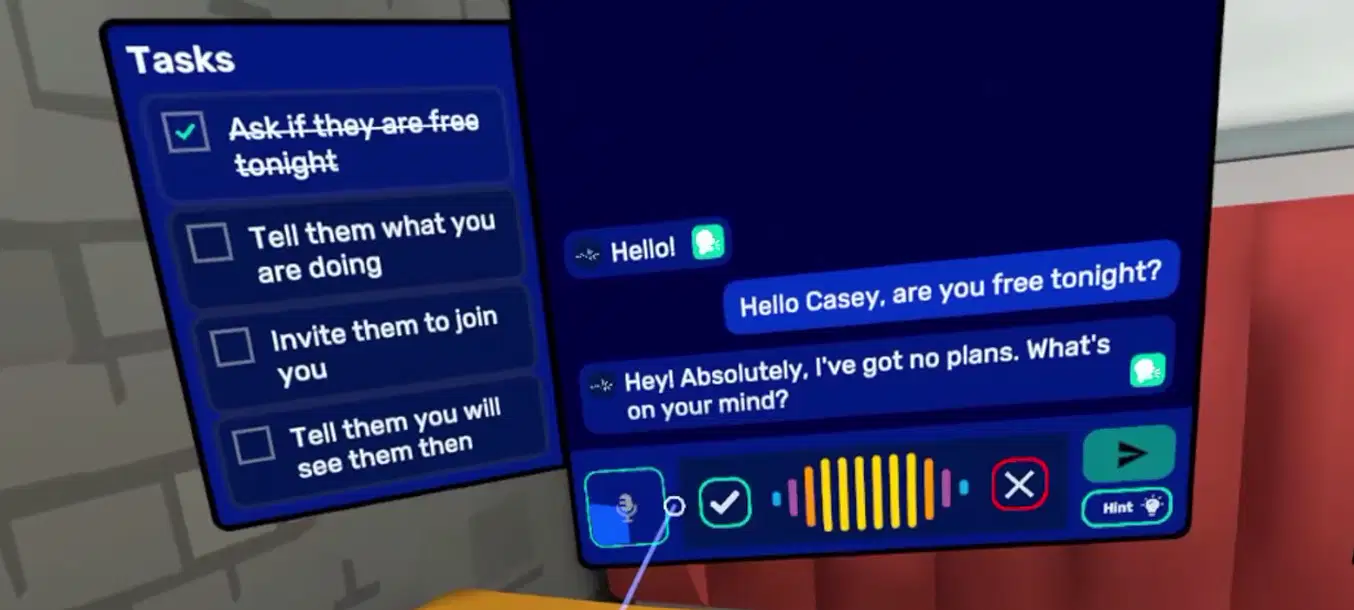
"AI bot doesn't work, I speak but nothing happens". What steps do you need to follow to talk to the bot?
1. Select a task on the left you want to complete
2. Just start speaking without clicking anything
3. Click Send icon
1. Click the Mic icon
2. Speak
3. Click green check mark
4. Click Send icon
You can only type when you have a conversation with a bot
You can only use Hints and then send them to the bot

