
 Worksheets
Quiz: Photoshop #2 - Cert.
Total questions: 28
Worksheet time: 14mins
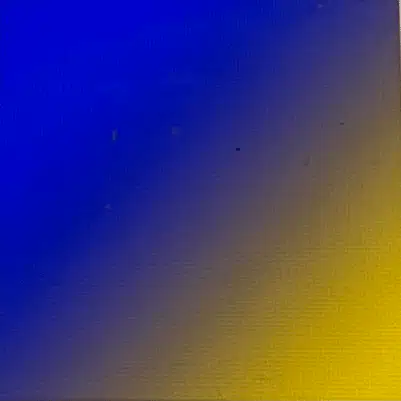
Select the gradient type for each example.
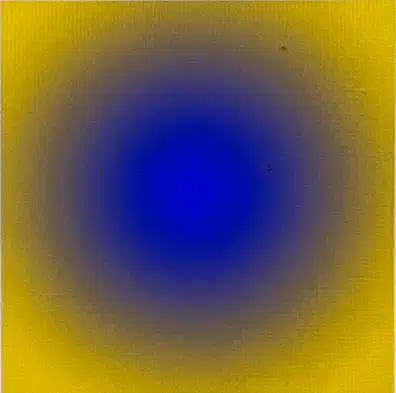
Select the gradient type for each example.
Choose the appropriate definition for the term: Bitmap
Which three pieces of information must you include in a project goals document? (Choose 3)
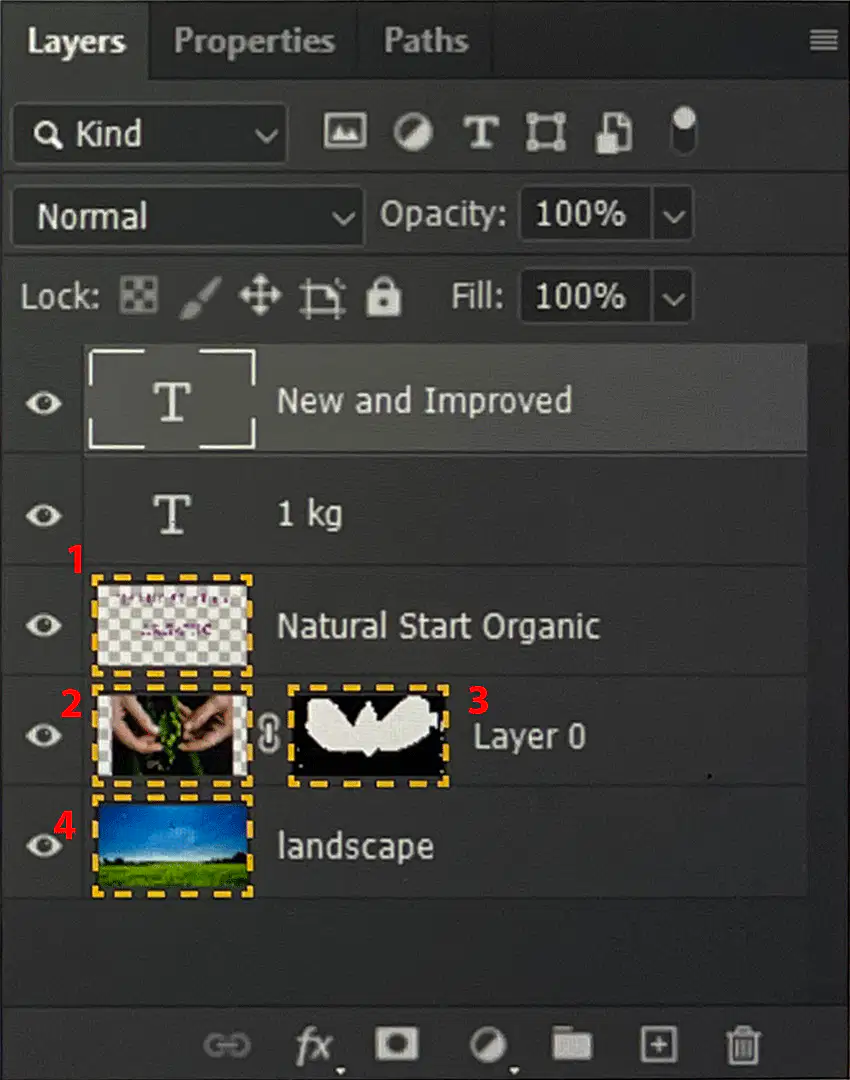
You are using the eraser tool. Select the number in the Layers panel where your edits will be Non-destructive.
Which 2 statements describe kerning and tracking? (Choose 2)
A document has a Type layer with a drop shadow applied to it. You need to make the text transparent w/o changing the transparency of the shadow. What should you do?

You need to insert a logo into a business card that will automatically update, if the file is changed. Which option would you use to insert the logo?
Choose the appropriate definition for the term: Vector
What is a copyright?
Choose the appropriate definition for the term: Resample
Choose the appropriate definition for the term: Rasterize

Math each tool with its description

You need to export each layer of your document, including hidden layers, to separate PNG-24 files. Which menu option should you choose?

Select the # option to change the black color in the gradient editor.
You can adjust size jitter when creating a _______.
Select the 2 license types that forbid modifying the image. (Choose 2)

Option 1

Option 2

Option 3

Option 4

Option 5

The image in the area was created for print. You need to export the image for use on the web. Select the highlighted area you must change.

Match the selection tool with its description.

Match the selection tool with its description.

Match the selection tool with its description.
What is the benefit of iterative design?

Math each tool with its description

Math each tool with its description

Select the correct typography term for #1.
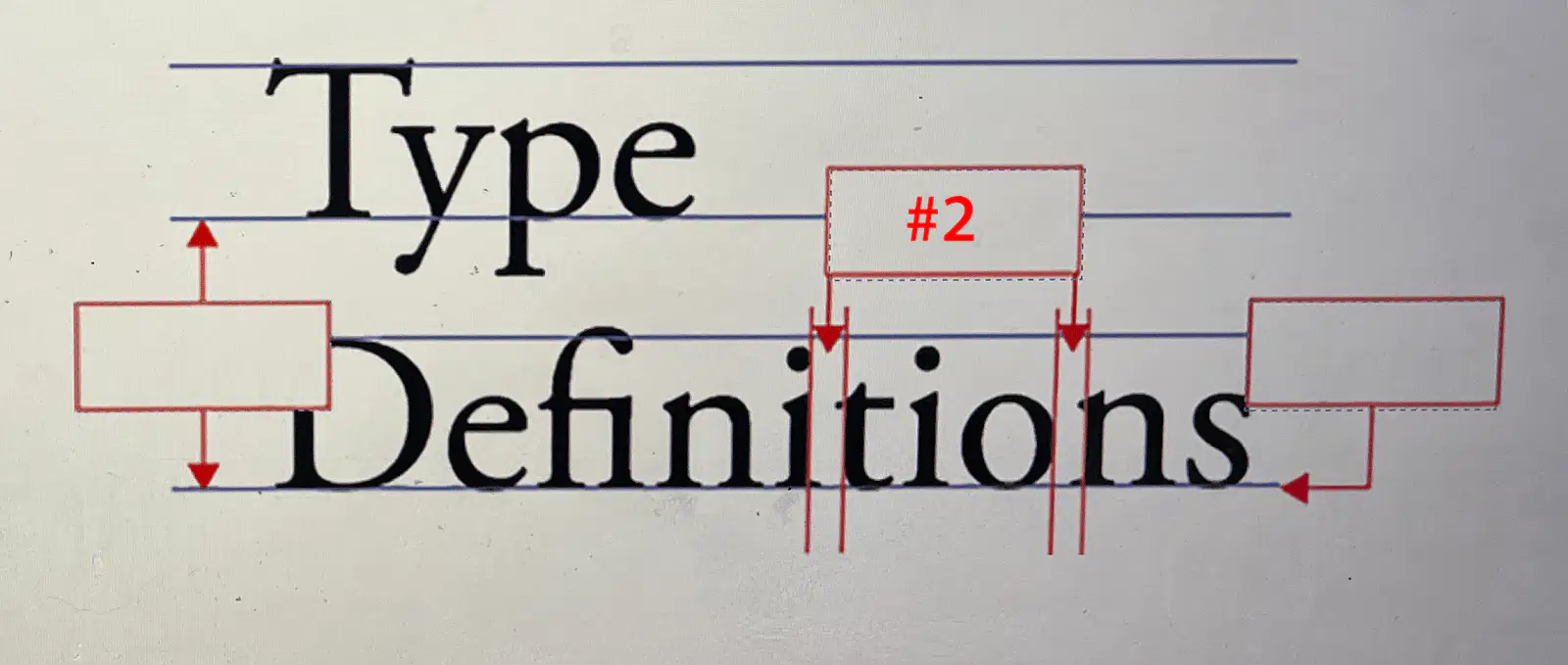
Select the correct typography term for #2.

Select the gradient type for each example.
You are creating a logo and need to add a boat. Where can you find vector boats?

